90
In indoors, low light, or backlit conditions in daylight, just raise the built-
in flash and press the shutter button to take flash pictures. In the <d >
mode, the shutter speed (1/60 sec. - 1/200 sec.) will be set
automatically to prevent camera shake.
1
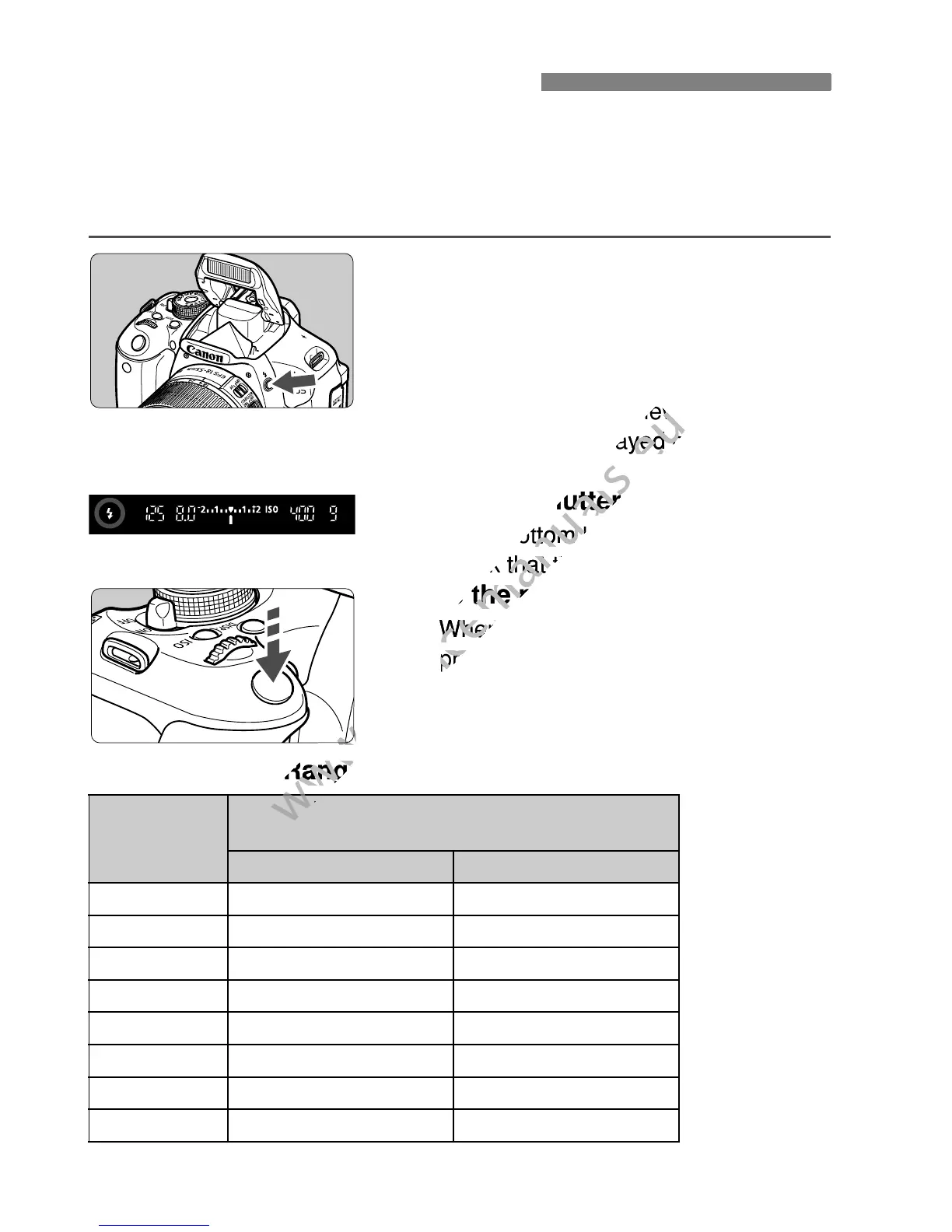
Press the <D> button.
In Creative Zone modes, you can
press the <D> button anytime to take
flash pictures.
While the flash is recycling, “DbuSY”
is displayed in the viewfinder, and
[BUSYD] is displayed on the LCD
monitor.
2
Press the shutter button halfway.
In the bottom left of the viewfinder,
check that the <D> icon is lit.
3
Take the picture.
When focus is achieved and you
press the shutter button completely,
the flash will fire for the picture.
Effective Flash Range [Approx. in meters/feet]
* For fill flash, the ISO speed might be set lower than ISO 400.
D Using the Built-in Flash
ISO speed
(p.79)
EF-S 18-55mm f/3.5-5.6 IS II
EF-S 18-135mm f/3.5-5.6 IS
Wide Angle Telephoto
100 1 - 3.7 / 3.3 - 12.1 1 - 2.3 / 3.3 - 7.5
200 1 - 5.3 / 3.3 - 17.4 1 - 3.3 / 3.3 - 10.8
400/AUTO* 1 - 7.4 / 3.3 - 24.3 1 - 4.6 / 3.3 - 15.1
800 1 - 10.5 / 3.3 - 34.4 1 - 6.6 / 3.3 - 21.7
1600 1 - 14.9 / 3.3 - 48.9 1 - 9.3 / 3.3 - 30.5
3200 1 - 21.0 / 3.3 - 68.9 1 - 13.1 / 3.3 - 43.0
6400 1 - 29.7 / 3.3 - 97.4 1 - 18.6 / 3.3 - 61.0
H: 12800 1 - 42.0 / 3.3 - 137.8 1 - 26.3 / 3.3 - 86.3



 To Next Page