EasyManua.ls Logo

Canon EOS 600D - Reverting the Camera to the Default Settings

Canon EOS 600D
328 pages
Print Icon
To Next Page IconTo Next Page
To Previous Page IconTo Previous Page
Loading...
Handy Features
176
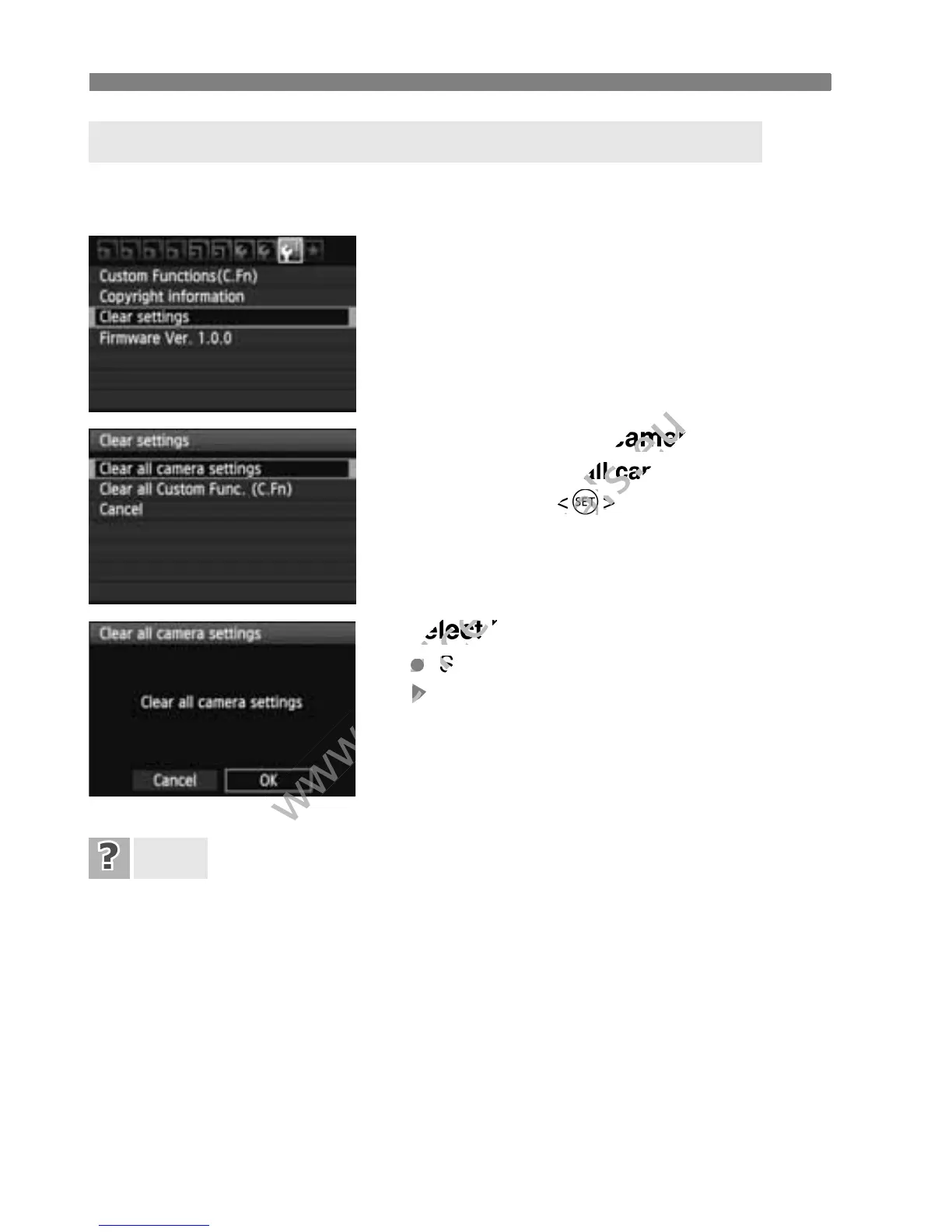
The camera’s shooting settings and menu settings can be reverted to
the default. This option is available in Creative Zone modes.
1
Select [Clear settings].
Under the [7] tab, select [Clear
settings], then press <0>.
2
Select [Clear all camera settings].
Select [Clear all camera settings],
then press <0>.
3
Select [OK].
Select [OK], then press <0>.
X Setting [Clear all camera settings]
will reset the camera to the default
settings on the next page.
Clearing all camera settings:
After the procedure above, select [Clear all Custom Func. (C.Fn)]
in [7 Clear settings] to clear all the Custom Function settings
(p.250).
3 Reverting the Camera to the Default SettingsN
FAQ

www.devicemanuals.eu
Select [Clear all camera settings].
www.devicemanuals.eu
Select [Clear all camera settings].
Clear all camera settings
www.devicemanuals.eu
Clear all camera settings
then press <
www.devicemanuals.eu
then press <
0
www.devicemanuals.eu
0
>.
www.devicemanuals.eu
>.
Select [OK].
www.devicemanuals.eu
Select [OK].
www.devicemanuals.eu
Select [
www.devicemanuals.eu
Select [
X
www.devicemanuals.eu
X
www.devicemanuals.eu

Table of Contents

Other manuals for Canon EOS 600D

Related product manuals