185
Normally, the Self Cleaning Sensor Unit will eliminate most of the dust
that might be visible on captured images. However, in case visible dust
still remains, you can append the Dust Delete Data to the image for
erasing the dust spots later. The Dust Delete Data is used by Digital
Photo Professional (provided software, p.302) to erase the dust spots
automatically.
Get a solid-white object (paper, etc.).
Set the lens focal length to 50mm or longer.
Set the lens focus mode switch to <MF> and set the focus to infinity
(∞). If the lens has no distance scale, look at the front of the lens and
turn the focusing ring clockwise all the way.
1
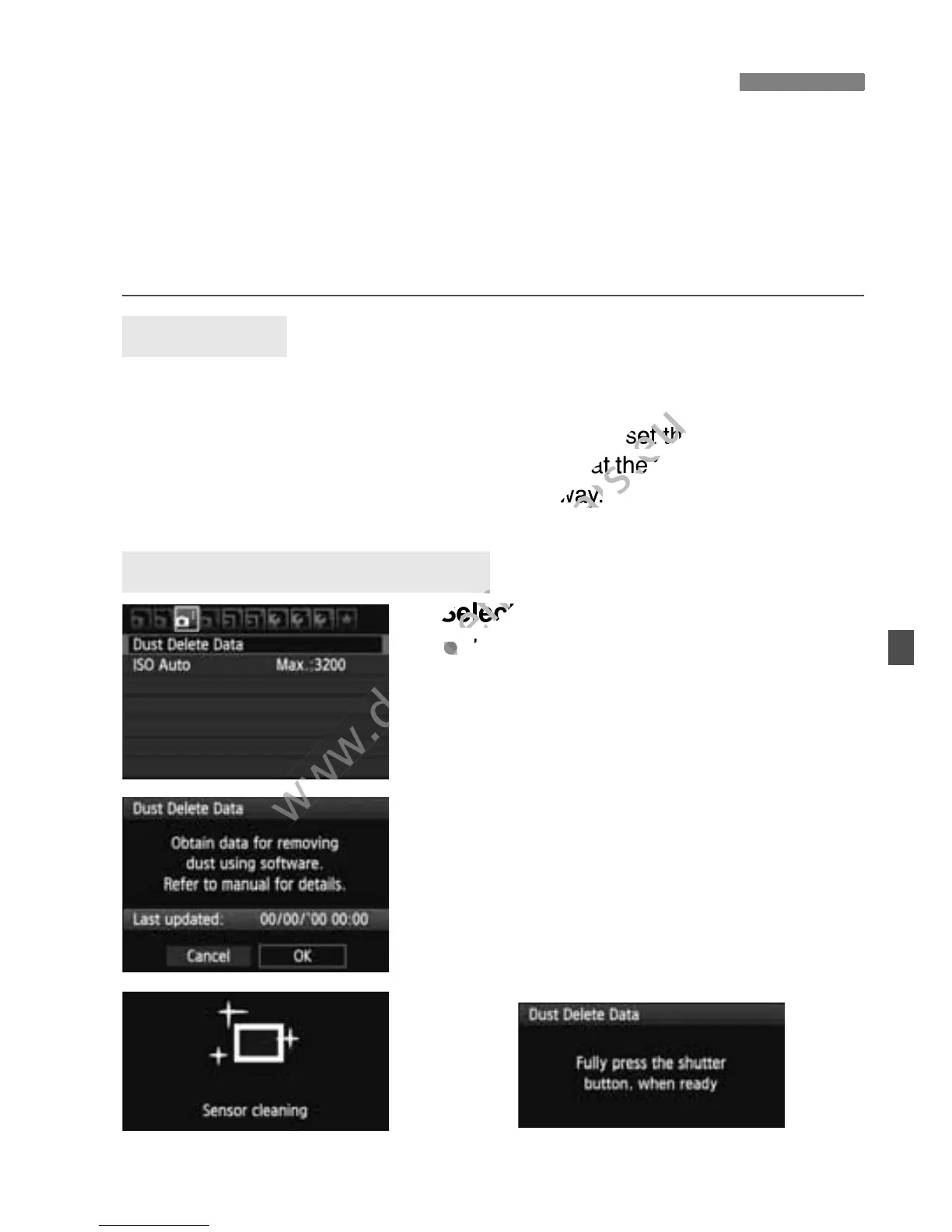
Select [Dust Delete Data].
Under the [y] tab, select [Dust
Delete Data], then press <0>.
2
Select [OK].
Select [OK] and press <0 >. After
the automatic self-cleaning of the
sensor is performed, a message will
appear. Although there will be a
shutter sound, a picture is not taken.
3 Appending Dust Delete DataN
Preparation
Obtain the Dust Delete Data



 To Next Page