EasyManua.ls Logo

Canon EOS 600D - Preparing to Print

Canon EOS 600D
328 pages
Print Icon
To Next Page IconTo Next Page
To Previous Page IconTo Previous Page
Loading...
236
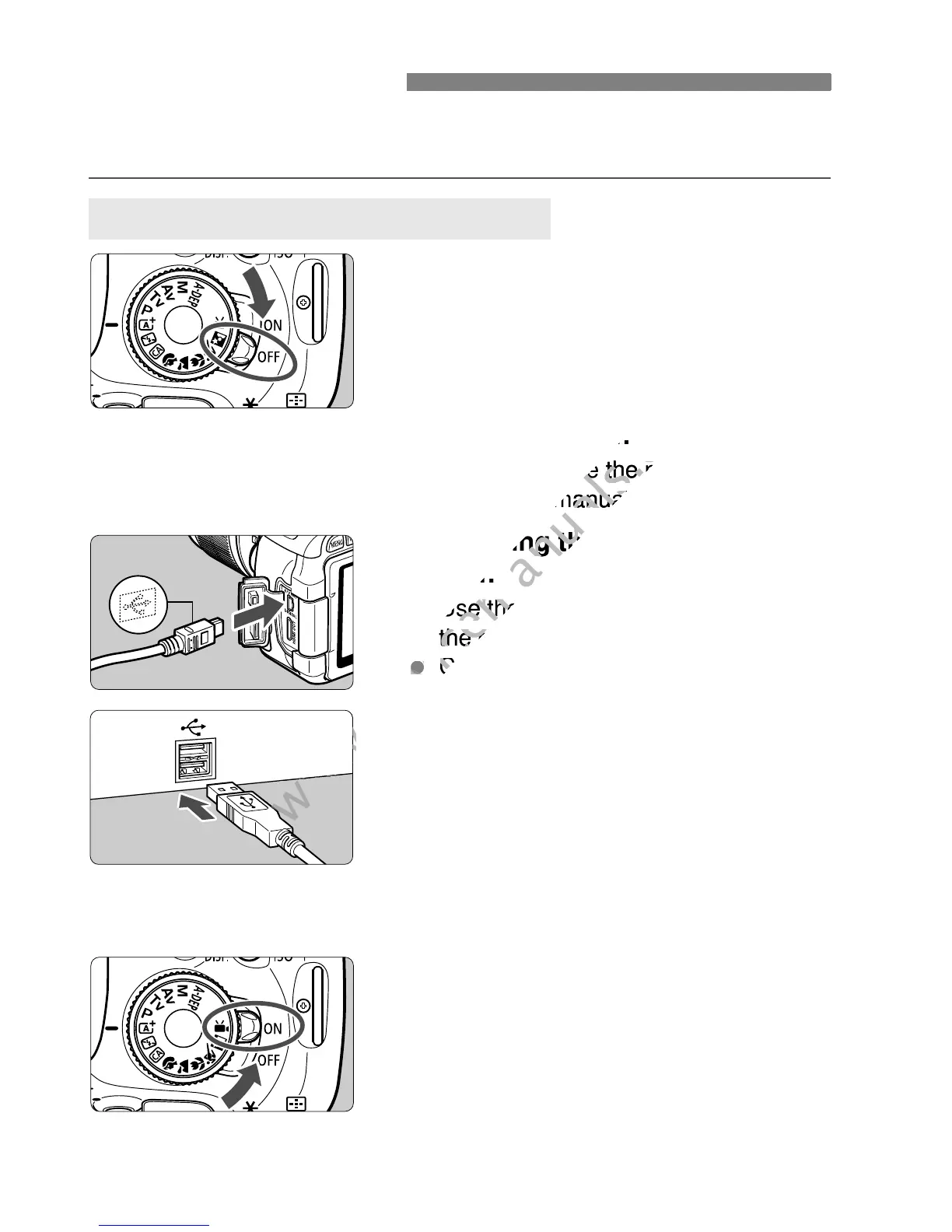
The direct printing procedure is done entirely with the camera
while you look at the LCD monitor.
1
Set the camera’s power switch to
<2>.
2
Set up the printer.
For details, see the printers
instruction manual.
3
Connecting the camera to the
printer.
Use the interface cable provided with
the camera.
Connect the cable to the camera’s
<C> terminal with the cable
plug’s <D> icon facing the front of
the camera.
To connect to the printer, refer to the
printers instruction manual.
4
Turn on the printer.
5
Set the camera’s power switch to
<1>.
X Some printers may make a beeping
sound.
Preparing to Print
Connecting the Camera to a Printer
www.devicemanuals.eu
Set up the printer.
www.devicemanuals.eu
Set up the printer.
For details, see the printers
www.devicemanuals.eu
For details, see the printers
instruction manual.
www.devicemanuals.eu
instruction manual.
Connecting the
www.devicemanuals.eu
Connecting the
printer.
www.devicemanuals.eu
printer.
Use the interface cable provided with
www.devicemanuals.eu
Use the interface cable provided with
the camera.
www.devicemanuals.eu
the camera.
www.devicemanuals.eu
Connect the cable to the cameras
www.devicemanuals.eu
Connect the cable to the cameras
www.devicemanuals.eu

Table of Contents

Other manuals for Canon EOS 600D

Related product manuals