EasyManua.ls Logo

Canon EOS 600D - Set the Printing Effects

Canon EOS 600D
328 pages
Print Icon
To Next Page IconTo Next Page
To Previous Page IconTo Previous Page
Loading...
wPrinting
240
4
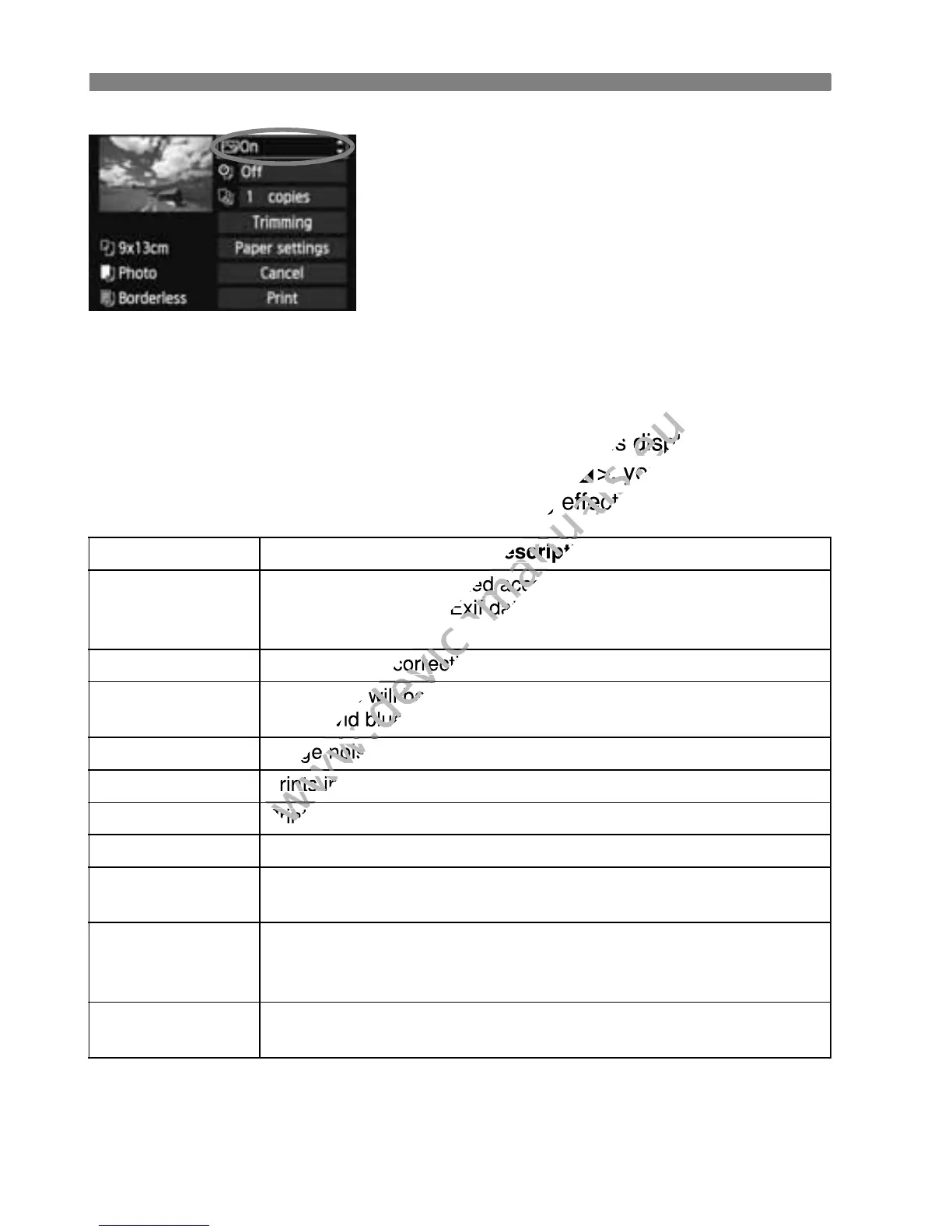
Set the printing effects.
Set as necessary. If you need not set
any printing effects, go to step 5.
What is displayed on the screen
differs depending on the printer.
Select the option on the upper right
(circled in the screenshot), then press
<0>.
Select the desired printing effect, then
press <0>.
If the <e> icon is displayed brightly
next to <x>, you can also adjust
the printing effect (p.242).
* When you change the printing effects, it is reflected in the image displayed on
the upper left. Note that the printed image might look slightly different from the
displayed image which is only an approximation. This also applies to
[Brightness] and [Adjust levels] on page 242.
Printing Effect Description
EOn
The image will be printed according to the printers standard
colors. The image’s Exif data is used to make automatic
corrections.
EOff No automatic correction will be applied.
EVIVID
The image will be printed with higher saturation to produce
more vivid blues and greens.
ENR Image noise is reduced before printing.
0 B/W Prints in black-and-white with true blacks.
0 Cool tone Prints in black-and-white with cool, bluish blacks.
0 Warm tone Prints in black-and-white with warm, yellowish blacks.
zNatural
Prints the image in the actual colors and contrast. No
automatic color adjustments are applied.
zNatural M
The printing characteristics are the same as the “Natural”
setting. However, this setting enables finer printing
adjustments than with “Natural.”
EDefault
The printing will differ depending on the printer. For details,
see the printer’s instruction manual.

www.devicemanuals.eu
> icon is displayed brightly
www.devicemanuals.eu
> icon is displayed brightly
x
www.devicemanuals.eu
x
>, you can also adjust
www.devicemanuals.eu
>, you can also adjust
the printing effect (p.242).
www.devicemanuals.eu
the printing effect (p.242).
www.devicemanuals.eu
Description
www.devicemanuals.eu
Description
www.devicemanuals.eu
The image will be printed according to the printers standard
www.devicemanuals.eu
The image will be printed according to the printers standard
colors. The image’s Exif data is used to make automatic
www.devicemanuals.eu
colors. The image’s Exif data is used to make automatic
www.devicemanuals.eu
No automatic correction will be applied.
www.devicemanuals.eu
No automatic correction will be applied.
www.devicemanuals.eu
The image will be printed with higher saturation to produce
www.devicemanuals.eu
The image will be printed with higher saturation to produce
more vivid blues and greens.
www.devicemanuals.eu
more vivid blues and greens.
www.devicemanuals.eu
Image noise is reduced before printing.
www.devicemanuals.eu
Image noise is reduced before printing.
www.devicemanuals.eu
Prints in black-and-white with true blacks.
www.devicemanuals.eu
Prints in black-and-white with true blacks.
www.devicemanuals.eu
Prints in black-and-white with cool, bluish blacks.
www.devicemanuals.eu
Prints in black-and-white with cool, bluish blacks.
www.devicemanuals.eu

Table of Contents

Other manuals for Canon EOS 600D

Related product manuals