EasyManua.ls Logo

Canon EOS 600D - Depth of Field Preview

Canon EOS 600D
328 pages
Print Icon
To Next Page IconTo Next Page
To Previous Page IconTo Previous Page
Loading...
f: Changing the Depth of Field
98
To obtain a correct flash exposure, the flash output will be set
automatically to match the set aperture (autoflash exposure). The
shutter speed will be set automatically between 1/200 sec. - 30 sec. to
suit the scene’s brightness.
In low light, the main subject is exposed with the automatic flash, and
the background is exposed with a slow shutter speed set automatically.
Both the subject and background look properly exposed (automatic
slow-speed flash sync). If you are handholding the camera, keep it
steady to prevent camera shake. Using a tripod is recommended.
If you do not want a slow shutter speed to be used, set [3: Flash sync.
speed in Av mode] to [1: 1/200-1/60 sec. auto] or [2: 1/200 sec.
(fixed)] in [7 Custom Functions (C.Fn)] (p.252).
The aperture opening (diaphragm) changes only at the moment when
the picture is taken. Otherwise, the aperture remains fully open.
Therefore, when you look at the scene through the viewfinder or LCD
monitor, the depth of field will look narrow.
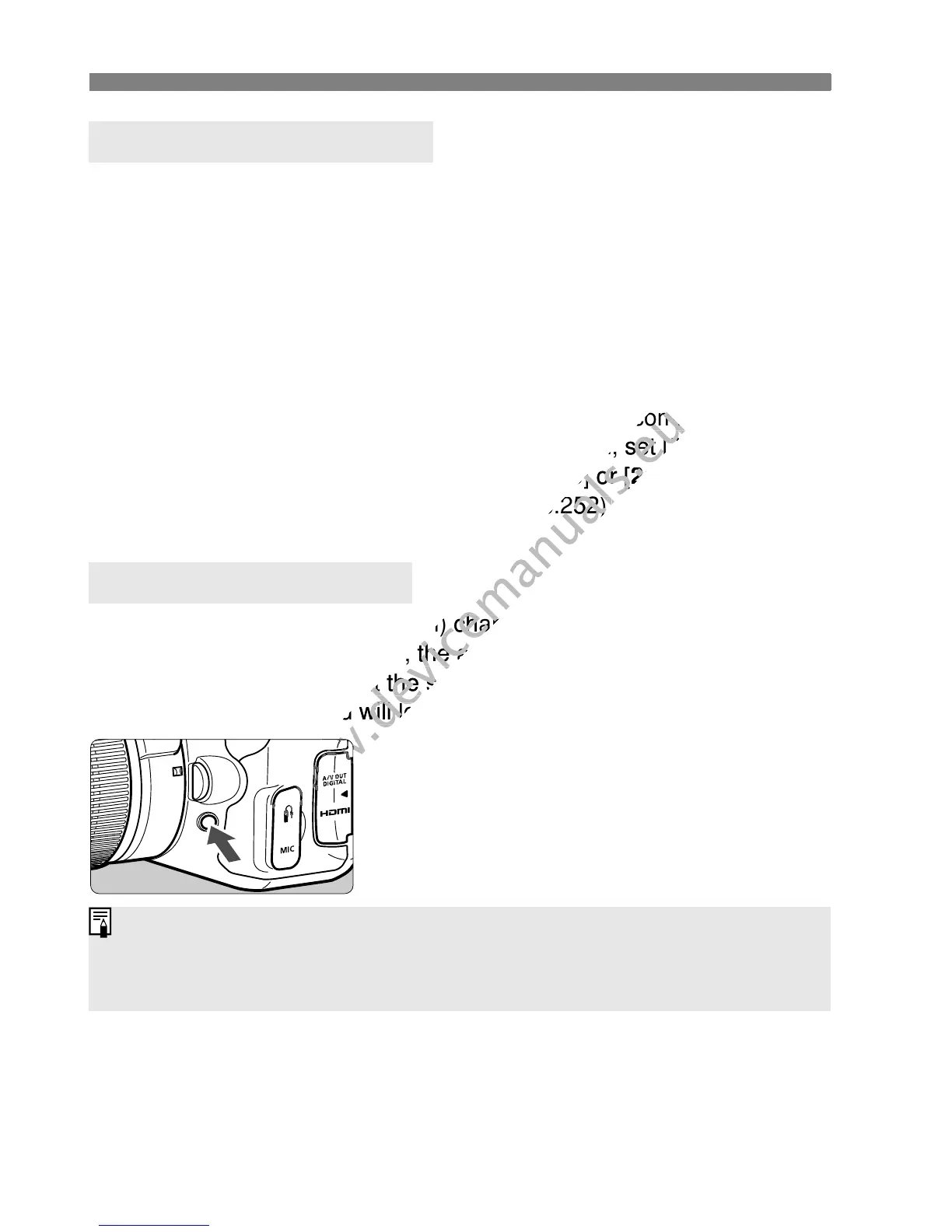
When you press the depth-of-field
preview button, you can see the actual
depth of field before you shoot.
D Using the Built-in Flash
Depth of Field PreviewN
While looking at the Live View image (p.124) and holding down the depth-of-
field preview button, you can change the aperture and see how the depth of
field changes.

www.devicemanuals.eu
steady to prevent camera shake. Using a tripod is recommended.
www.devicemanuals.eu
steady to prevent camera shake. Using a tripod is recommended.
If you do not want a slow shutter speed to be used, set [
www.devicemanuals.eu
If you do not want a slow shutter speed to be used, set [
3: Flash sync.
www.devicemanuals.eu
3: Flash sync.
1: 1/200-1/60 sec. auto
www.devicemanuals.eu
1: 1/200-1/60 sec. auto
] or [
www.devicemanuals.eu
] or [
2: 1/200 sec.
www.devicemanuals.eu
2: 1/200 sec.
] (p.252).
www.devicemanuals.eu
] (p.252).
The aperture opening (diaphragm) changes only at the moment when
www.devicemanuals.eu
The aperture opening (diaphragm) changes only at the moment when
the picture is taken. Otherwise, the aperture remains fully open.
www.devicemanuals.eu
the picture is taken. Otherwise, the aperture remains fully open.
Therefore, when you look at the scene through the viewfinder or LCD
www.devicemanuals.eu
Therefore, when you look at the scene through the viewfinder or LCD
monitor, the depth of field will look narrow.
www.devicemanuals.eu
monitor, the depth of field will look narrow.
www.devicemanuals.eu

Table of Contents

Other manuals for Canon EOS 600D

Related product manuals