EasyManua.ls Logo

Canon EOS 600D - B: Matching the Light Source (White Balance); Matching the Light Source (White Balance)

Canon EOS 600D
328 pages
Print Icon
To Next Page IconTo Next Page
To Previous Page IconTo Previous Page
Loading...
117
The function adjusting the color tone so that white objects look white in
the picture is called white balance (WB). Normally, the <Q> (Auto)
setting will obtain the correct white balance. If natural-looking colors
cannot be obtained with <Q>, you can select the white balance to
match the light source or set it manually by shooting a white object.
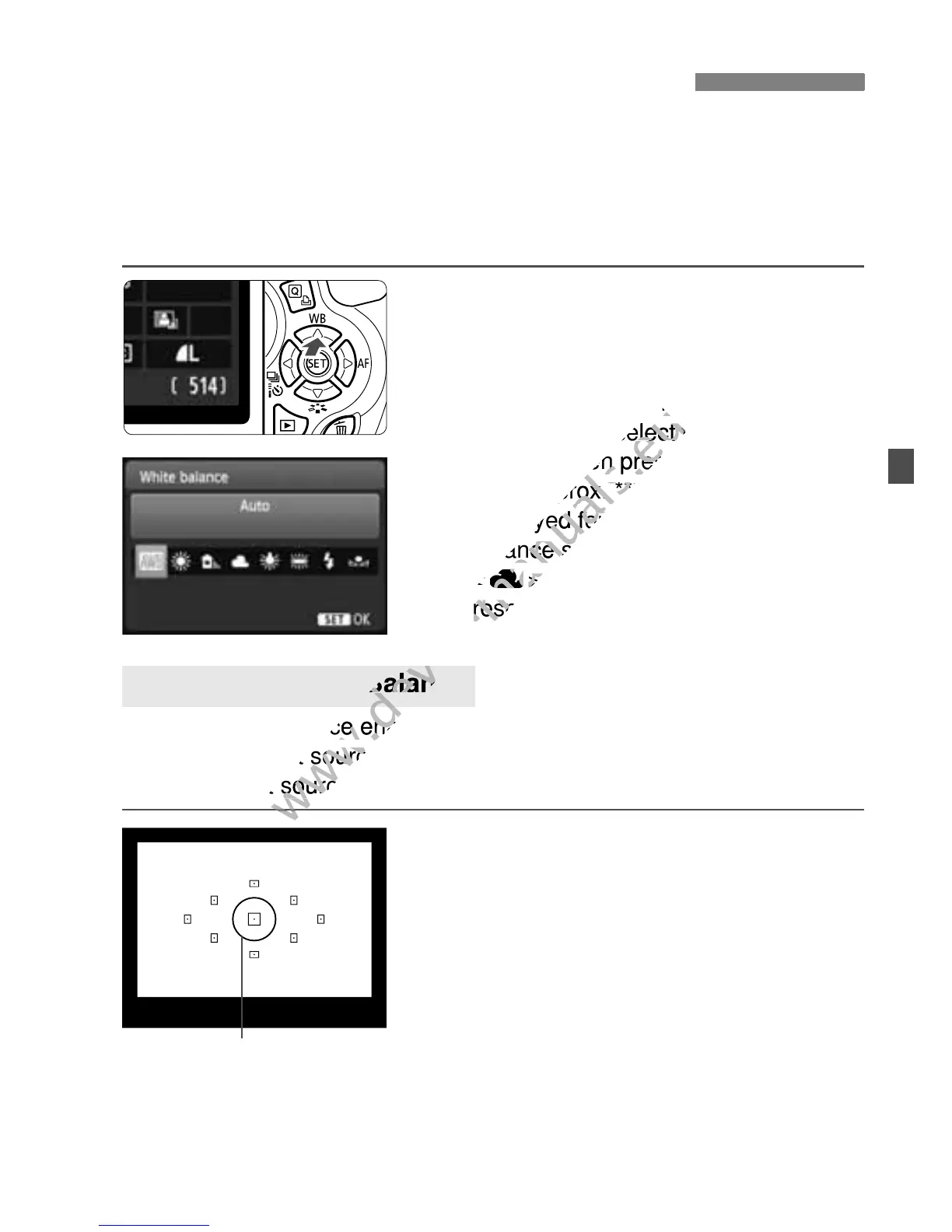
1
Press the <WB> button.
X [White balance] will appear.
2
Select the white balance.
Press the <U> key or turn the
<6> dial to select the desired white
balance, then press <0>.
The “Approx. ****K” (K: Kelvin)
displayed for the following white
balance settings <W>, <E>,
<R>, <Y> or <U> is the
respective color temperature.
Custom white balance enables you to manually set the white balance
for a specific light source for better accuracy. Do this procedure under
the actual light source to be used.
1
Photograph a white object.
The plain, white object should fill the
spot metering circle.
Focus manually and set the standard
exposure for the white object.
You can set any white balance.
B: Matching the Light SourceN
O Custom White Balance
Spot metering circle

www.devicemanuals.eu
> key or turn the
www.devicemanuals.eu
> key or turn the
> dial to select the desired white
www.devicemanuals.eu
> dial to select the desired white
balance, then press <
www.devicemanuals.eu
balance, then press <
The Approx. ****K” (K: Kelvin)
www.devicemanuals.eu
The Approx. ****K” (K: Kelvin)
displayed for the following white
www.devicemanuals.eu
displayed for the following white
balance settings <
www.devicemanuals.eu
balance settings <
<
www.devicemanuals.eu
<
R
www.devicemanuals.eu
R
>, <
www.devicemanuals.eu
>, <
respective color temperature.
www.devicemanuals.eu
respective color temperature.
www.devicemanuals.eu
Custom white balance enables you to manually set the white balance
www.devicemanuals.eu
Custom white balance enables you to manually set the white balance
for a specific light source for bette
www.devicemanuals.eu
for a specific light source for bette
www.devicemanuals.eu
the actual light source to be used.
www.devicemanuals.eu
the actual light source to be used.
www.devicemanuals.eu
Custom White Balance
www.devicemanuals.eu
Custom White Balance

Table of Contents

Other manuals for Canon EOS 600D

Related product manuals