EasyManua.ls Logo

Canon EOS 600D - MF: Focusing Manually

Canon EOS 600D
328 pages
Print Icon
To Next Page IconTo Next Page
To Previous Page IconTo Previous Page
Loading...
138
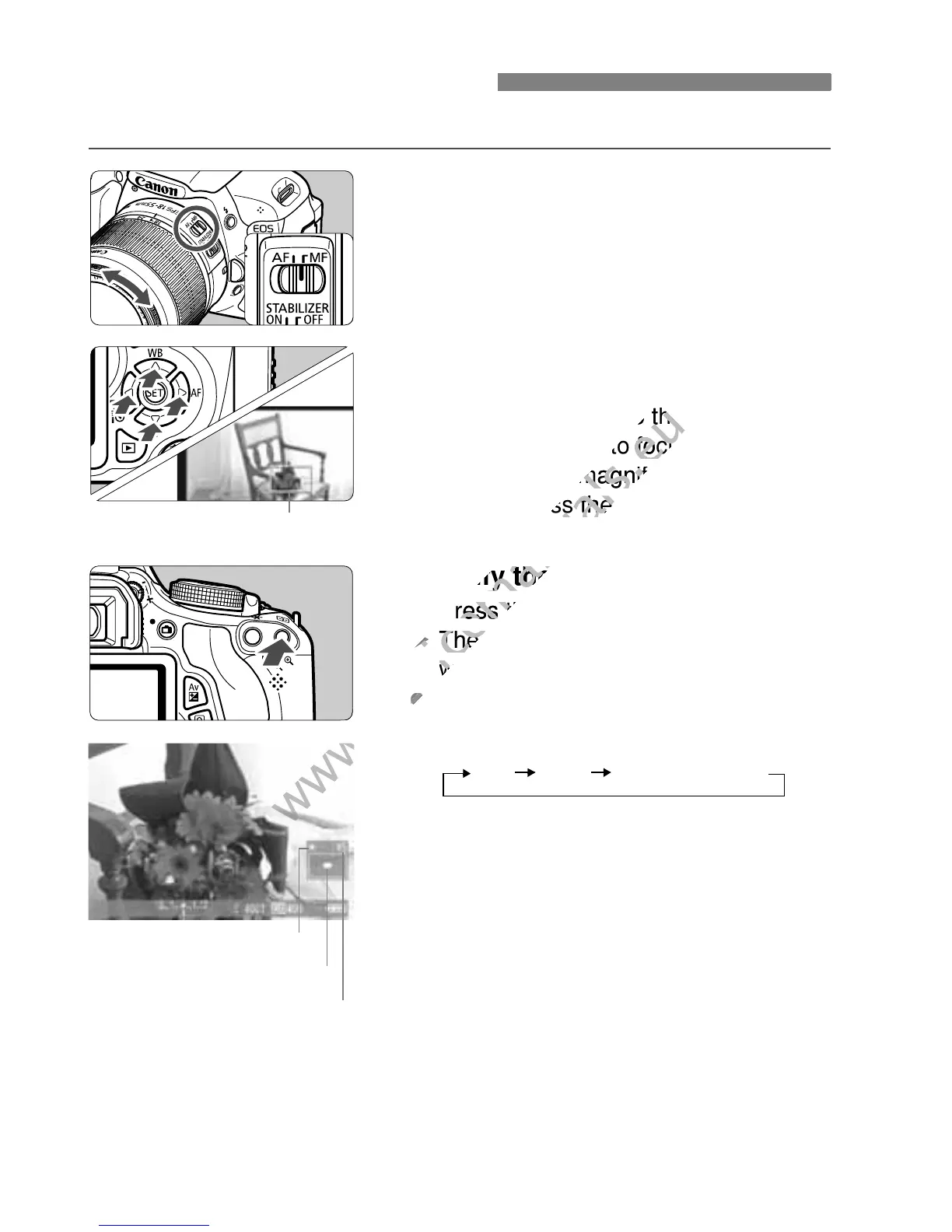
You can magnify the image and focus precisely manually.
1
Set the lens focus mode switch to
<MF>.
Turn the lens focusing ring to focus
roughly.
2
Move the magnifying frame.
Press the <S> key to move the
magnifying frame to the position
where you want to focus.
To return the magnifying frame to the
center, press the <0> or <L>
button.
3
Magnify the image.
Press the <u> button.
X The area within the magnifying frame
will be magnified.
Each time you press the <u> button,
the view will change as follows:
4
Focus manually.
While looking at the magnified image,
turn the lens focusing ring to focus.
After achieving focus, press the <u>
button to return to the normal view.
5
Take the picture.
Check the focus and exposure, then
press the shutter button to take the
picture (p.124).
MF: Focusing Manually
Magnifying frame
AE lock
Magnified area position
Magnification
5x 10x Normal view

www.devicemanuals.eu
magnifying frame to the position
www.devicemanuals.eu
magnifying frame to the position
where you want to focus.
www.devicemanuals.eu
where you want to focus.
To return the magnifying frame to the
www.devicemanuals.eu
To return the magnifying frame to the
center, press the <
www.devicemanuals.eu
center, press the <
Magnify the image.
www.devicemanuals.eu
Magnify the image.
Press the <
www.devicemanuals.eu
Press the <
X
www.devicemanuals.eu
X
The area within the magnifying frame
www.devicemanuals.eu
The area within the magnifying frame
will be magnified.
www.devicemanuals.eu
will be magnified.
www.devicemanuals.eu

Table of Contents

Other manuals for Canon EOS 600D

Related product manuals