EasyManua.ls Logo

Canon EOS 600D - E: AF Mode; S AF Point

Canon EOS 600D
328 pages
Print Icon
To Next Page IconTo Next Page
To Previous Page IconTo Previous Page
Loading...
315
Quick Reference Guide
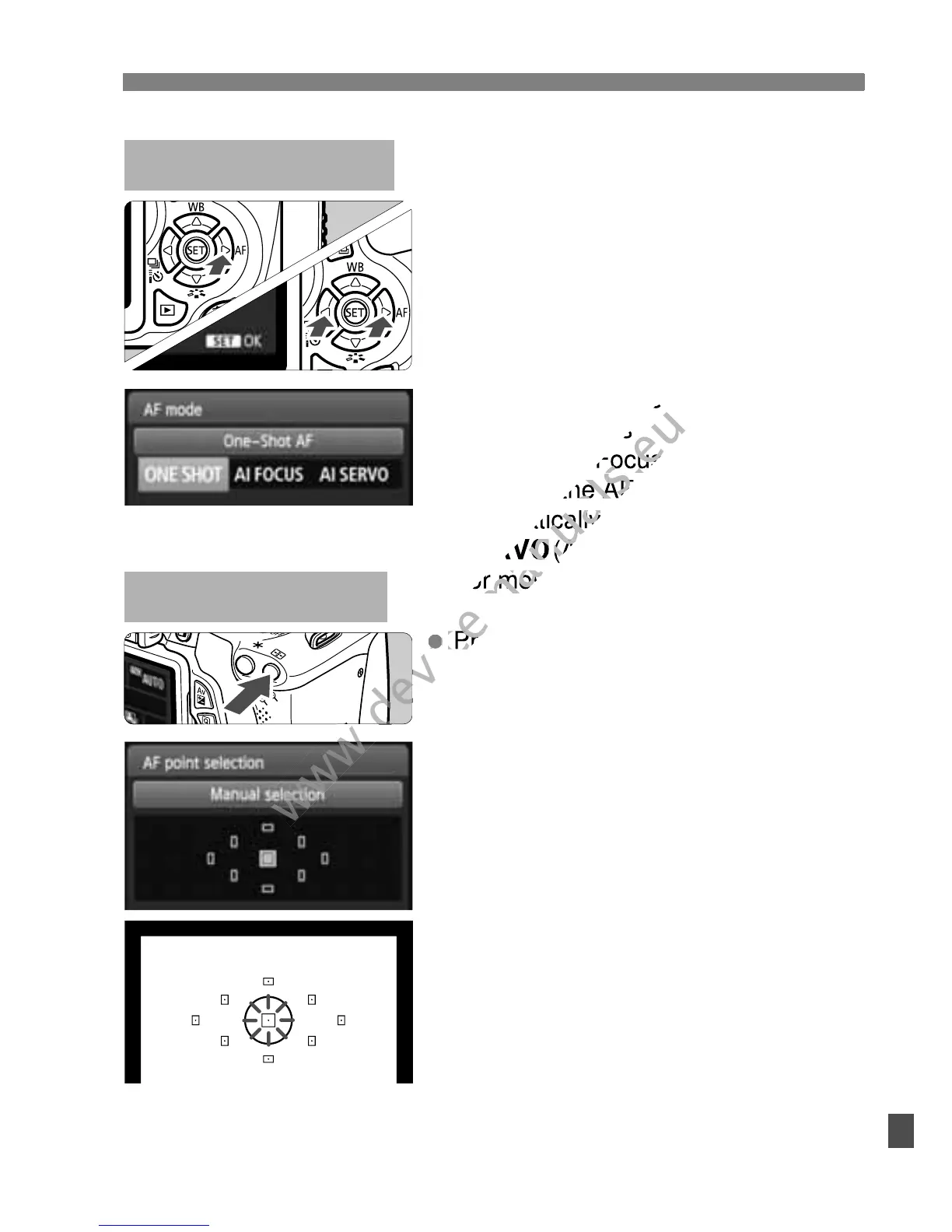
Press the <S> button.
Press the <S> key to select the
AF point.
While looking through the
viewfinder, you can select the
AF point by turning the <6>
dial until the desired AF point
flashes in red.
Pressing <0> toggles the AF
point selection between the
center AF point and automatic
AF point selection.
S AF PointN
Set the lens focus mode switch
to <f>.
Press the <ZE> button.
Press the <U> key or turn the
<6> dial to select the AF
mode, then press <0>.
X(One-Shot AF):
For still subjects
9(AI Focus AF):
Switches the AF mode
automatically
Z(AI Servo AF):
For moving subjects
E: AF ModeN

www.devicemanuals.eu
(One-Shot AF):
www.devicemanuals.eu
(One-Shot AF):
For still subjects
www.devicemanuals.eu
For still subjects
www.devicemanuals.eu
(AI Focus AF):
www.devicemanuals.eu
(AI Focus AF):
Switches the AF mode
www.devicemanuals.eu
Switches the AF mode
automatically
www.devicemanuals.eu
automatically
Z
www.devicemanuals.eu
Z
www.devicemanuals.eu
Press the <
www.devicemanuals.eu
Press the <
(AI Servo AF):
www.devicemanuals.eu
(AI Servo AF):
For moving subjects
www.devicemanuals.eu
For moving subjects

Table of Contents

Other manuals for Canon EOS 600D

Related product manuals