EasyManua.ls Logo

Canon EOS 600D - Autoexposure Shooting

Canon EOS 600D
328 pages
Print Icon
To Next Page IconTo Next Page
To Previous Page IconTo Previous Page
Loading...
142
Connecting the camera to a TV set is recommended to playback the
movies shot (p.218, 221).
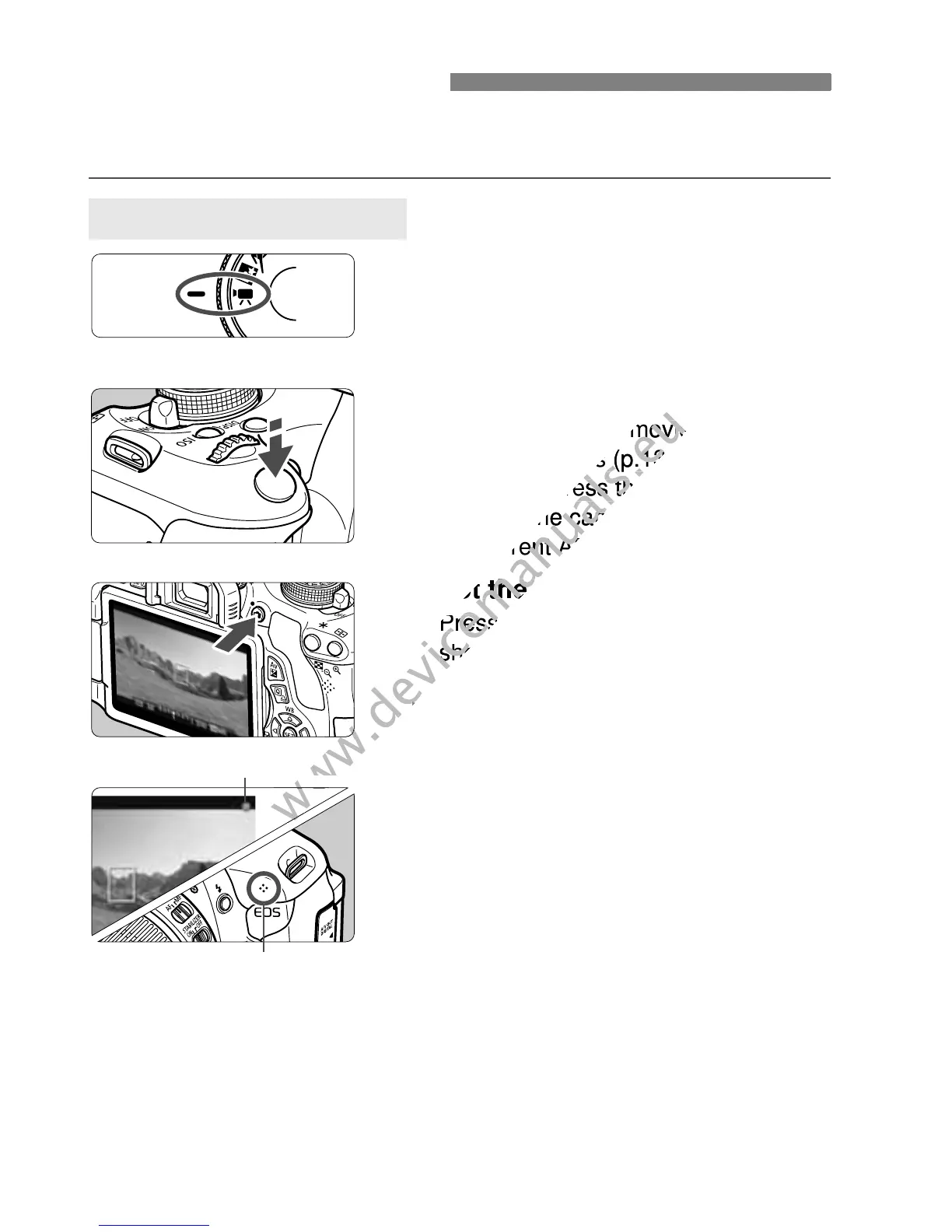
1
Set the Mode Dial to <k>.
X The reflex mirror will make a sound,
then the image will appear on the
LCD monitor.
2
Focus the subject.
Before shooting a movie, autofocus
or manual focus (p.131-138).
When you press the shutter button
halfway, the camera will focus with
the current AF mode.
3
Shoot the movie.
Press the <A> button to start
shooting a movie. To stop movie
shooting, press <A> again.
X While the movie is being shot, the
o” mark will be displayed on the
upper right of the screen.
k Shooting Movies
Autoexposure Shooting
Recording movie
Microphone
www.devicemanuals.eu
Before shooting a movie, autofocus
www.devicemanuals.eu
Before shooting a movie, autofocus
or manual focus (p.131-138).
www.devicemanuals.eu
or manual focus (p.131-138).
When you press the shutter button
www.devicemanuals.eu
When you press the shutter button
halfway, the camera will focus with
www.devicemanuals.eu
halfway, the camera will focus with

the current AF mode.
www.devicemanuals.eu
the current AF mode.
Shoot the movie.
www.devicemanuals.eu
Shoot the movie.
Press the <
www.devicemanuals.eu
Press the <
shooting a movie. To stop movie
www.devicemanuals.eu
shooting a movie. To stop movie
shooting, press <
www.devicemanuals.eu
shooting, press <
X
www.devicemanuals.eu
X
www.devicemanuals.eu
Recording movie
www.devicemanuals.eu
Recording movie

Table of Contents

Other manuals for Canon EOS 600D

Related product manuals