EasyManua.ls Logo

Canon EOS 600D - Shooting Movies

Canon EOS 600D
328 pages
Print Icon
To Next Page IconTo Next Page
To Previous Page IconTo Previous Page
Loading...
Quick Reference Guide
318
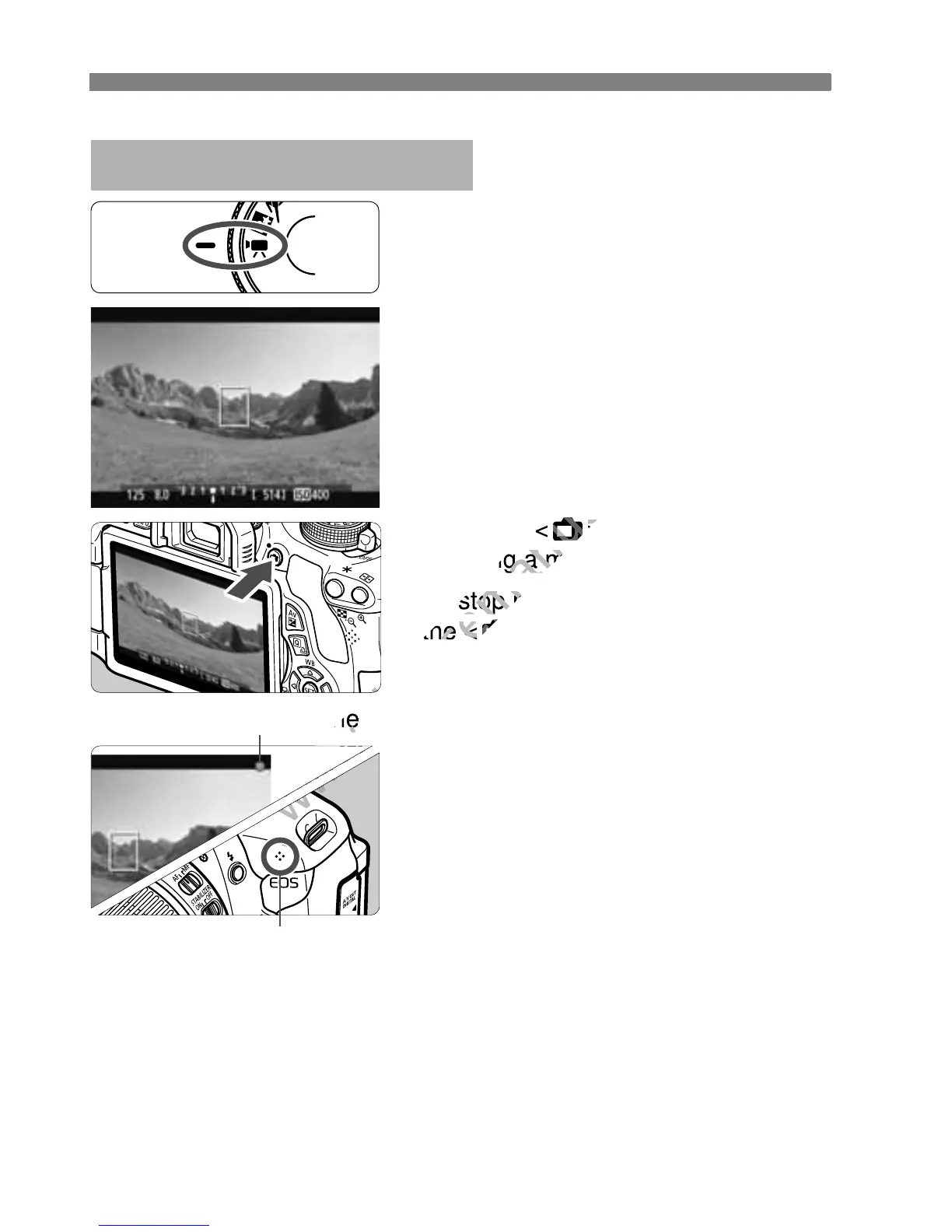
k Shooting Movies
Set the Mode Dial to <k>.
Press the shutter button
halfway to focus.
Press the <A> button to start
shooting a movie.
To stop movie shooting, press
the <A> button again.
Recording movie
Microphone
www.devicemanuals.eu
Press the <
www.devicemanuals.eu
Press the <
A
www.devicemanuals.eu
A
> button to start
www.devicemanuals.eu
> button to start
shooting a movie.
www.devicemanuals.eu
shooting a movie.
To stop movie shooting, press
www.devicemanuals.eu
To stop movie shooting, press
the <
www.devicemanuals.eu
the <
A
www.devicemanuals.eu
A
Recording movie
www.devicemanuals.eu
Recording movie

Table of Contents

Other manuals for Canon EOS 600D

Related product manuals