EasyManua.ls Logo

Canon EOS 600D - D: Program AE

Canon EOS 600D
328 pages
Print Icon
To Next Page IconTo Next Page
To Previous Page IconTo Previous Page
Loading...
74
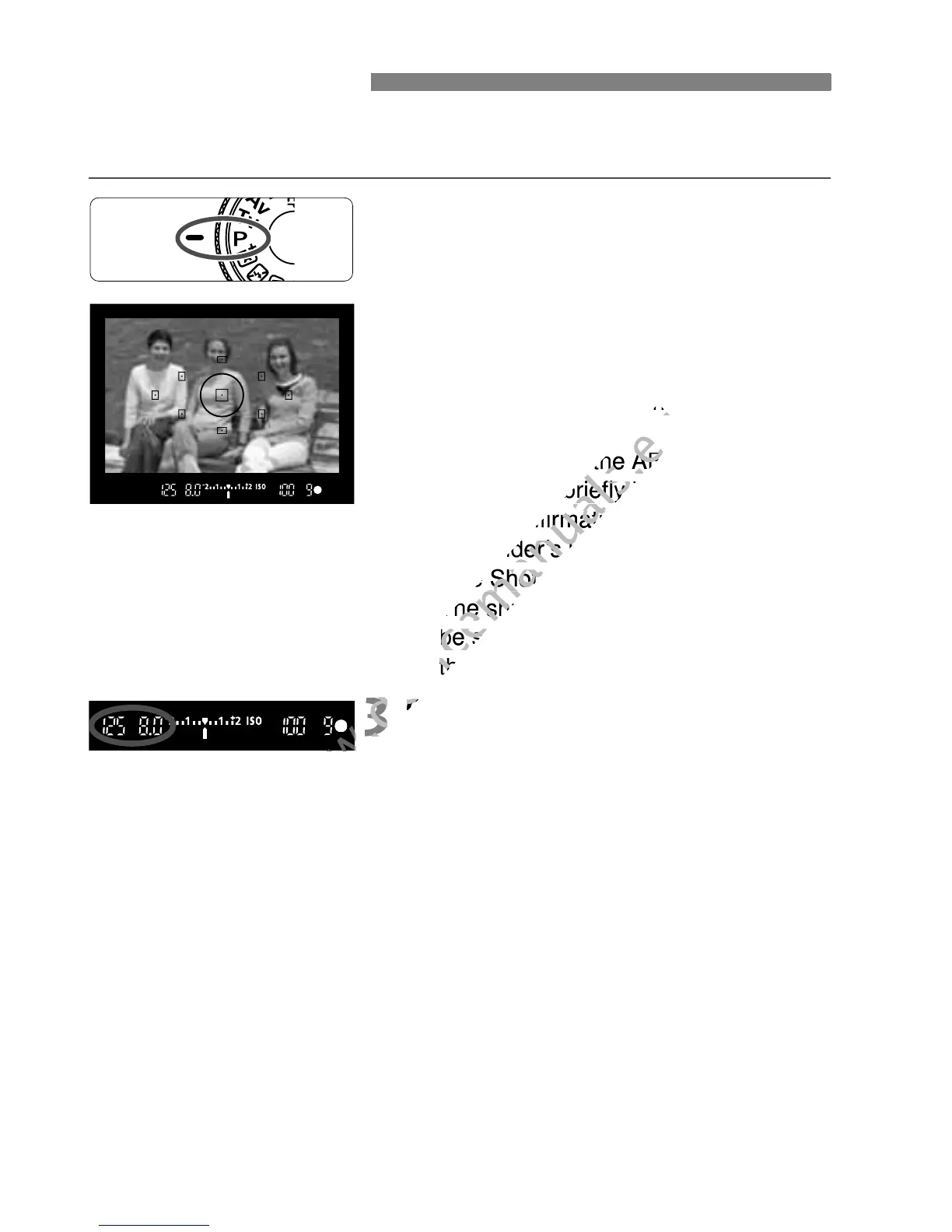
The camera automatically sets the shutter speed and aperture to suit
the subject’s brightness. This is called Program AE.
1
Set the Mode Dial to <d>.
2
Focus the subject.
Look through the viewfinder and aim
the selected AF point over the
subject. Then press the shutter button
halfway.
X The dot inside the AF point achieving
focus lights briefly in red, and the
focus confirmation light <o> in the
viewfinders bottom right lights (with
One Shot AF).
X The shutter speed and aperture will
be set automatically and displayed in
the viewfinder.
3
Check the display.
A standard exposure will be obtained
as long as the shutter speed and
aperture display do not blink.
4
Take the picture.
Compose the shot and press the
shutter button completely.
d: Program AE
www.devicemanuals.eu
subject. Then press the shutter button
www.devicemanuals.eu
subject. Then press the shutter button
The dot inside the AF point achieving
www.devicemanuals.eu
The dot inside the AF point achieving
focus lights briefly in red, and the
www.devicemanuals.eu
focus lights briefly in red, and the

focus confirmation light <
www.devicemanuals.eu
focus confirmation light <
viewfinders bottom right lights (with
www.devicemanuals.eu
viewfinders bottom right lights (with
One Shot AF).
www.devicemanuals.eu
One Shot AF).
The shutter speed and aperture will
www.devicemanuals.eu
The shutter speed and aperture will
be set automatically and displayed in
www.devicemanuals.eu
be set automatically and displayed in
the viewfinder.
www.devicemanuals.eu
the viewfinder.
3
www.devicemanuals.eu
3
Check the display.
www.devicemanuals.eu
Check the display.
www.devicemanuals.eu

Table of Contents

Other manuals for Canon EOS 600D

Related product manuals