EasyManua.ls Logo

Canon EOS 600D - Focus the subject

Canon EOS 600D
328 pages
Print Icon
To Next Page IconTo Next Page
To Previous Page IconTo Previous Page
Loading...
131
The AF modes available are [Live mode], [u Live mode] (face
detection, p.132), and [Quick mode] (p.136).
If you want to achieve precise focus, set the lens focus mode switch to
<MF>, magnify the image, and focus manually (p.138).
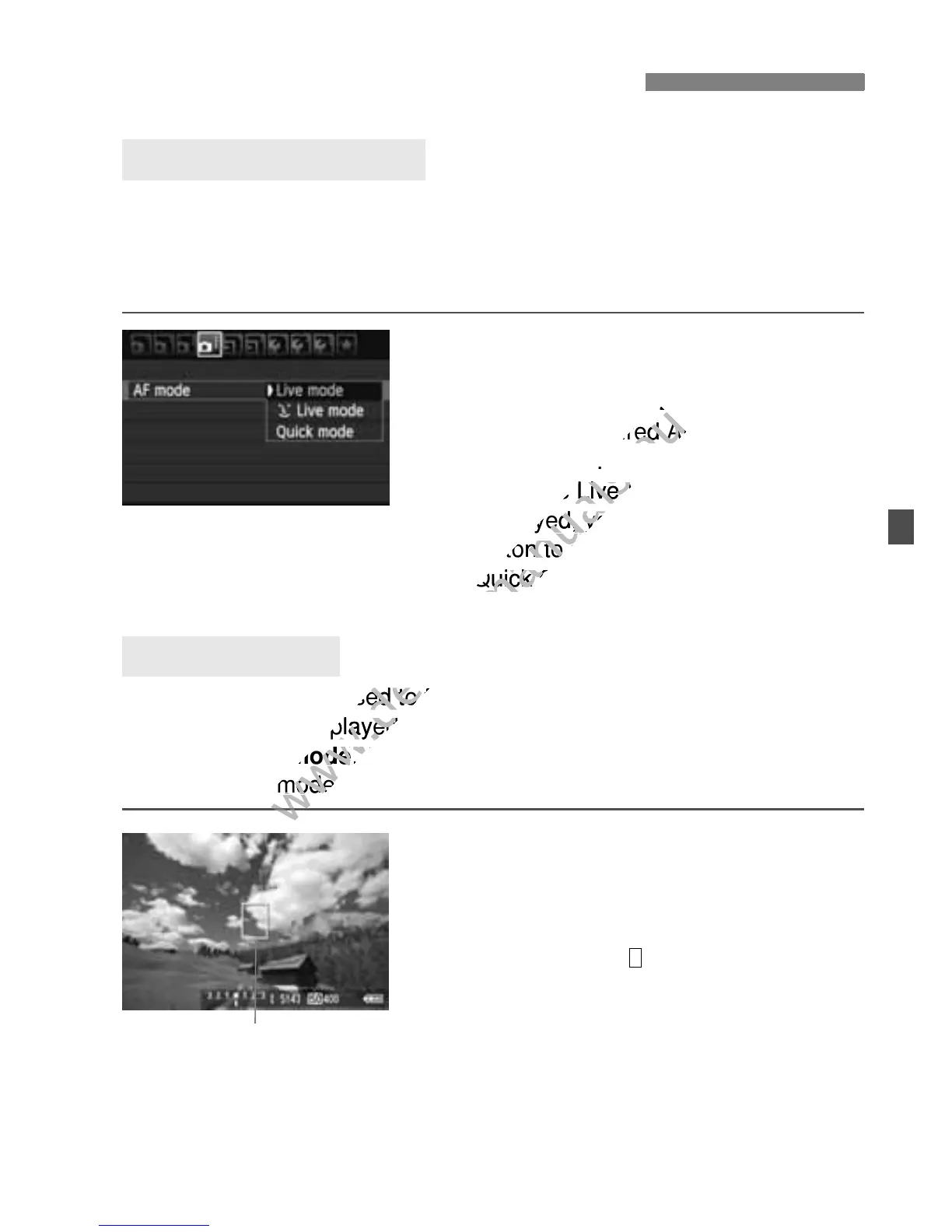
Select the AF mode.
Under the [z] tab, select [AF mode]
([2] tab in Basic Zone modes).
Select the desired AF mode, then
press <0>.
While the Live View image is
displayed, you can press the <Q>
button to select the AF mode on the
Quick Control screen (p.128).
The image sensor is used to focus. Although AF is possible with the
Live View image displayed, the AF operation will take longer than
with the Quick mode. Also, achieving focus may be more difficult than
with the Quick mode.
1
Display the Live View image.
Press the <A> button.
X The Live View image will appear on
the LCD monitor.
X The AF point < > will appear.
2
Move the AF point.
Press the <S> key to move the AF
point to where you want to focus (it
cannot go to the edges of the picture).
To return the AF point to the center,
press the <0> or <L> button.
Changing the Autofocus Mode
Selecting the AF Mode
Live Mode: d
AF point

www.devicemanuals.eu
] tab in Basic Zone modes).
www.devicemanuals.eu
] tab in Basic Zone modes).
Select the desired AF mode, then
www.devicemanuals.eu
Select the desired AF mode, then
>.
www.devicemanuals.eu
>.
While the Live View image is
www.devicemanuals.eu
While the Live View image is
displayed, you can press the <
www.devicemanuals.eu
displayed, you can press the <
button to select the AF mode on the
www.devicemanuals.eu
button to select the AF mode on the
Quick Control screen (p.128).
www.devicemanuals.eu
Quick Control screen (p.128).
The image sensor is used to focus. Although AF is possible with the
www.devicemanuals.eu
The image sensor is used to focus. Although AF is possible with the
Live View image displayed,
www.devicemanuals.eu
Live View image displayed,
with the Quick mode
www.devicemanuals.eu
with the Quick mode
. Also, achieving focus may be more difficult than
www.devicemanuals.eu
. Also, achieving focus may be more difficult than
www.devicemanuals.eu
with the Quick mode.
www.devicemanuals.eu
with the Quick mode.

Table of Contents

Other manuals for Canon EOS 600D

Related product manuals