EasyManua.ls Logo

Canon EOS 600D - Turning the LCD Monitor Off;On; Changing the Shooting Settings Screen Color

Canon EOS 600D
328 pages
Print Icon
To Next Page IconTo Next Page
To Previous Page IconTo Previous Page
Loading...
179
Handy Features
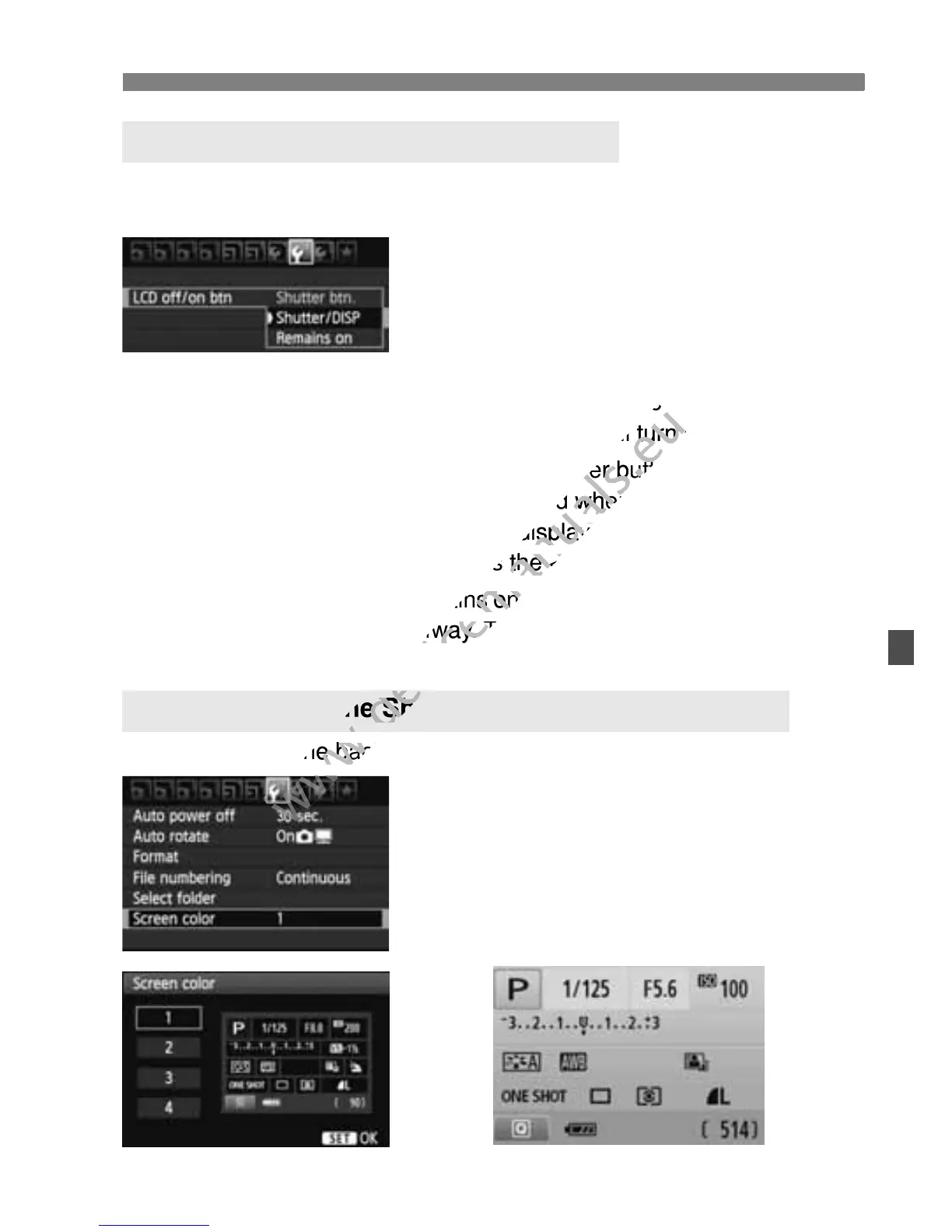
The shooting settings display (p.47) can be turned on or off by pressing
the shutter button halfway.
Under the [6] tab, select [LCD off/on
btn], then press <0>. The available
settings are described below. Select one,
then press <0>.
[Shutter btn.] : When you press the shutter button halfway, the
display will turn off. And when you let go of the
shutter button, the display will turn on.
[Shutter/DISP]: When you press the shutter button halfway, the
display will turn off. And when you let go of the
shutter button, the display will remain off. To turn on
the display, press the <B> button.
[Remains on] : Display remains on even when you press the shutter
button halfway. To turn off display, press the <B>
button.
You can change the background color of the shooting settings screen.
Under the [5] tab, select [Screen
color], then press <0>. Select the
desired color, then press <0>.
When you exit the menu, the selected
color will be displayed for the shooting
settings screen.
3 Turning the LCD Monitor Off/On
3 Changing the Shooting Settings Screen Color

www.devicemanuals.eu
display will turn off. And when you let go of the
www.devicemanuals.eu
display will turn off. And when you let go of the
shutter button, the display will turn on.
www.devicemanuals.eu
shutter button, the display will turn on.
When you press the shutter button halfway, the
www.devicemanuals.eu
When you press the shutter button halfway, the
display will turn off. And when you let go of the
www.devicemanuals.eu
display will turn off. And when you let go of the
shutter button, the display will remain off. To turn on
www.devicemanuals.eu
shutter button, the display will remain off. To turn on
the display, press the <
www.devicemanuals.eu
the display, press the <
Display remains on even when you press the shutter
www.devicemanuals.eu
Display remains on even when you press the shutter
button halfway. To turn off display, press the <
www.devicemanuals.eu
button halfway. To turn off display, press the <
button.
www.devicemanuals.eu
button.
You can change the background color
www.devicemanuals.eu
You can change the background color
www.devicemanuals.eu
Changing the Shooting
www.devicemanuals.eu
Changing the Shooting
www.devicemanuals.eu

Table of Contents

Other manuals for Canon EOS 600D

Related product manuals