EasyManua.ls Logo

Canon EOS 600D - Error Codes

Canon EOS 600D
328 pages
Print Icon
To Next Page IconTo Next Page
To Previous Page IconTo Previous Page
Loading...
287
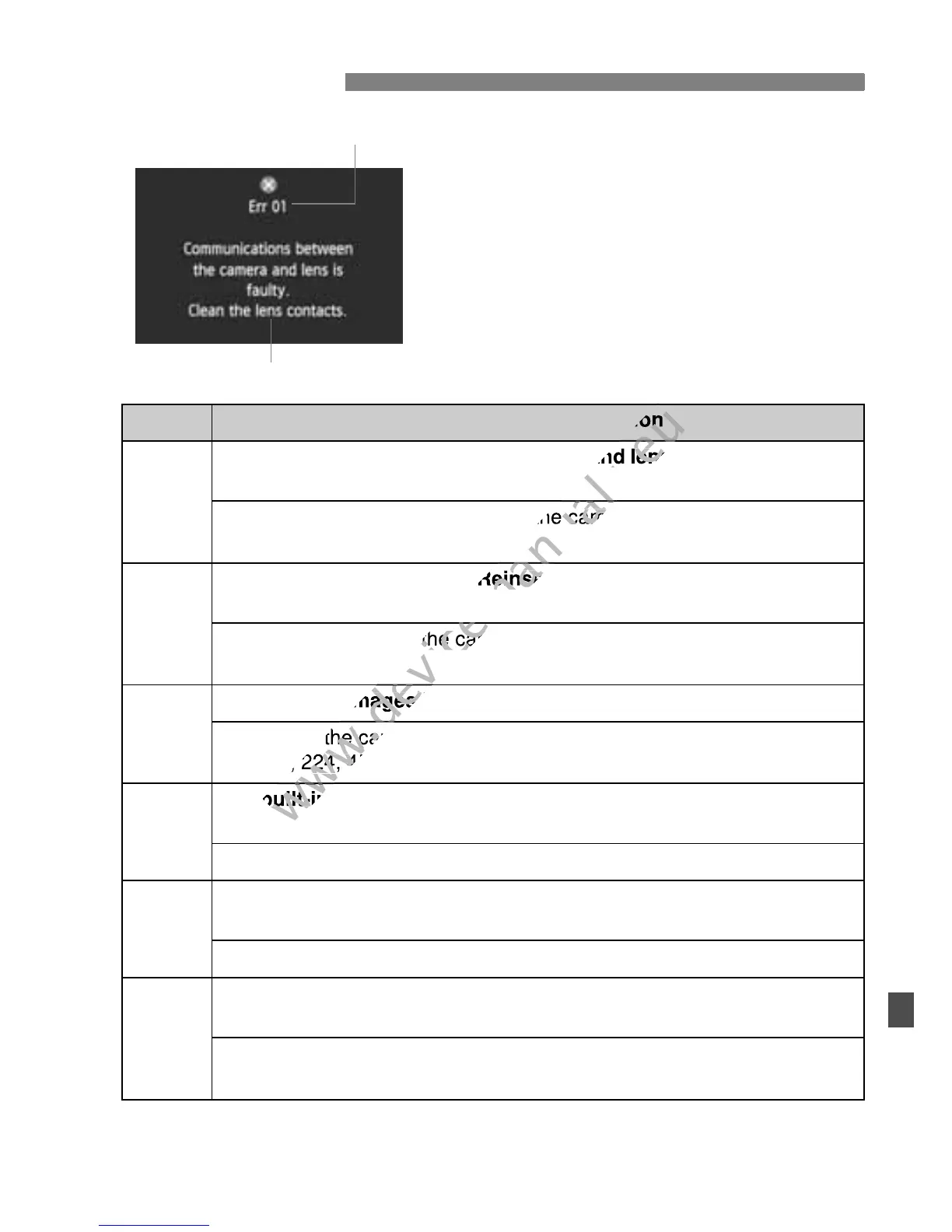
If there is a problem with the camera, an
error message will appear. Follow the on-
screen instructions.
* If the error still persists, write down the error No. and contact your nearest
Canon Service Center.
Error Codes
No. Error Message & Solution
01
Communications between the camera and lens is faulty. Clean the
lens contacts.
Î Clean the electrical contacts on the camera and lens and use a
Canon lens (p.15, 18).
02
Card cannot be accessed. Reinsert/change card or format card
with camera.
Î Remove and insert the card again, replace the card, or format the
card (p.29, 45).
04
Cannot save images because card is full. Replace card.
Î Replace the card, erase unnecessary images, or format the card
(p.29, 224, 45).
05
The built-in flash could not be raised. Turn the camera off and on
again.
Î Operate the power switch (p.32).
06
Sensor cleaning is not possible. Turn the camera off and on
again.
Î Operate the power switch (p.32).
10, 20,
30, 40,
50, 60,
70, 80
Shooting is not possible due to an error. Turn the camera off and
on again or re-install the battery.
Î Operate the power switch, remove and install the battery pack
again, or use a Canon lens (p.32, 28).
Error No.
Countermeasures
www.devicemanuals.eu
Error Message & Solution
www.devicemanuals.eu
Error Message & Solution
www.devicemanuals.eu
Communications between the camera and lens is faulty. Clean the
www.devicemanuals.eu
Communications between the camera and lens is faulty. Clean the
www.devicemanuals.eu
the camera and lens and use a
www.devicemanuals.eu
the camera and lens and use a
www.devicemanuals.eu
Card cannot be accessed. Reinsert/change card or format card
www.devicemanuals.eu
Card cannot be accessed. Reinsert/change card or format card
www.devicemanuals.eu
Remove and insert the card again, replace the card, or format the
www.devicemanuals.eu
Remove and insert the card again, replace the card, or format the

www.devicemanuals.eu
Cannot save images because card is full. Replace card.
www.devicemanuals.eu
Cannot save images because card is full. Replace card.
www.devicemanuals.eu
Replace the card, erase unnecessa
www.devicemanuals.eu
Replace the card, erase unnecessa
(p.29, 224, 45).
www.devicemanuals.eu
(p.29, 224, 45).
www.devicemanuals.eu
The built-in flash could not be ra
www.devicemanuals.eu
The built-in flash could not be ra
www.devicemanuals.eu

Table of Contents

Other manuals for Canon EOS 600D

Related product manuals