W Digital Print Order Format (DPOF)
246
4
Exit the setting.
Press the <7> button.
X The print order screen will reappear.
Next, select [Sel.Image], [Byn], or
[All image] to order the images to be
printed.
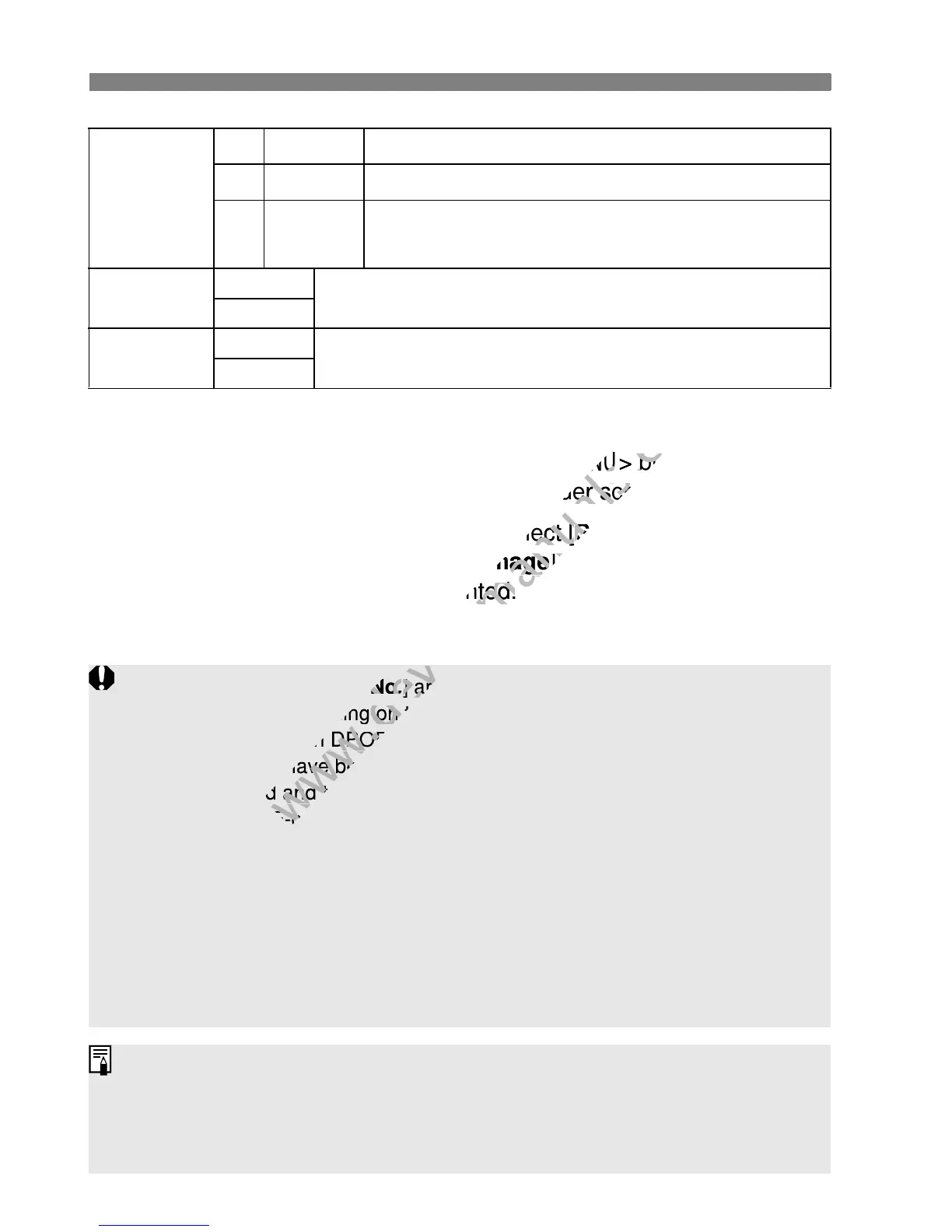
Print type
K
Standard Prints one image on one sheet.
L
Index
Multiple thumbnail images are printed on one sheet.
K
L
Both Prints both the standard and index prints.
Date
On
[On] imprints the recorded date on the print.
Off
File number
On
[On] imprints the file No. on the print.
Off
Even if [Date] and [File No.] are set to [On], the date or file No. might not
be imprinted depending on the print type setting and printer model.
When printing with DPOF, you must use the card whose print order
specifications have been set. It will not work if you just extract images
from the card and try to print them.
Certain DPOF-compatible printers and photofinishers might not be able
to print the images as you specified. If this happens with your printer,
refer to the printer’s instruction manual. Or check with your photofinisher
about compatibility when ordering prints.
Do not insert into the camera a card whose print order was set by a
different camera and then try to specify a print order. The print order may
not work or may be overwritten. Also, depending on the image type, the
print order may not be possible.
RAW images and movies cannot be print ordered. You can print RAW
images through direct printing (p.236).
With [Index] prints, both the [Date] and [File No.] cannot be set to [On]
at the same time.



 To Next Page