126
A Shooting with the LCD Monitor
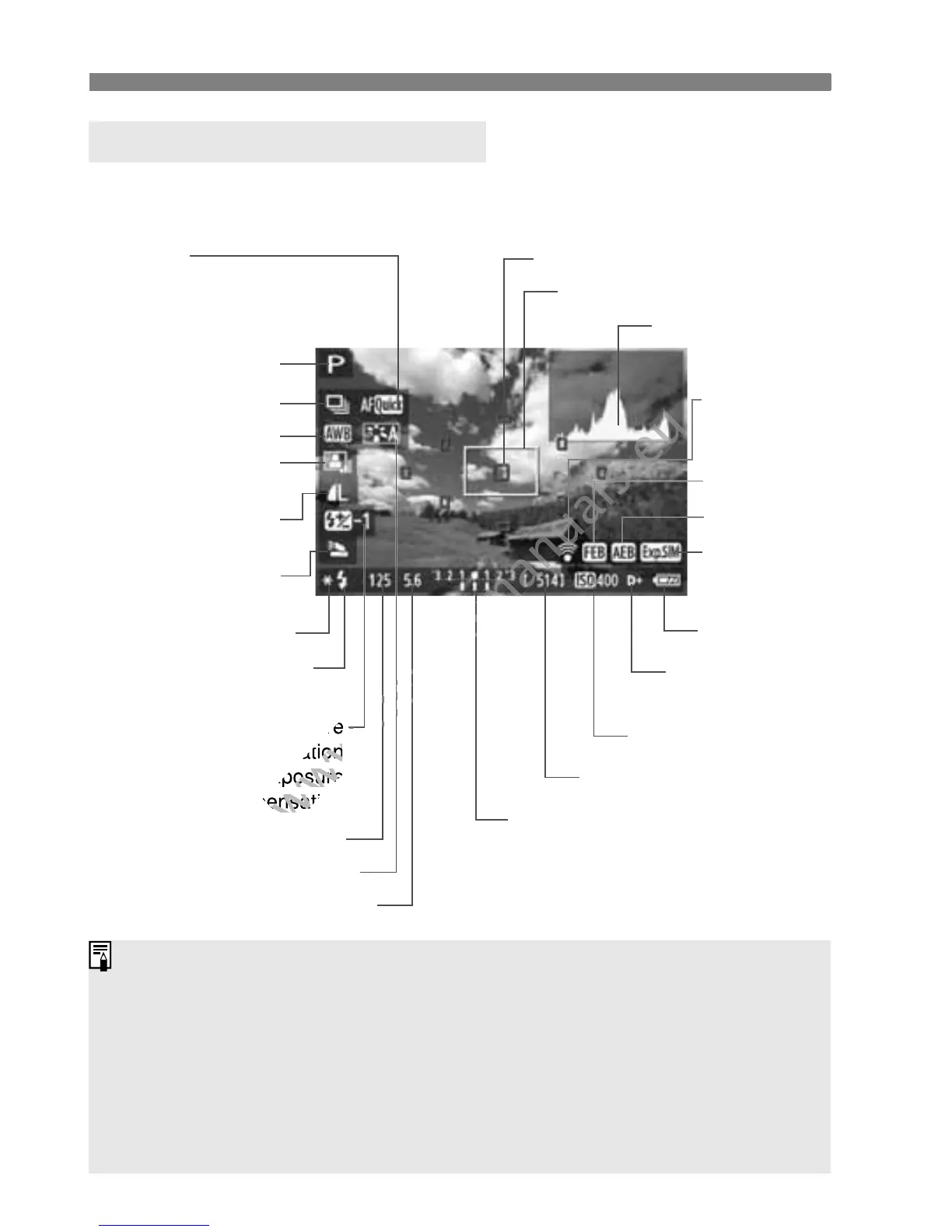
Each time you press the <C> button, the information display will
change.
About the Information Display
Magnifying frame
ISO speed
Exposure level indicator/
AEB range
Aperture
Shutter speed
Picture Style
Battery check
Exposure
simulation
Image-recording
quality
White balance
y Flash exposure
compensation
0 External flash exposure
compensation
AF point (Quick mode)
FEB
AEB
Highlight tone
priority
Histogram
Drive mode
AE lock
r Flash-ready
b Flash off
Auto Lighting
Optimizer
F mode
• d : Live mode
• c :
Face detection Live mode
• f : Quick mode
Possible shots
Eye-Fi card
transmission
status
Shooting mode
Built-in flash
function
When <g> is displayed in white, it indicates that the Live View image
brightness is close to what the captured image will look like.
If <g> is blinking, it indicates that the Live View image is not being
displayed at the suitable brightness due to low- or bright-light conditions.
However, the actual image recorded will reflect the exposure setting.
If flash is used or bulb is set, the <g> icon and histogram will be
grayed out (for your reference). The histogram might not be properly
displayed in low- or bright-light conditions.



 To Next Page