192
Easy Wireless Flash Shooting
4
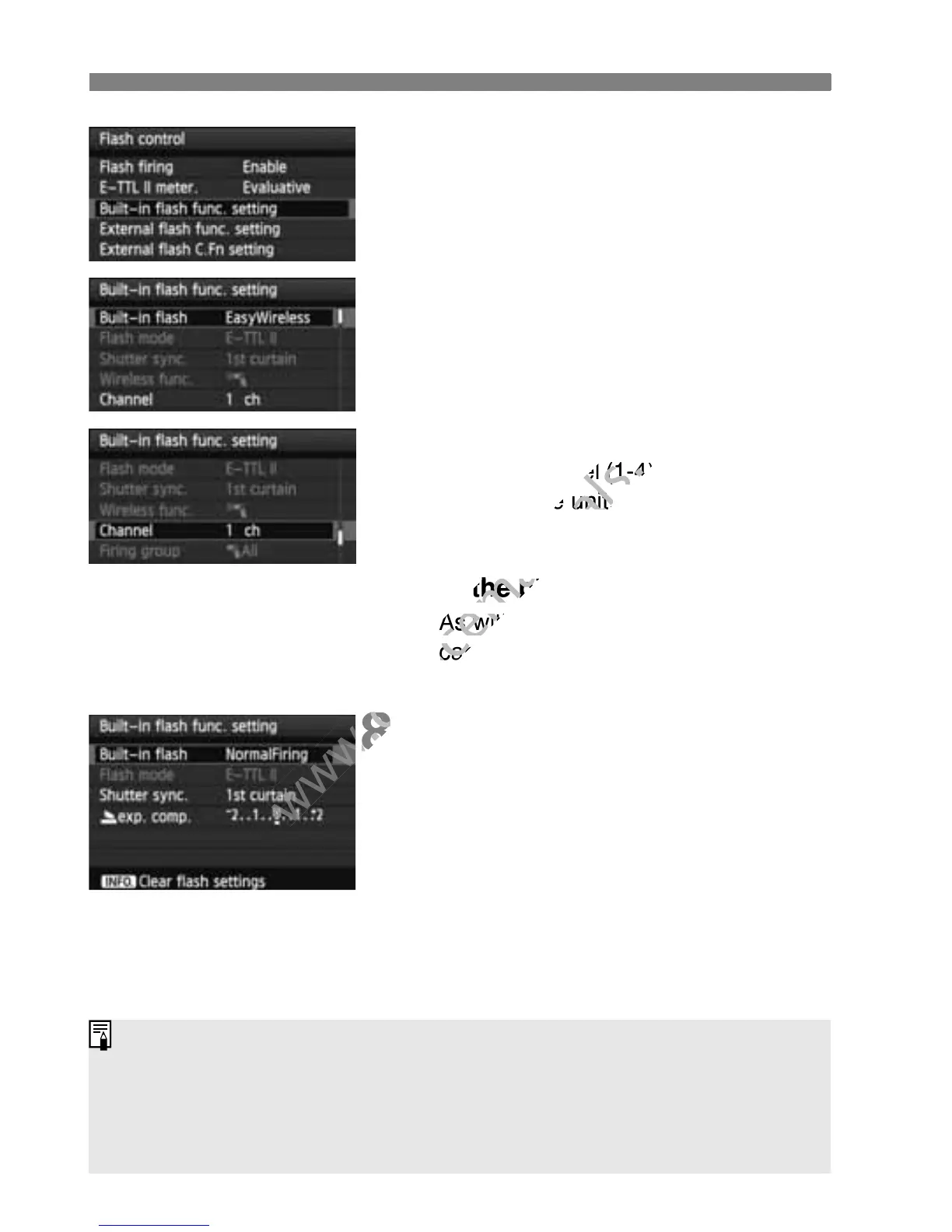
Select [Built-in flash func.
setting].
Select [Built-in flash func. setting],
then press <0>.
5
Select [EasyWireless].
For [Built-in flash], select
[EasyWireless], then press <0 >.
6
Set [Channel].
Set the channel (1-4) to the same one
as the slave unit.
7
Take the picture.
As with normal flash shooting, you
can set the camera and take the
picture in the same way.
8
Exit the wireless flash shooting.
For [Built-in flash func. setting],
select [NormalFiring].
Setting [E-TTL II meter.] to [Evaluative] is recommended.
With [EasyWireless], even if you disable the built-in flash from firing, it
will still fire to control the slave unit. Depending on shooting conditions,
the flash fired to control the slave unit may appear in the picture.
Firing a test flash is not possible with the slave unit.
As with normal flash shooting, you
www.devicemanuals.eu
As with normal flash shooting, you



 To Next Page