EasyManua.ls Logo

Canon EOS 600D - Page 213

Canon EOS 600D
328 pages
Print Icon
To Next Page IconTo Next Page
To Previous Page IconTo Previous Page
Loading...
213
k Playing Movies
* When a background music is set, the movie’s sound will not be played.
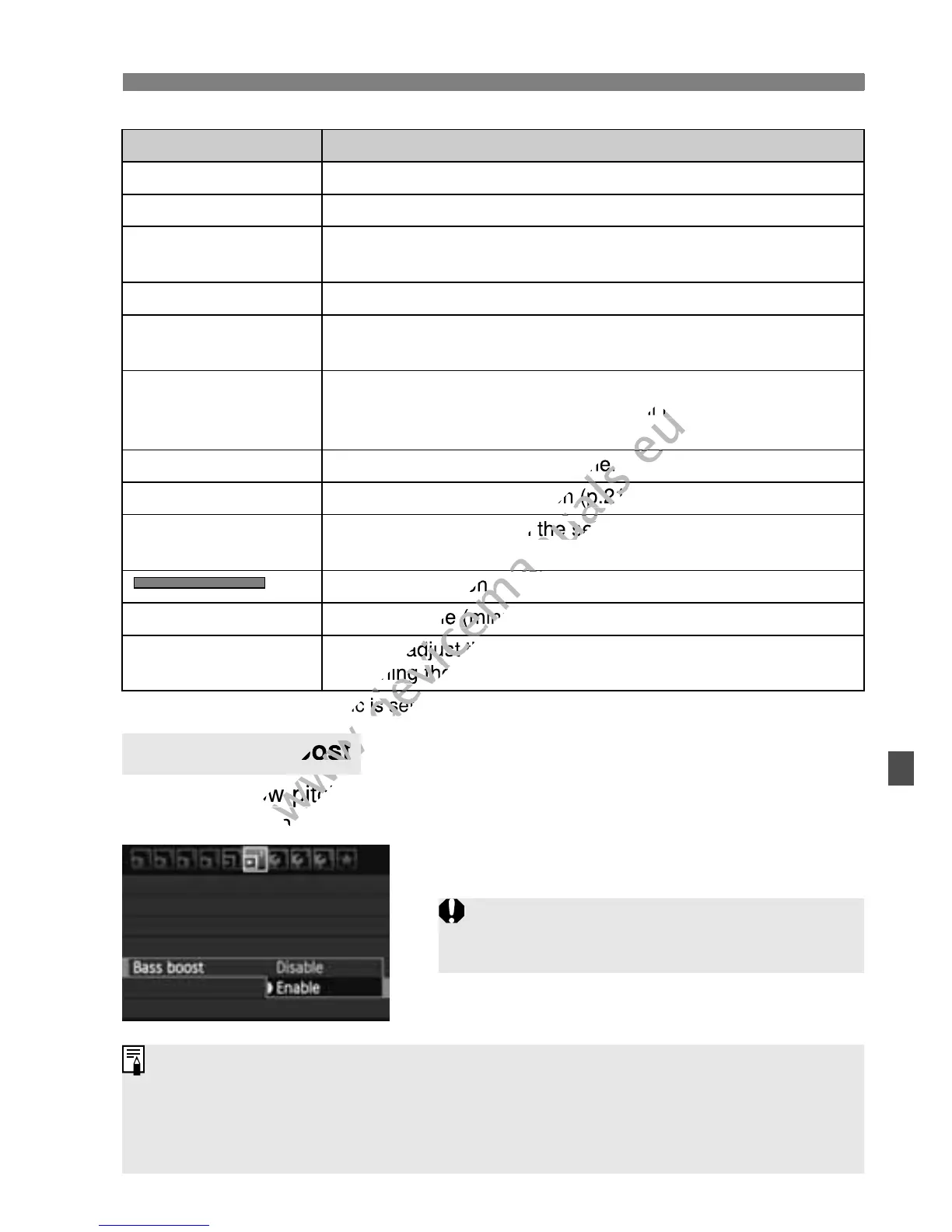
This makes low-pitched bass tones easier to hear. This function takes
effect only when playing back sound with the camera’s built-in speaker.
Set [4 Bass boost] to [Enable].
Function Playback Description
2 Exit Returns to the single-image display.
7 Play Pressing <0> toggles between play and stop.
8 Slow motion
Adjust the slow motion speed by pressing the <U> key.
The slow-motion speed is indicated on the upper right.
5 First frame Displays the movie’s first frame.
3 Previous frame
Each time you press <0>, a single previous frame is
displayed. If you hold down <0>, it will rewind the movie.
6 Next frame
Each time you press <0>, the movie will play frame-by-
frame. If you hold down <0>, it will fast forward the
movie.
4 Last frame Displays the movie’s last frame.
X Edit Displays the editing screen (p.214).
Background
music*
Playback a movie with the selected background music
(p.217).
Playback position
mm’ ss” Playback time (minutes:seconds)
9 Volume
You can adjust the built-in speaker’s (p.212) sound volume
by turning the <6> dial.
3 Bass Boost
If the sound crackles, you should set
[Bass boost] to [Disable].
With a fully-charged Battery Pack LP-E8, the continuous playback time
will be approx. 2 hr. 30 min. at 23°C/73°F.
If you took a still photo while you shot the movie, the still photo will be
displayed for approx. 1 sec. during the movie playback.

www.devicemanuals.eu
>, it will fast forward the
www.devicemanuals.eu
>, it will fast forward the
www.devicemanuals.eu
Displays the movie’s last frame.
www.devicemanuals.eu
Displays the movie’s last frame.
www.devicemanuals.eu
Displays the editing screen (p.214).
www.devicemanuals.eu
Displays the editing screen (p.214).
www.devicemanuals.eu
Playback a movie with the selected background music
www.devicemanuals.eu
Playback a movie with the selected background music
www.devicemanuals.eu
Playback position
www.devicemanuals.eu
Playback position
www.devicemanuals.eu
Playback time (minutes:seconds)
www.devicemanuals.eu
Playback time (minutes:seconds)
www.devicemanuals.eu
You can adjust the built-in speakers (p.212) sound volume
www.devicemanuals.eu
You can adjust the built-in speakers (p.212) sound volume
by turning the <
www.devicemanuals.eu
by turning the <
www.devicemanuals.eu
* When a background music is set, the movie’s sound will not be played.
www.devicemanuals.eu
* When a background music is set, the movie’s sound will not be played.
www.devicemanuals.eu
This makes low-pitched bass tones easier to hear. This function takes
www.devicemanuals.eu
This makes low-pitched bass tones easier to hear. This function takes
effect only when playing back sound with the camera’s built-in speaker.
www.devicemanuals.eu
effect only when playing back sound with the camera’s built-in speaker.
www.devicemanuals.eu
Bass Boost
www.devicemanuals.eu
Bass Boost
www.devicemanuals.eu

Table of Contents

Other manuals for Canon EOS 600D

Related product manuals