EasyManua.ls Logo

Canon EOS 600D - Page 266

Canon EOS 600D
328 pages
Print Icon
To Next Page IconTo Next Page
To Previous Page IconTo Previous Page
Loading...
Using Eye-Fi Cards
266
5
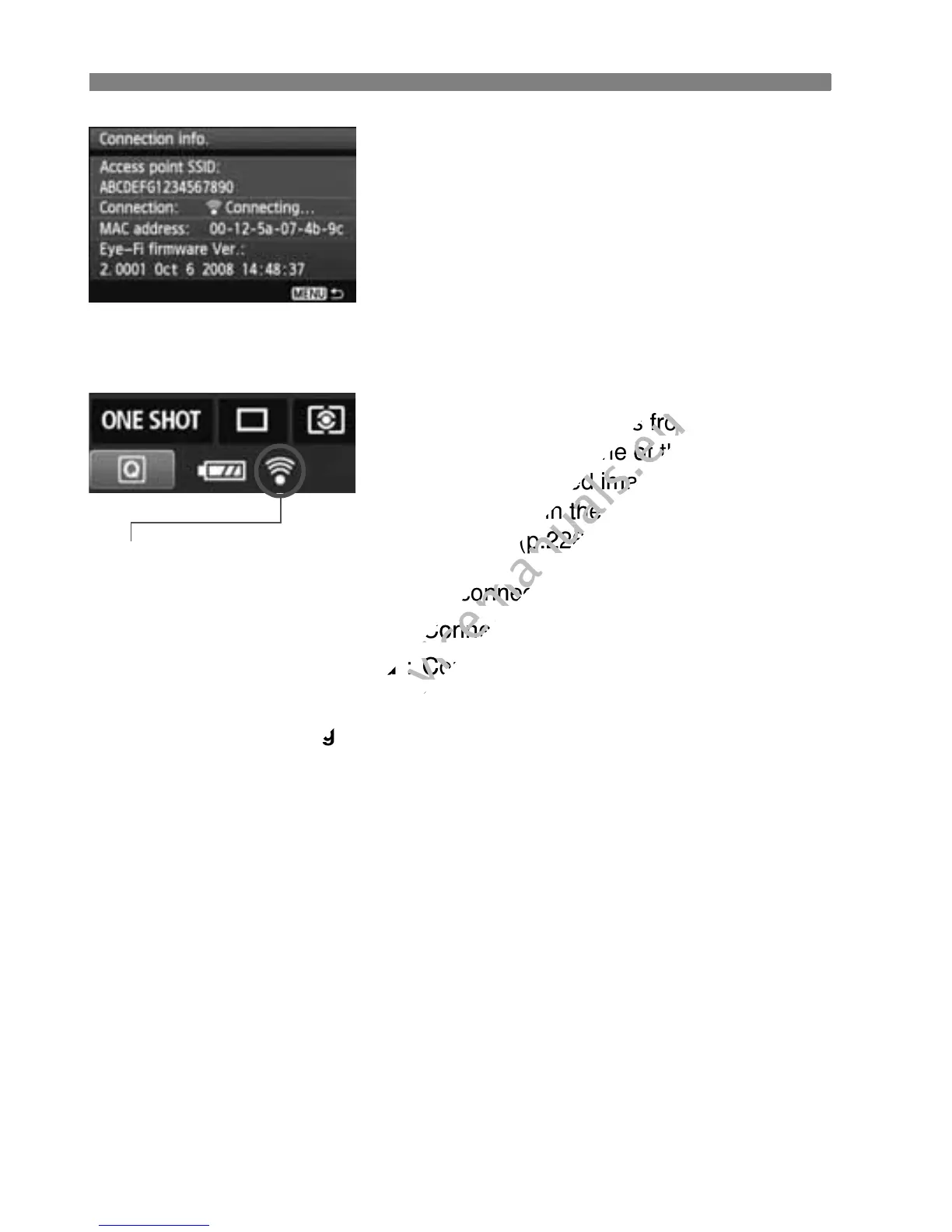
Check the [Access point SSID:].
Check that an access point is
displayed for [Access point SSID:].
You can also check the Eye-Fi card’s
MAC address and firmware version.
Press the <M> button three
times to exit the menu.
6
Take the picture.
X The picture is transferred and the
<H> icon switches from gray (Not
connected) to one of the icons below.
For transferred images, O is
displayed in the shooting information
display (p.226).
H (Gray) Not connected : No connection with access point.
H (Blinking) Connecting : Connecting with access point.
H (Displayed) Connected : Connection to access point
established.
H ( ) Transferring : Image transfer to access point in
progress.

T
ransmission status icon
www.devicemanuals.eu
The picture is transferred and the
www.devicemanuals.eu
The picture is transferred and the
> icon switches from gray (Not
www.devicemanuals.eu
> icon switches from gray (Not
connected) to one of the icons below.
www.devicemanuals.eu
connected) to one of the icons below.
For transferred images,
www.devicemanuals.eu
For transferred images,
displayed in the shooting information
www.devicemanuals.eu
displayed in the shooting information
display (p.226).
www.devicemanuals.eu
display (p.226).
: No connection with access point.
www.devicemanuals.eu
: No connection with access point.
: Connecting with access point.
www.devicemanuals.eu
: Connecting with access point.
Connected
www.devicemanuals.eu
Connected
: Connection to access point
www.devicemanuals.eu
: Connection to access point
established.
www.devicemanuals.eu
established.
Transferring
www.devicemanuals.eu
Transferring

Table of Contents

Other manuals for Canon EOS 600D

Related product manuals