Description Example
Entering a single address IPv4:
Delimit numbers with periods.
192.168.0.10
IPv6:
Delimit alphanumeric characters with colons.
fe80::10
Specifying a range of addresses Insert a hyphen between the addresses. 192.168.0.10-192.168.0.20
[Subnet Settings]
When manually specifying IPv4 address, you can express the range by using the subnet mask. Enter the
subnet mask using periods to delimit numbers (example:"255.255.255.240").
[Prex Length]
Specifying the range of IPv6 addresses manually also allows you to specify the range using prexes. Enter a
range between 0 and 128 as the prex length.
[Local Port]/[Remote Port]
If you want to create separate policies for each protocol, such as HTTP or WSD, enter the appropriate port
number for the protocol to determine whether to use IPSec.
IPSec is not applied to the following packets
● Loopback, multicast, and broadcast packets
● IKE packets (using UDP on port 500)
● ICMPv6 neighbor solicitation and neighbor advertisement packets
9
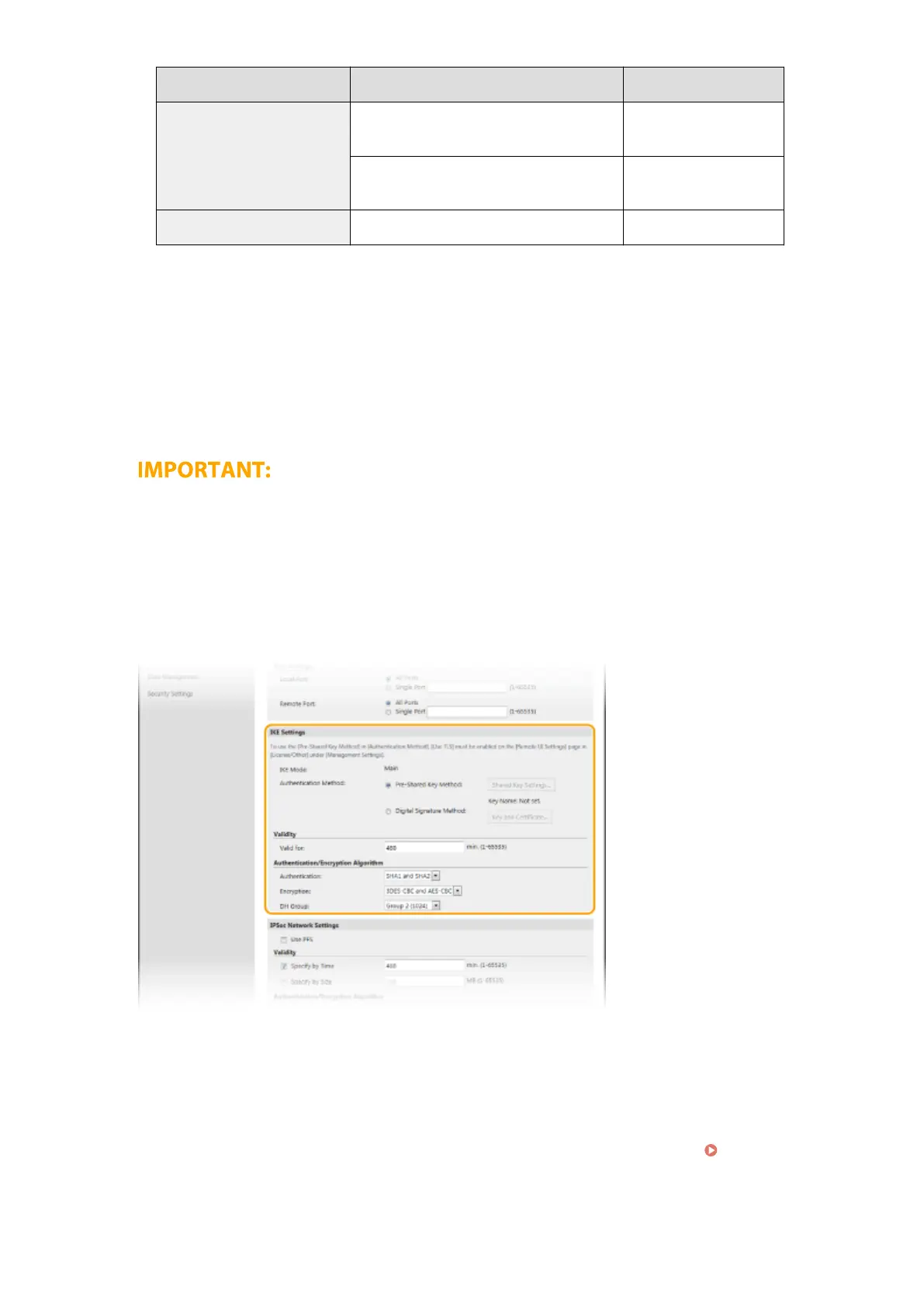
Specify the IKE Settings.
[IKE Mode]
The mode used for the key exchange protocol is displayed. The machine supports the main mode, not the
aggressive mode.
[Authentication Method]
Select [Pre-Shared Key Method] or [Digital Signature Method] for the method used when authenticating the
machine. You need to enable TLS for the Remote UI before selecting [Pre-Shared Key Method]. You need to
generate or install the key and certicate before selecting [Digital Signature Method].
Conguring the
Key and Certicate for TLS(P. 246)
[Valid for]
Specify how long a session lasts for IKE SA (ISAKMP SA). Enter the time in minutes.
Managing the Machine
260













 To Next Page