019A-035
1
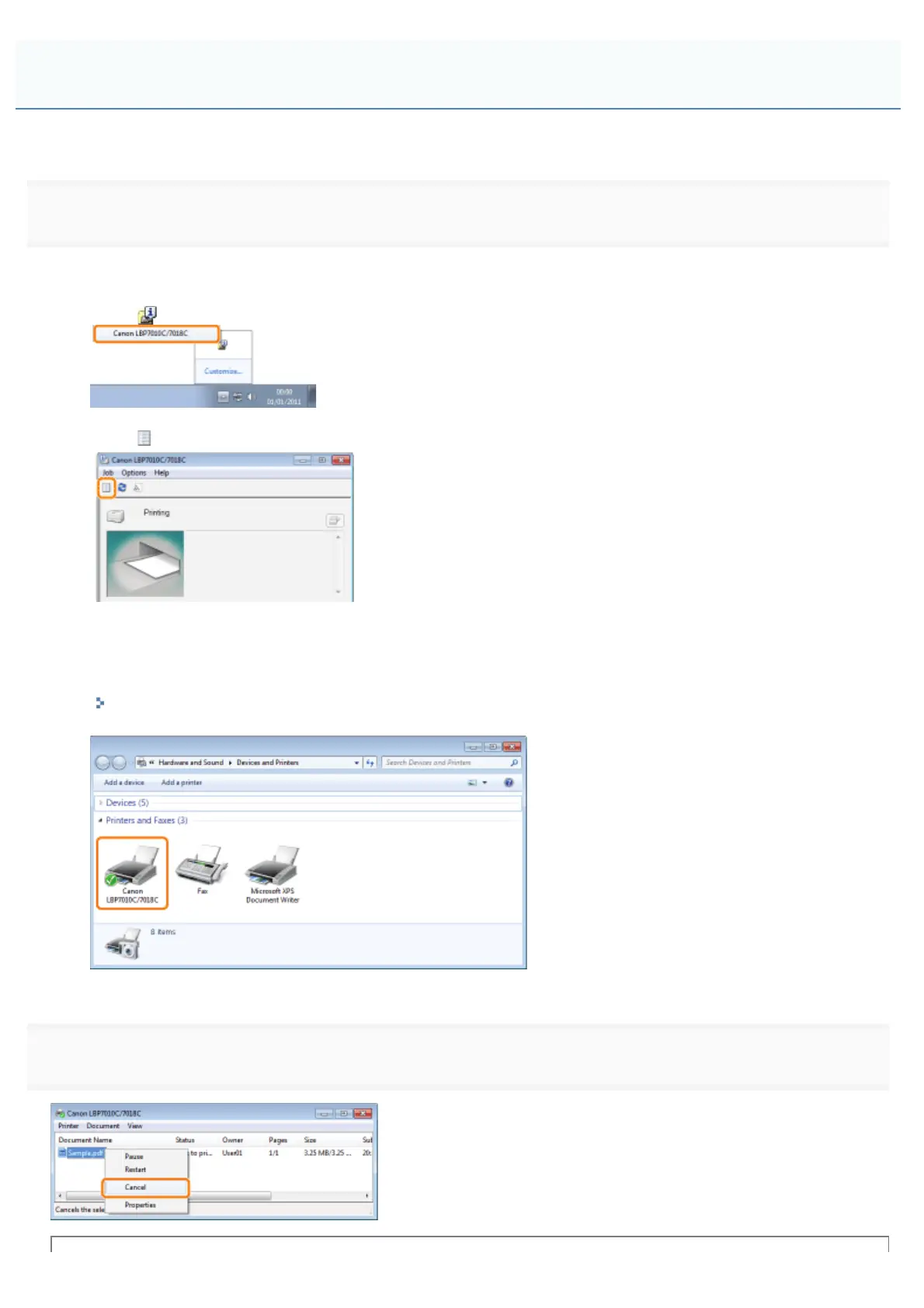
Display the print queue.
When displaying Help from the Printer Status Window
1. Click [
] in the Windows task tray, and then select the printer name.
2. Click [ ] (Print Queue).
When displaying from the printer folder
1. Open the printer folder.
"Basic Operations/Various Information for Windows"
2. Double-click the icon for this printer.
2
Right-click the job that you want to cancel, then select [Cancel] from the pop-up menu.
Selecting and Canceling a Print Job
㻝㻡㻤㻌㻛㻌㻟㻠㻟













 To Next Page