019A-03X
You can enlarge and divide a single page image to print it out on multiple sheets of paper. You can make one large poster
by joining these printouts together.
1
Display the setting screen of the printer driver.
"Displaying the Setting Screen"
2
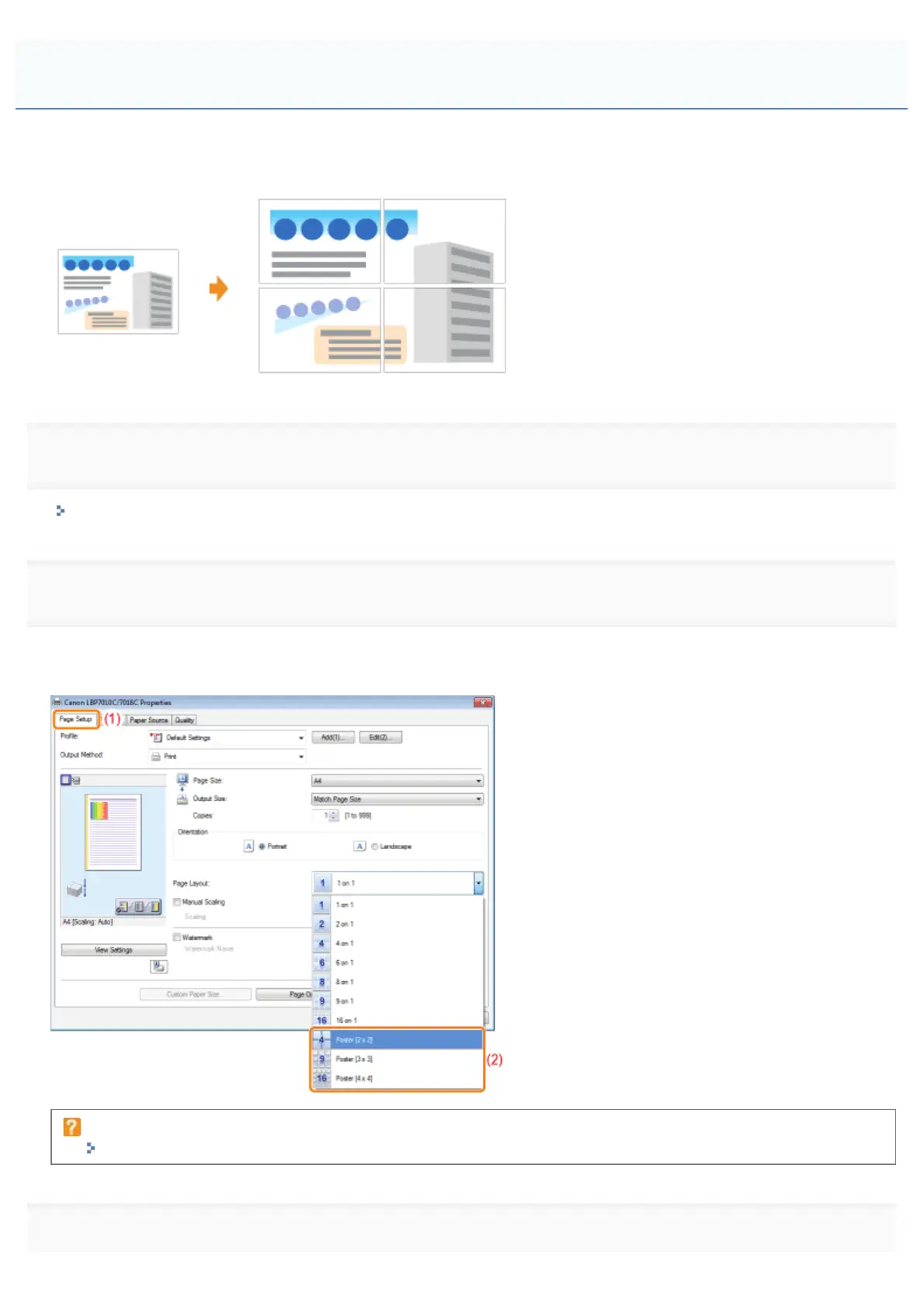
Specify the setting for poster printing.
(1) Display the [Page Setup] sheet.
(2) Select [Poster [N x N]] (N = 2, 3, 4) from [Page Layout].
If you cannot specify the setting
"The Printer Driver Settings Cannot Be Changed"
3
Click [OK].
Printing an Image Larger than A4 (Poster Printing)
㻝㻤㻜㻌㻛㻌㻟㻠㻟













 To Next Page