019A-03U
You can print with automatic scaling according to the paper size or arbitrary scaling.
1
Display the setting screen of the printer driver.
"Displaying the Setting Screen"
2
Specify the settings for scaling.
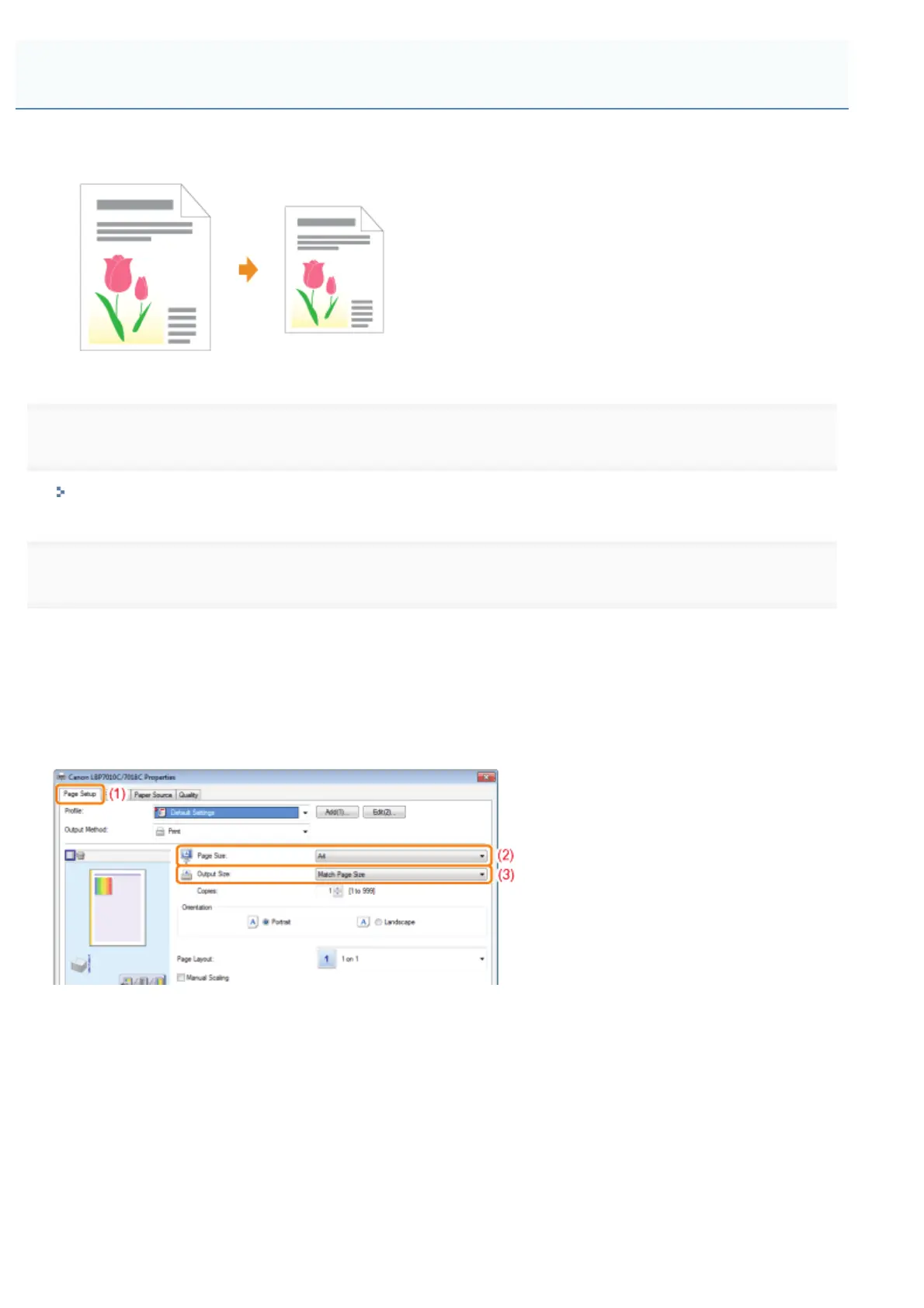
When printing with automatic scaling according to the paper size
(1) Display the [Page Setup] sheet.
(2) Select the page size of the document created by an application.
(3) Select the size of the paper loaded in the paper source.
If you select a different paper size from [Page Size], the print data will be automatically enlarged or reduced.
When printing with arbitrary scaling
(1) Display the [Page Setup] sheet.
(2) Select the [Manual Scaling] check box.
(3) Specify the desired scaling factor.
Scaling Print Output
㻝㻣㻢㻌㻛㻌㻟㻠㻟













 To Next Page