019A-07U
The methods for adjusting the color on the screen (RGB) and in the printer (YMC) are different. Therefore, color in a photo
and so on viewed on the screen may not match that of the printout.
Using the color matching function to correct color of a printout, you can adjust the color of the printout to more closely
match the color you see on the screen.
You can also correct the colors by adjusting brightness without performing matching.
1
Display the setting screen of the printer driver.
"Displaying the Setting Screen"
2
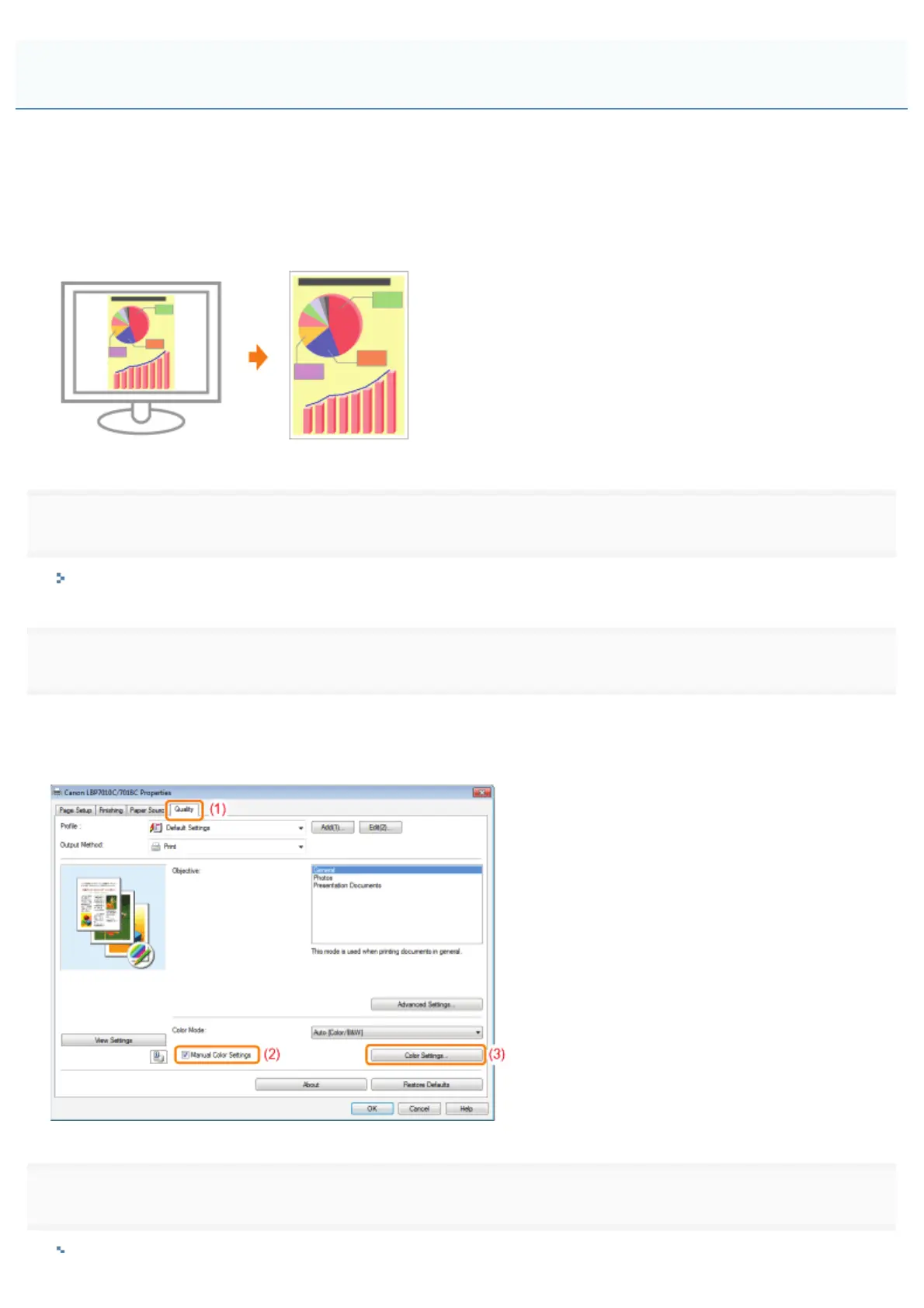
Display the [Color Settings] dialog box.
(1) Display the [Quality] sheet.
(2) Select the [Manual Color Settings] check box.
(3) Click [Color Settings].
3
Operation procedure varies depending on the procedure for color correction.
Matching the Color with the Screen
㻞㻝㻢㻌㻛㻌㻟㻠㻟













 To Next Page