019A-07L
Color documents can be printed in black and white using only black toner.
It is convenient if you use this option when printing a test page of color documents.
1
Display the setting screen of the printer driver.
"Displaying the Setting Screen"
2
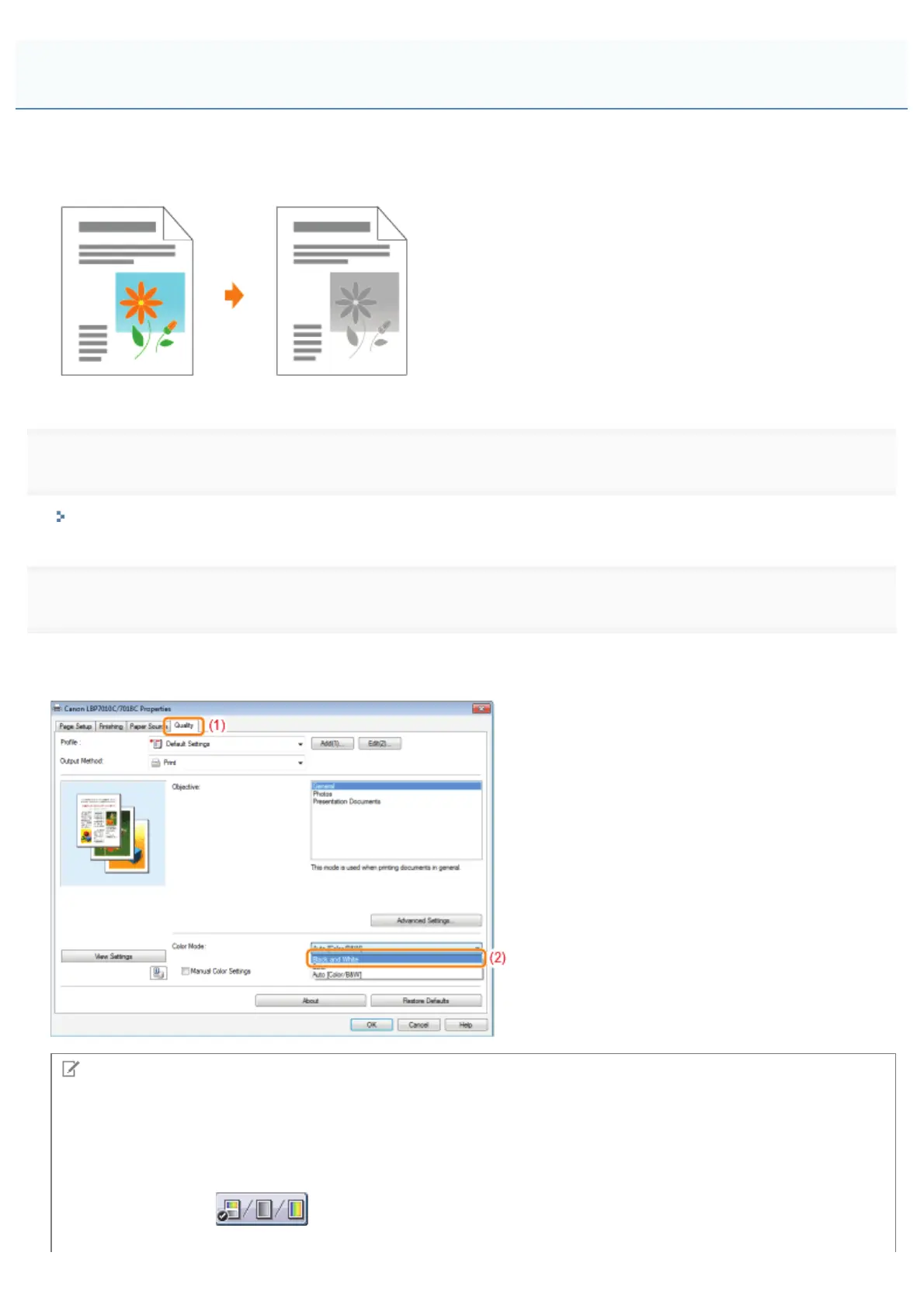
Specify the setting for [Color Mode].
(1) Display the [Quality] sheet.
(2) Select [Black and White].
NOTE
Using Preview to specify the setting
You can also specify the setting by clicking the button on Preview in the [Page Setup] sheet, the [Finishing] sheet, and
the [Paper Source] sheet.
: [Auto [Color/B&W]]
Printing a Color Document in Black and White
㻝㻤㻥㻌㻛㻌㻟㻠㻟













 To Next Page