019A-046
You can specify a gutter of 0 to 30 mm for the paper to be printed.
When a gutter is specified, the position of the page image is adjusted to make room for the gutter. At this point, you can
select whether to reduce the image size to fit the remaining space.
1
Display the setting screen of the printer driver.
"Displaying the Setting Screen"
2
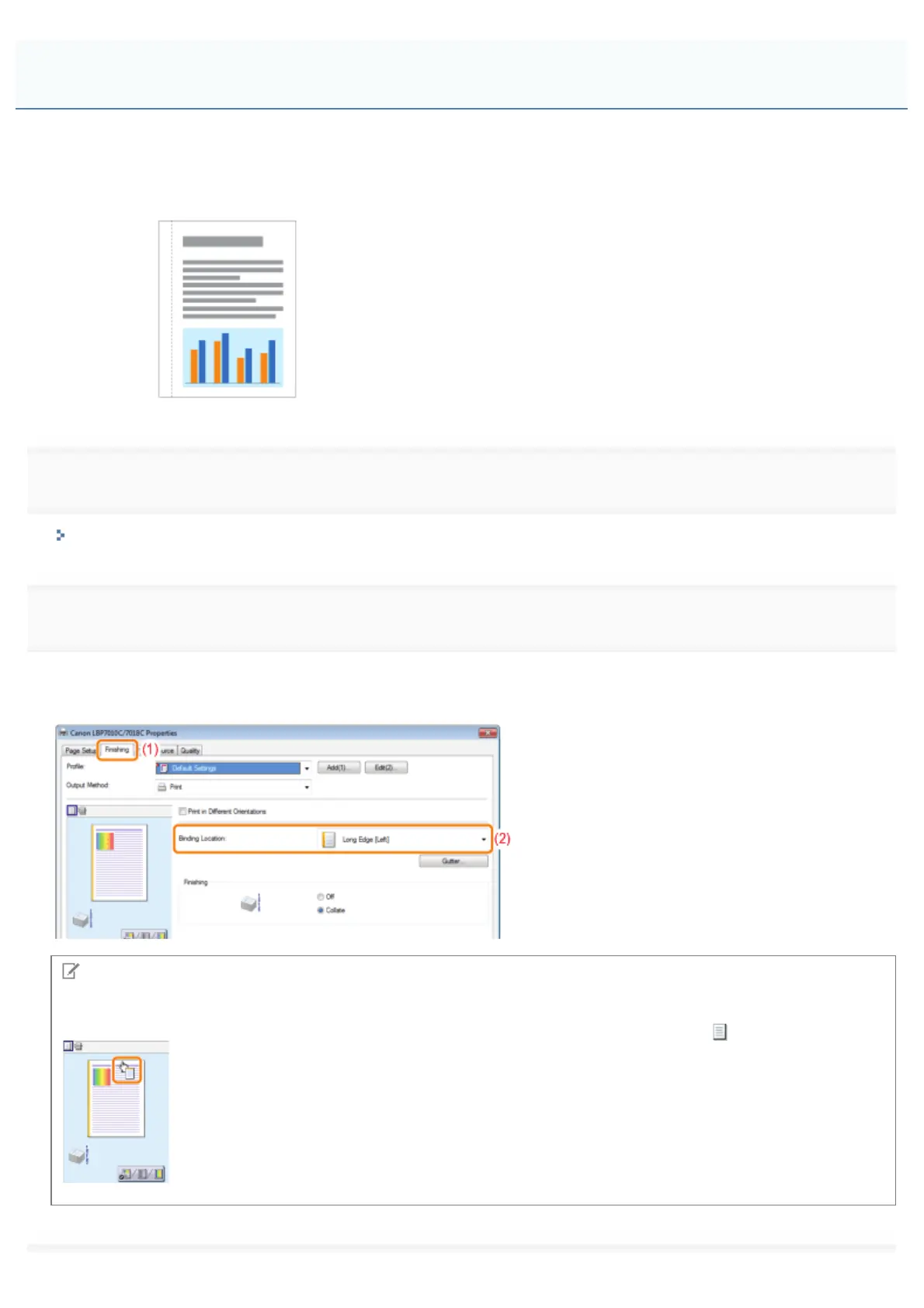
Perform the following procedure.
(1) Display the [Finishing] sheet.
(2) Select an edge on which the gutter is to be located.
NOTE
Using Preview to specify the setting
You can also specify the gutter by clicking an edge of the document image on Preview when [
] is selected.
Printing with a Gutter
㻝㻥㻤㻌㻛㻌㻟㻠㻟













 To Next Page