019A-00E
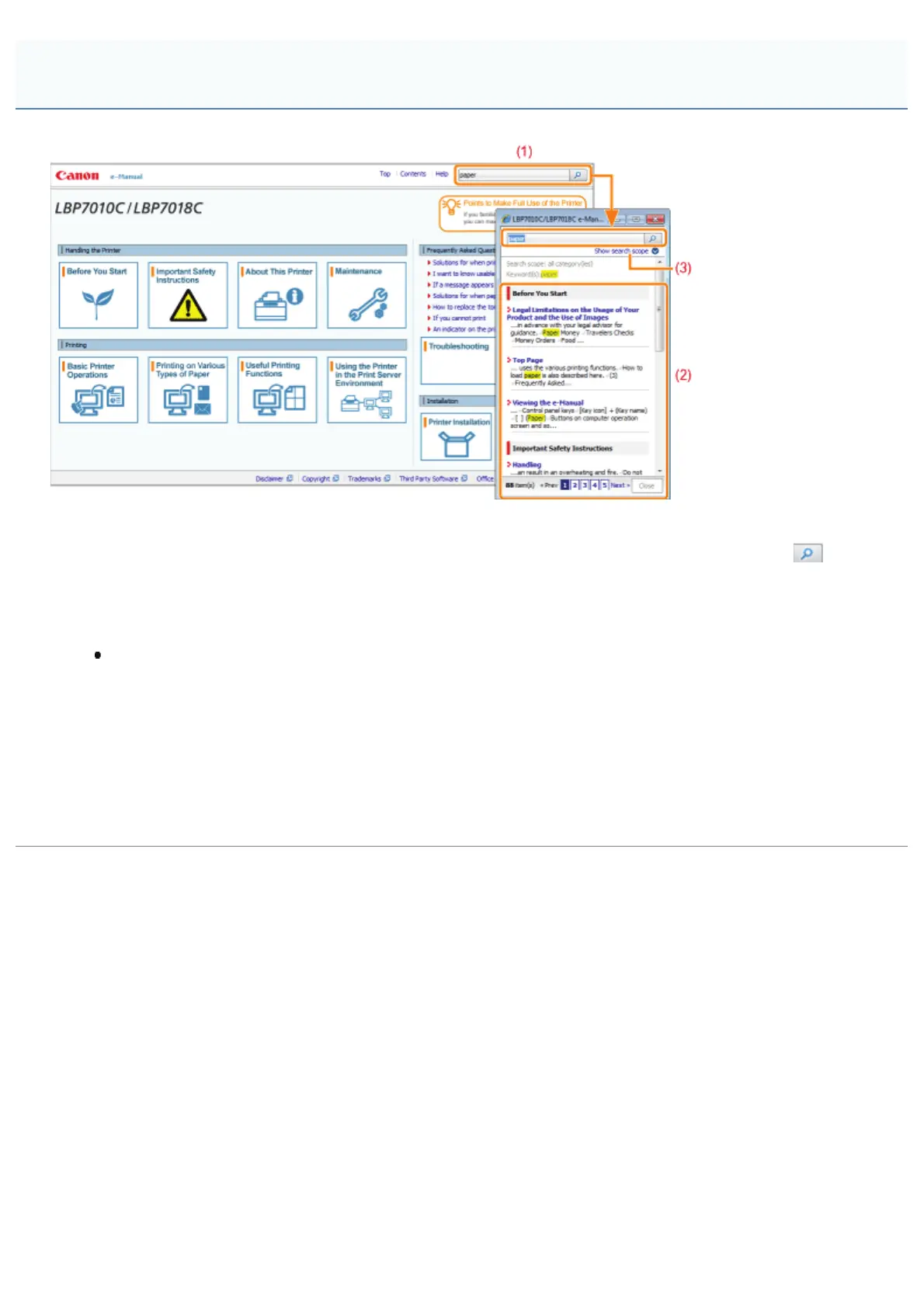
(1) [Enter keyword(s) here]
Enter a keyword in the entry field which is located on the upper right of the e-Manual, and then click [
]. The
search dialog box is displayed.
You can also search by entering a keyword in the displayed dialog box.
Also, the AND search is available in the e-Manual so you can refine the search results by entering two or more
keywords. When entering keywords, enter a space between the keywords.
Example: "Toner Replacement" (if you want to display pages which include words, "Toner" and
"Replacement")
(2) Search result
The search results for a keyword are displayed.
If the search results are more than 10 results, you can see the other results by clicking [<< Prev], [Next >>], or the
number which is located below the result.
(3) [Show search scope]
If you want to specify a search scope, click here, and then select the check box for the category which you want to
search.
Search Method
㻞㻠㻌㻛㻌㻟㻠㻟













 To Next Page