019A-01S
When changing the location of the printer or moving the printer for maintenance, be sure to perform the following
procedure.
For details on the installation site, see "Printer Installation."
See "Important Safety Instructions" also.
1
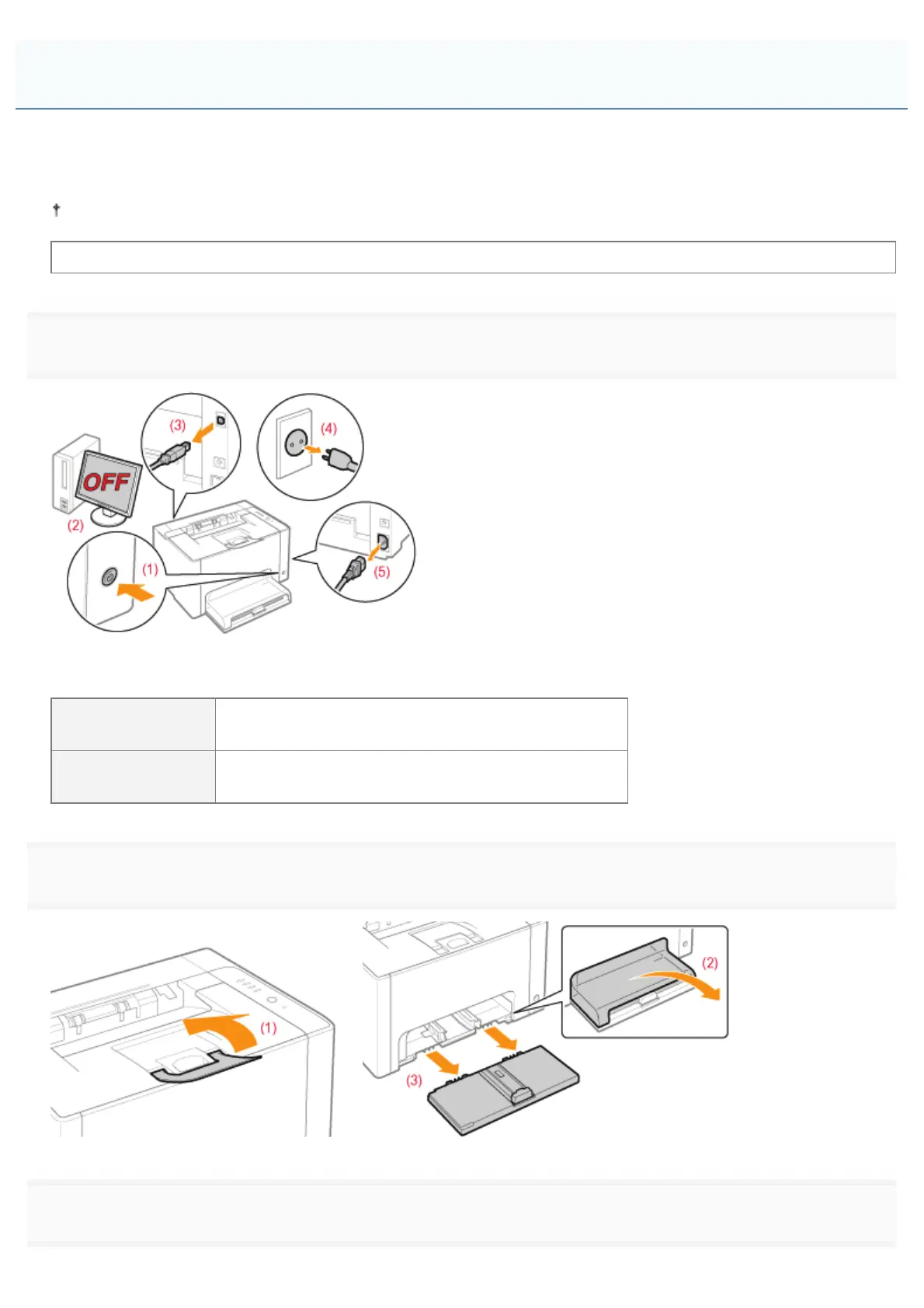
Turn the printer OFF, then disconnect the cables or cords from the printer.
<How to disconnect the cable or cord>
USB cable
(2) Turn the computer off.
(3) Disconnect the cable from the printer.
Power cord
(4) Disconnect the power plug from the AC power outlet.
(5) Disconnect the cord from the printer.
2
Close the auxiliary tray, and then remove the tray cover and multi-purpose tray.
3
Carry the printer unit to the installation site.
Moving the Printer
㻤㻜㻌㻛㻌㻟㻠㻟













 To Next Page