019A-03J
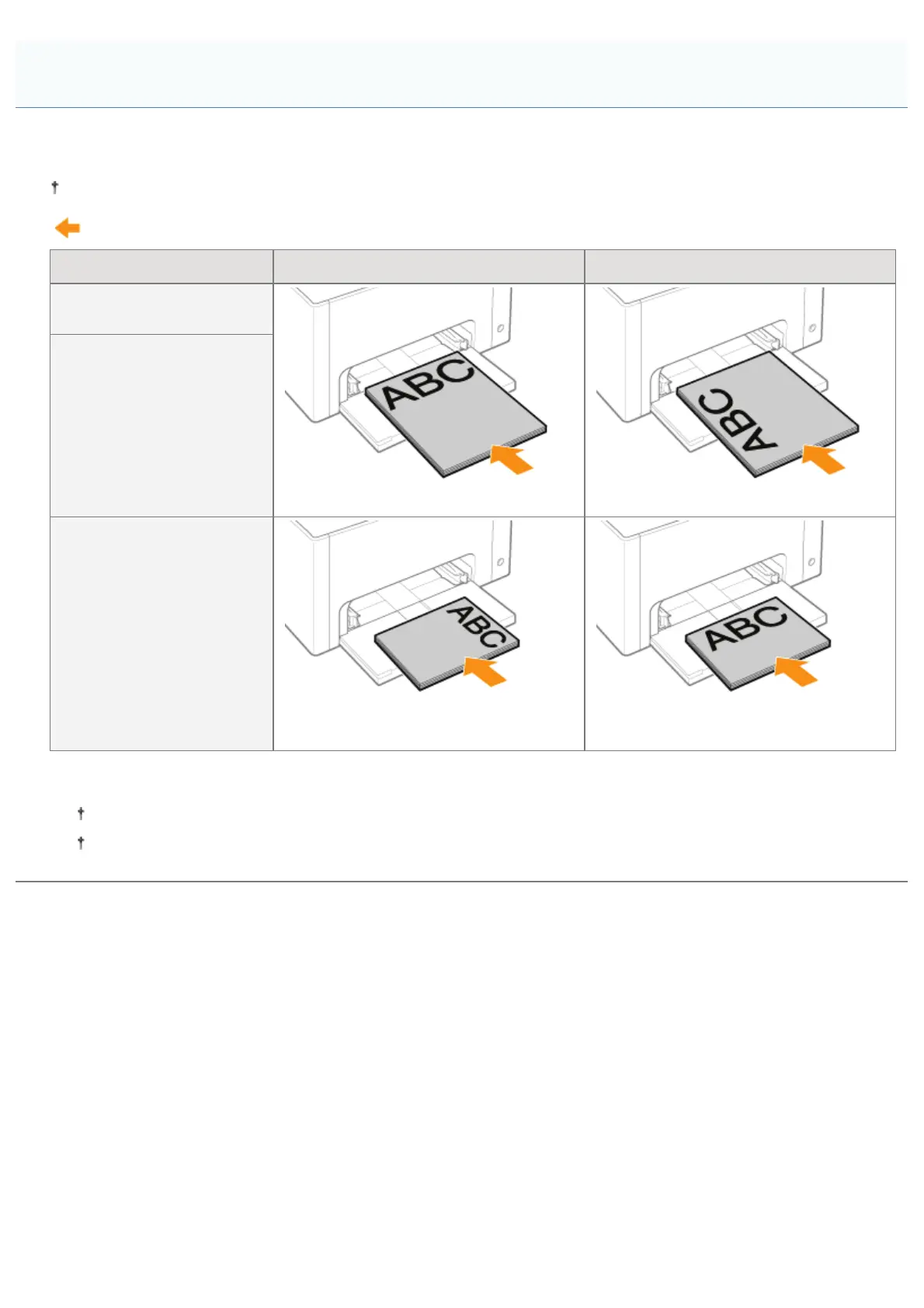
To print paper with letterheads or logos, load the paper in the proper orientation as follows.
When printing on envelopes, see "Printing on Envelopes."
(
: Feeding direction)
Portrait Layout Landscape Layout
Paper size other than
A5 paper size
(With the printing side facing up) (With the printing side facing up)
A5 paper size
(Portrait orientation)
*
A5 paper size
(Landscape orientation)
*
(With the printing side facing up) (With the printing side facing up)
*
You can specify the feeding direction of the paper (orientation) for A5 size paper in [Feed A5 from Short Edge] in the
[Paper Source] sheet in the printer driver.
The default values for settings are feeding paper from long edge (landscape orientation).
Printing speed drops by feeding paper from short edge (portrait orientation) when printing on plain paper.
Paper Loading Orientation
㻝㻣㻞㻌㻛㻌㻟㻠㻟













 To Next Page