019A-07X
1
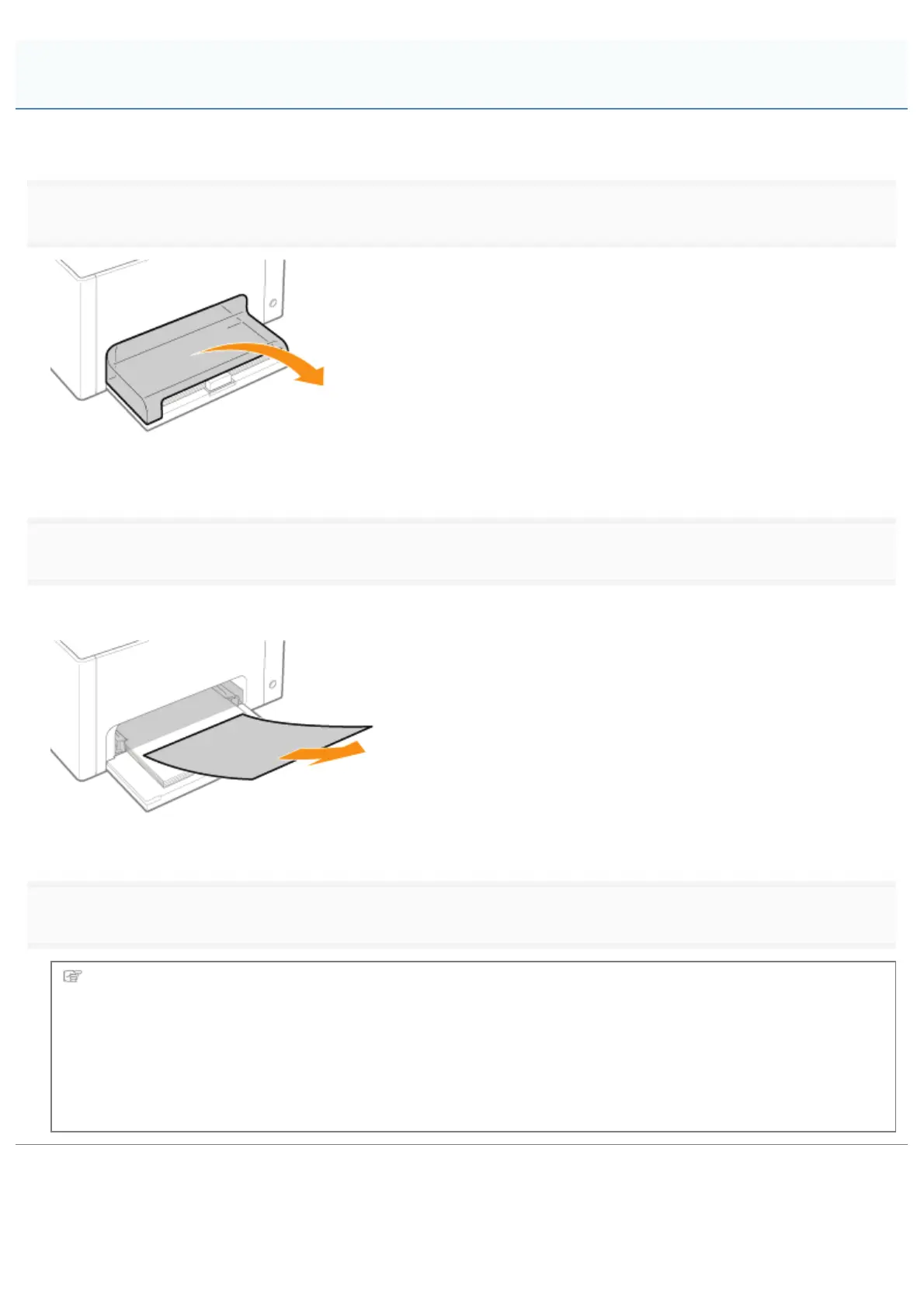
Remove the tray cover.
2
Remove the paper by pulling it gently.
If you cannot remove the paper easily, do not try to remove it forcefully but perform a procedure for another area which is
displayed in a message.
3
Install the tray cover.
Next, proceed to the procedure for clearing the paper jam which is occurred in another area displayed in the
message.
(1) "Clearing Paper Jams (Multi-purpose Tray)"
(2) "Clearing Paper Jams (Output Area)"
(3) "Clearing Paper Jams (Inside the Rear Cover)"
Clearing Paper Jams (Multi-purpose Tray)
㻞㻣㻤㻌㻛㻌㻟㻠㻟













 To Next Page