019A-01X
Before cleaning the outside of the printer, see "Attention (Cleaning)."
1
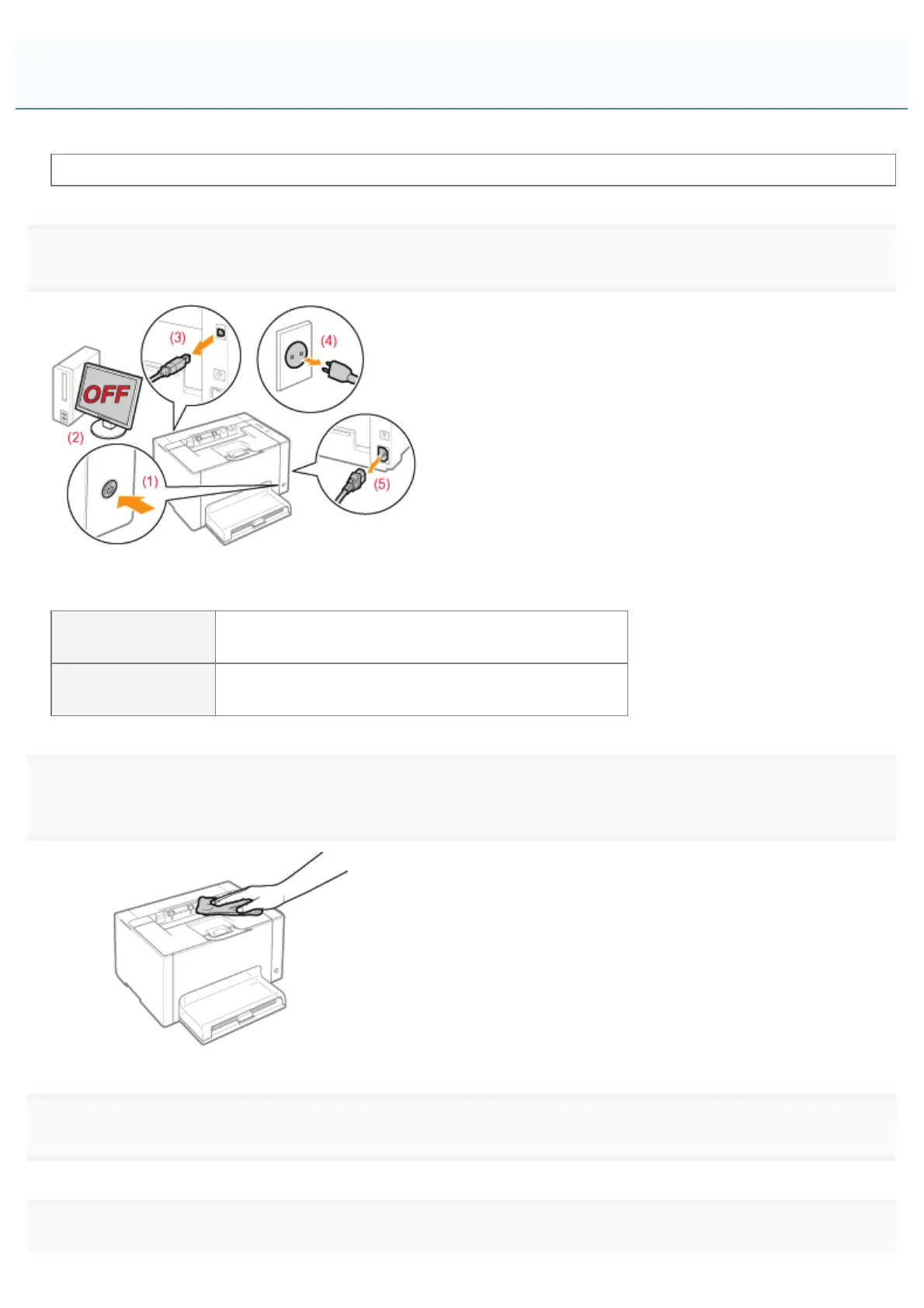
Turn the printer OFF, then disconnect the cables or cords from the printer.
<How to disconnect the cable or cord>
USB cable
(2) Turn the computer off.
(3) Disconnect the cable from the printer.
Power cord
(4) Disconnect the power plug from the AC power outlet.
(5) Disconnect the cord from the printer.
2
Firmly wring a soft cloth dampened with water or a mild detergent diluted with water, and wipe off
the dirt.
3
After wiping off the dirt, wipe the printer with a dry cloth.
4
When the printer is completely dry, connect the removed cable or cord.
Cleaning the Outside of the Printer
㻥㻡㻌㻛㻌㻟㻠㻟













 To Next Page