019A-04A
Selecting the appropriate mode for the contents of the document allows you to perform printing with appropriate setting.
For example, if selecting [Photos] when printing a photo, the setting for printing preferences are changed to the optimum
settings for printing photos.
1
Display the setting screen of the printer driver.
"Displaying the Setting Screen"
2
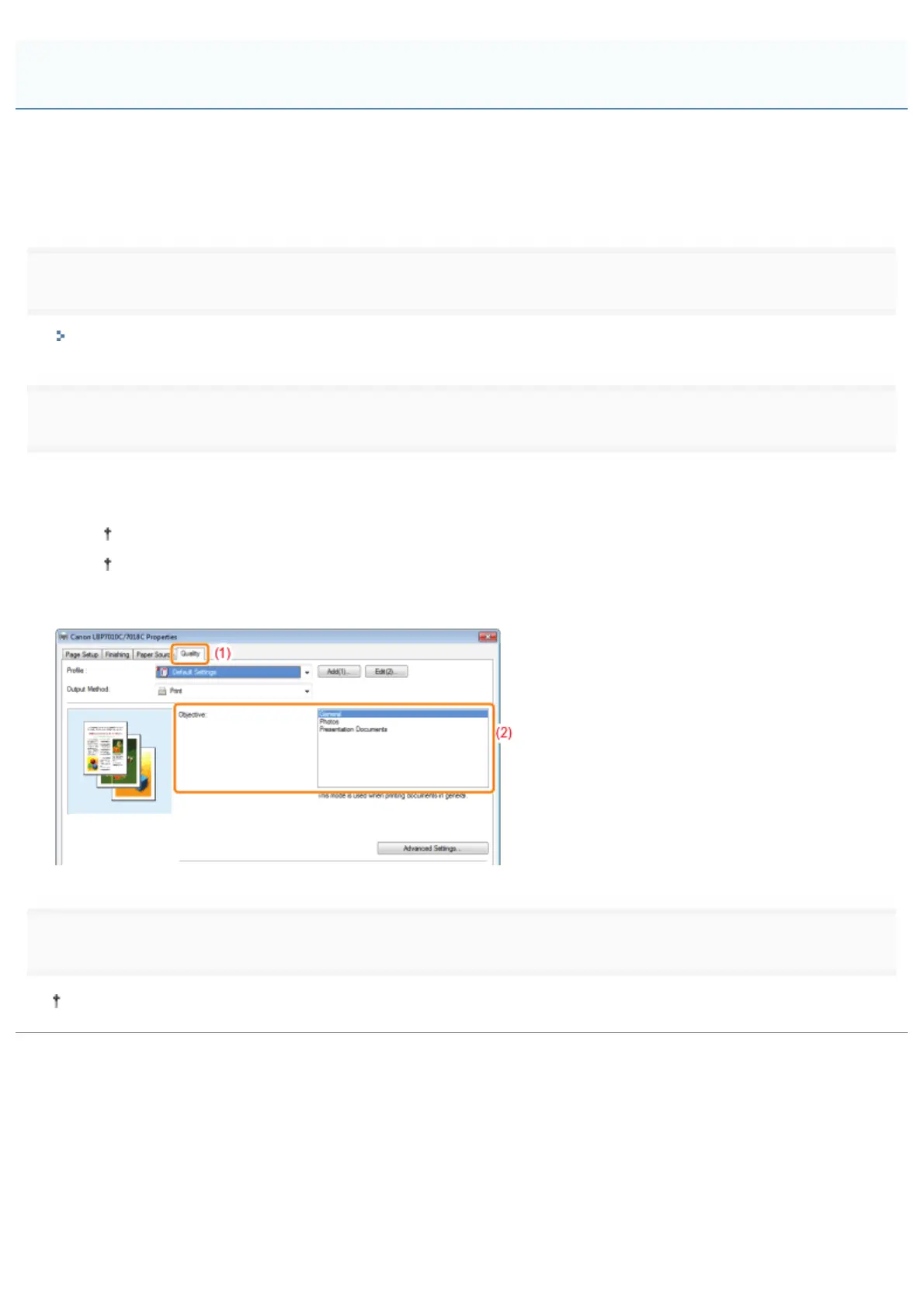
Specify the setting for [Objective].
(1) Display the [Quality] sheet.
(2) Select the appropriate mode for the contents of the document.
Selecting each mode displays a comment on the mode under the list.
If you want to change the printing preferences for the selected mode to meet your needs, click [Advanced
Settings].
3
Click [OK].
For details on the basic printing procedure, see "Basic Printing Procedure."
Performing Printing Appropriate for Particular Print Data
㻞㻜㻡㻌㻛㻌㻟㻠㻟













 To Next Page