019A-05X
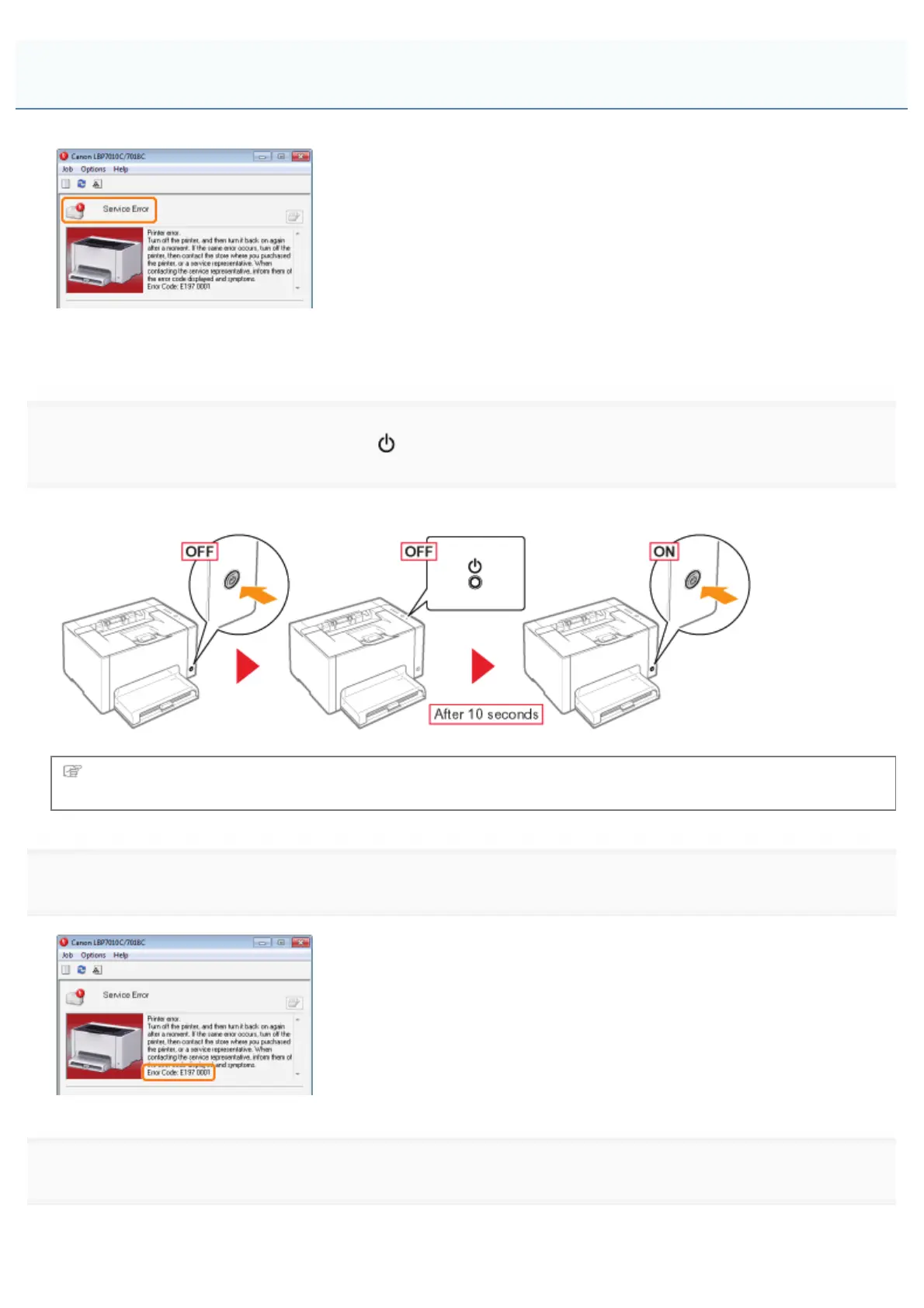
If <Service Error> is displayed in the Printer Status Window, perform the following procedure to cycle the power of the
printer.
1
Turn the printer OFF, make sure that the (Power) indicator is off, wait for 10 seconds or longer,
and then turn it ON again.
If the message does not reappear, the printer is ready.
If the message reappears, you need to request service.
Follow the procedure below, and then contact your local authorized Canon dealer to request service.
2
Note down the error code displayed in the Printer Status Window.
3
Turn the printer OFF, then disconnect the cables or cords from the printer.
When <Service Error> Is Displayed
㻞㻥㻜㻌㻛㻌㻟㻠㻟













 To Next Page