019A-05R
Before removing jammed paper, see "Attention (Paper Jams)."
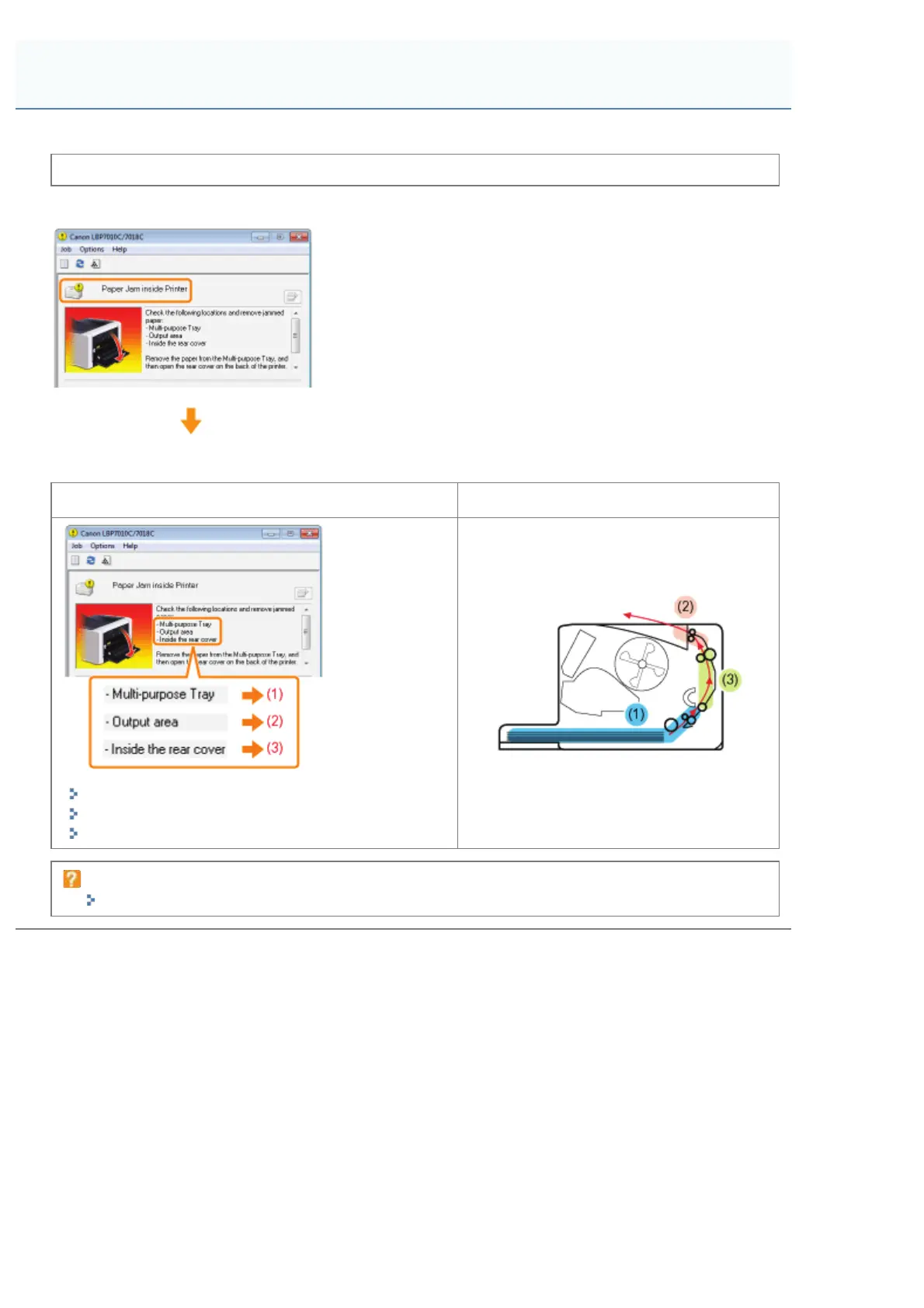
When a paper jam occurs, a message appears in the Printer Status Window.
Remove the jammed paper for each area in display order of the message.
Message and clearance procedure Paper jam area
(1) "Clearing Paper Jams (Multi-purpose Tray)"
(2) "Clearing Paper Jams (Output Area)"
(3) "Clearing Paper Jams (Inside the Rear Cover)"
If the Printer Status Window is not displayed
"Printer Status Window"
Paper Jams
㻞㻣㻢㻌㻛㻌㻟㻠㻟













 To Next Page