019A-07H
1
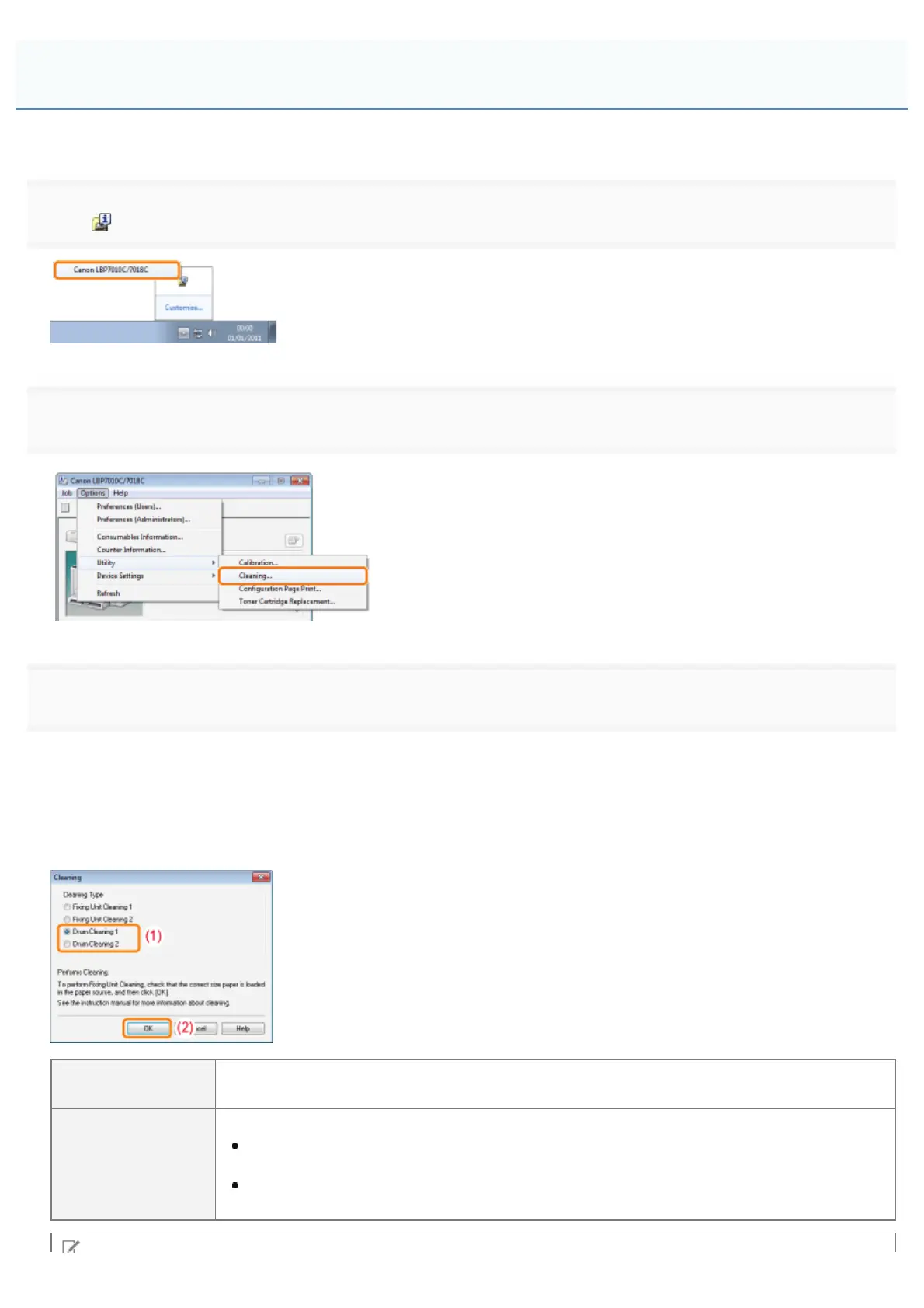
Click [ ] displayed in the task tray, and then select a printer name.
2
3
Select [Cleaning Type].
(1) Select [Drum Cleaning 1] or [Drum Cleaning 2] depending on the symptoms.
(2) Click [OK].
ĺ The message <Cleaning> appears in the Printer Status Window, and the printer starts cleaning the
photosensitive drum.
[Drum Cleaning 1]
Select when short white streaks (lines) appear at equal distance on the images (especially in a
high-humidity environment).
[Drum Cleaning 2]
Select when the following circumstances occur.
Long black streaks (lines) appear on the images (especially in a low temperature
environment).
Short black streaks (lines), smudge marks, or white points appear at equal distance on the
images (especially in a high temperature environment).
Cleaning the Photosensitive Drum of the Printer
㻥㻟㻌㻛㻌㻟㻠㻟













 To Next Page