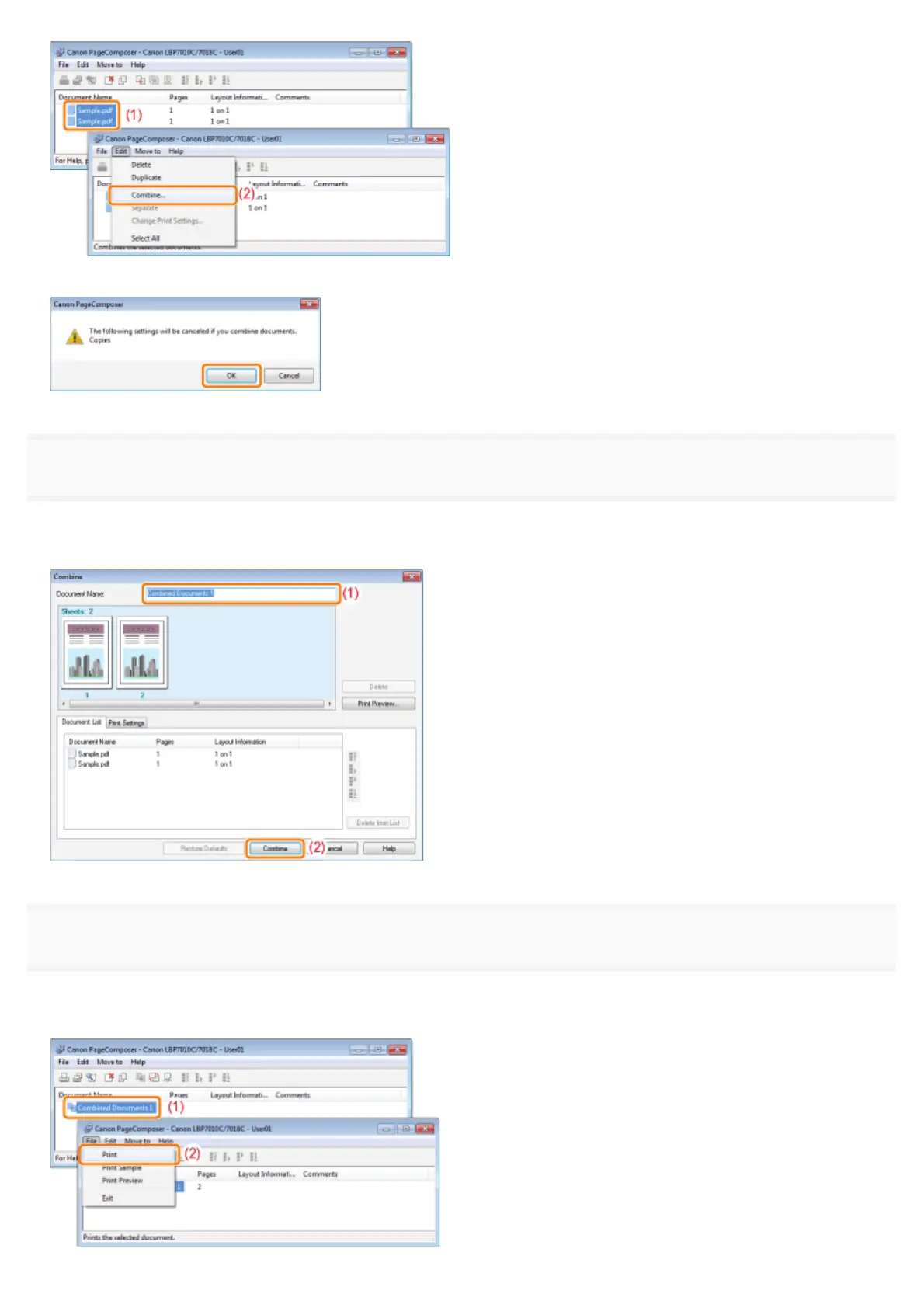
When the following screen appears, read the contents, and then click [OK].
8
Perform the following procedure.
(1) Enter the name of the combined print data.
(2) Click [Combine].
9
Print the combined print data.
(1) Select the combined print data.
(2) Select [Print] from the [File] menu. Then the printer starts printing.
㻝㻥㻟㻌㻛㻌㻟㻠㻟













 To Next Page