4
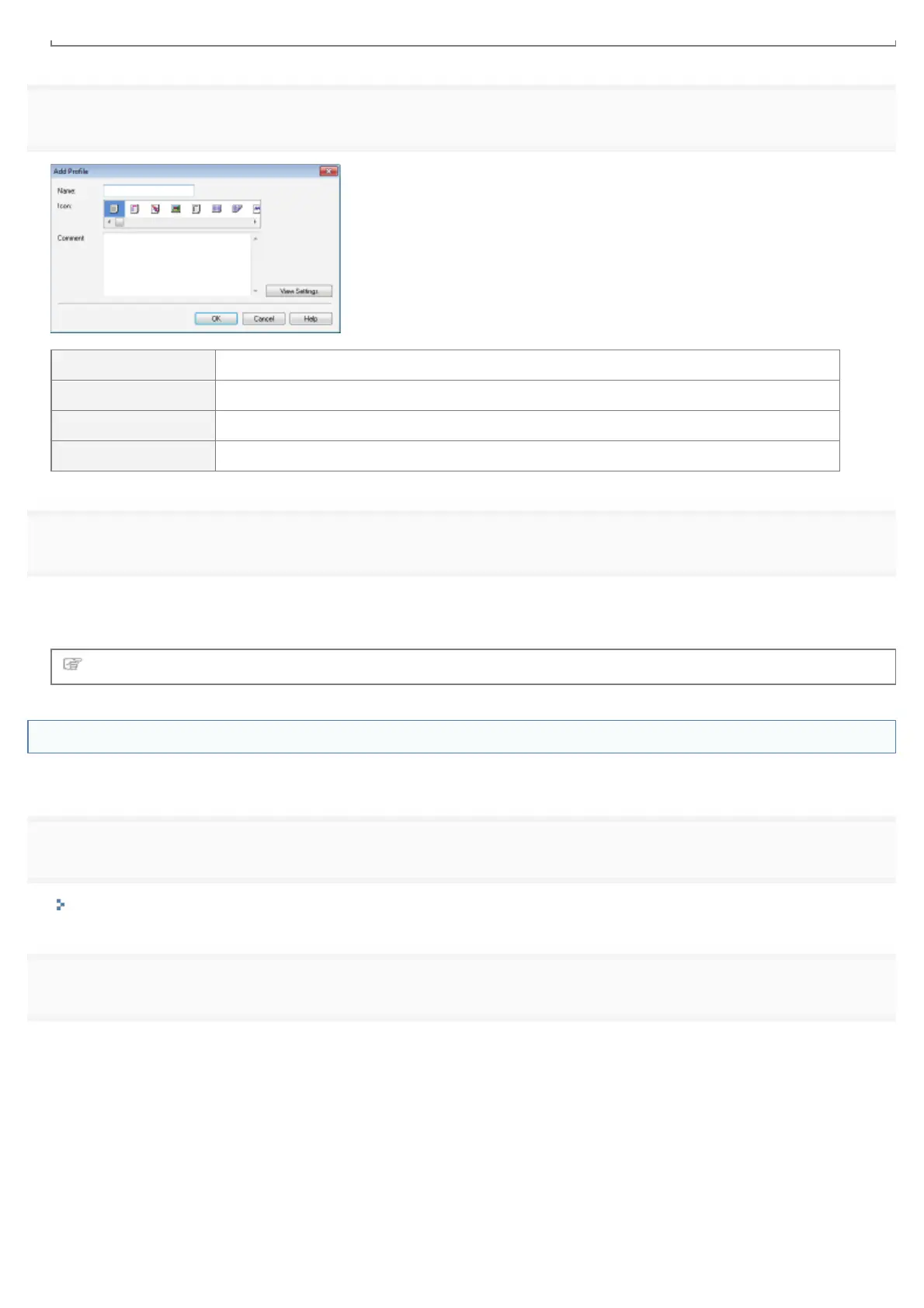
Specify information about a "Profile."
[Name] Enter the name for "Profiles." Up to 31 characters can be entered.
[Icon] You can select the icon for the "Profile."
[Comment] Enter the comment for the "Profile." Up to 255 characters can be entered.
[View Settings] Display the [View Settings] dialog box. You can check the current printer driver settings.
5
Click [OK] to register the "Profile."
ĺ The setting screen of the printer driver reappears.
Make sure that the name of the added "Profile" is in [Profile].
For details on the procedure for using a "Profile", see "Selecting a "Profile"."
Editing an Added "Profile"
You can change information about an added "Profile" or export a "Profile" as a file.
1
Display the setting screen of the printer driver.
"Displaying the Setting Screen"
2
Click [Edit].
㻞㻞㻟㻌㻛㻌㻟㻠㻟













 To Next Page