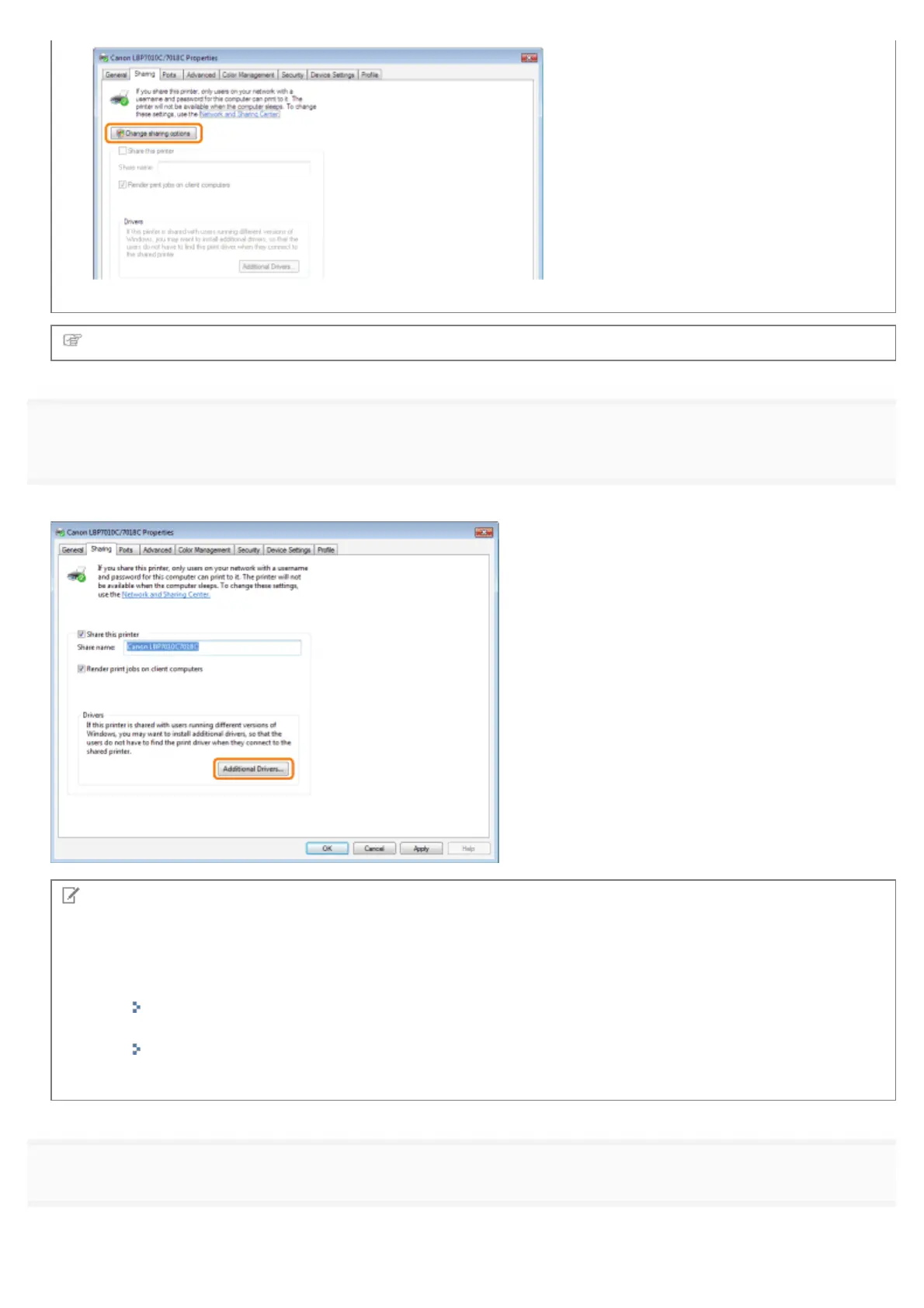
If the [User Account Control] dialog box appears, click [Continue].
Next, install the additional driver using the following procedure.
4
Insert the supplied CD-ROM "User Software" into the CD-ROM drive of your computer, and then click
[Additional Drivers].
If CD-ROM Setup appears, click [Exit].
NOTE
When updating an additional driver (replacement driver)
Perform the following procedure.
1. Uninstall the printer driver on the print server.
"Uninstalling the Printer Driver"
2. Install the new printer driver on the print server.
"Installing the Printer Driver"
3. Reinstall the additional driver.
5
Select the additional driver.
(1)
Select the additional driver.
*
㻞㻟㻝㻌㻛㻌㻟㻠㻟













 To Next Page