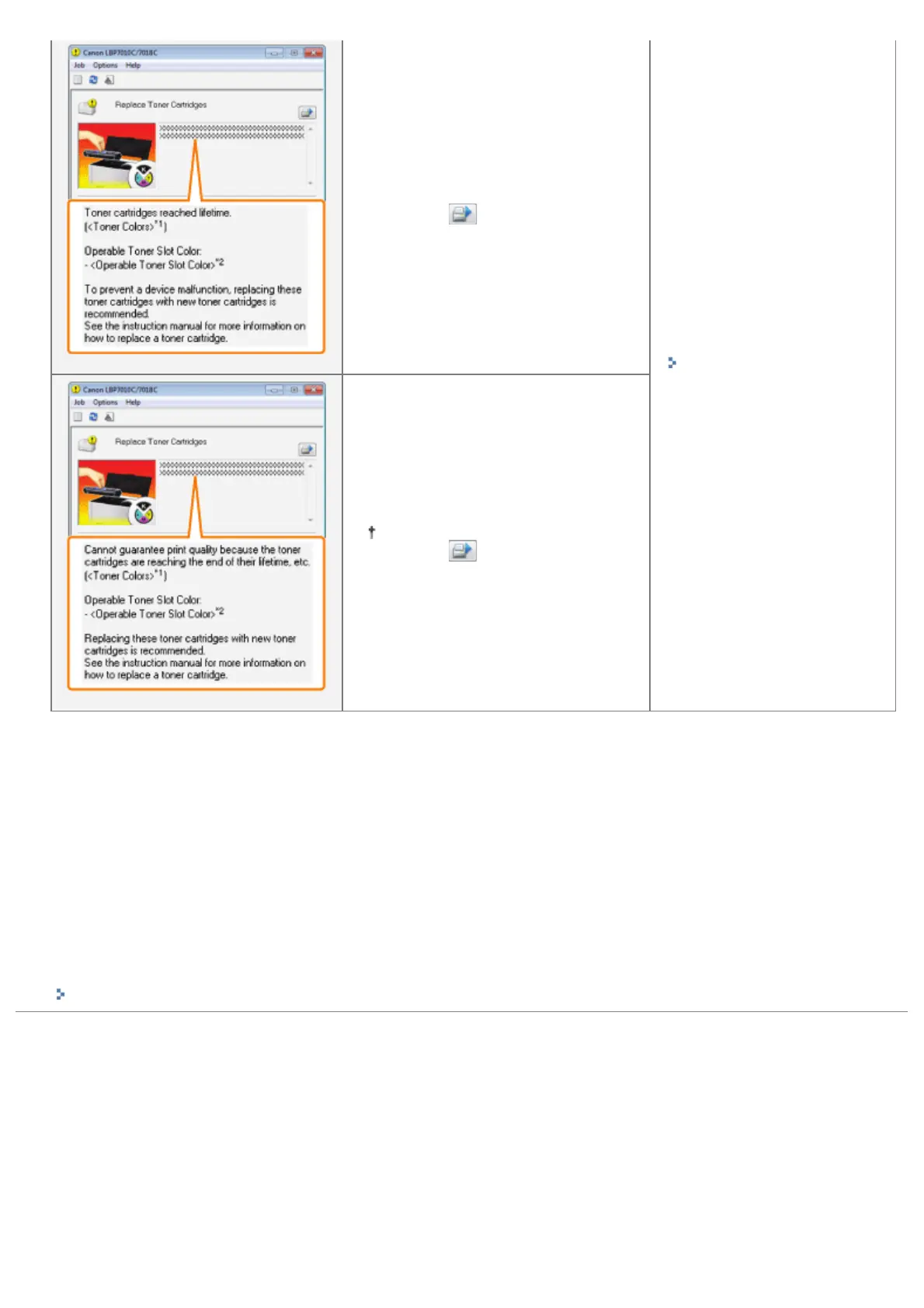
clicking [ ] (Resolve Error),
however, as this may result in
damage to the printer.
"Replacing the Toner
Cartridge"
*3
Replace the toner cartridges of the
displayed colors.
You can continue printing as is by
clicking [
] (Resolve Error),
however, print quality may
deteriorate.
*1
<Toner Colors> displays the colors of the toner cartridges targeted for messages. (Multiple colors of the toner
cartridges may be displayed.)
*2
<Operable Toner Slot Color> displays the color of the toner cartridge at the replacement position.
*3
The toner cartridges of the displayed colors move to the replacement position automatically.
(If the multiple colors of the toner cartridges are displayed, replace the toner cartridge moved to the replacement
position first, and close the top cover, the next color of the toner cartridge moves to the replacement position
automatically.)
<In cases such as where you do not immediately replace the toner cartridge with a replacement
toner cartridge after purchasing it>
Pay attention to the points described in the following section to store it.
"Storing Toner Cartridges"
㻢㻜㻌㻛㻌㻟㻠㻟













 To Next Page