OPERATING THE MACHINE
3-27
AUTOMATIC SPEED REDUCTION (AUTO IDLE)
The speed reduction function (Auto Idle) automati-
cally reduces the engine speed in no-load working
conditions.
The drive engine is throttled down to idling speed if
work with the working equipment is interrupted for
longer than 4 seconds.
Fuel consumption and noise and exhaust emissions
are reduced.
When the operator activates a hydraulic function,
the drive engine speed is again increased to the
previously set speed of the respective power level.
The switching state of the Auto Idle function (ON/
OFF) is saved after engine shut-off.
NOTE: do not activate the engine speed automatic
reduction with following functions: craning, hammer-
ing, rotary cutter or during travel.
Risk of unexpected changes in machine power.
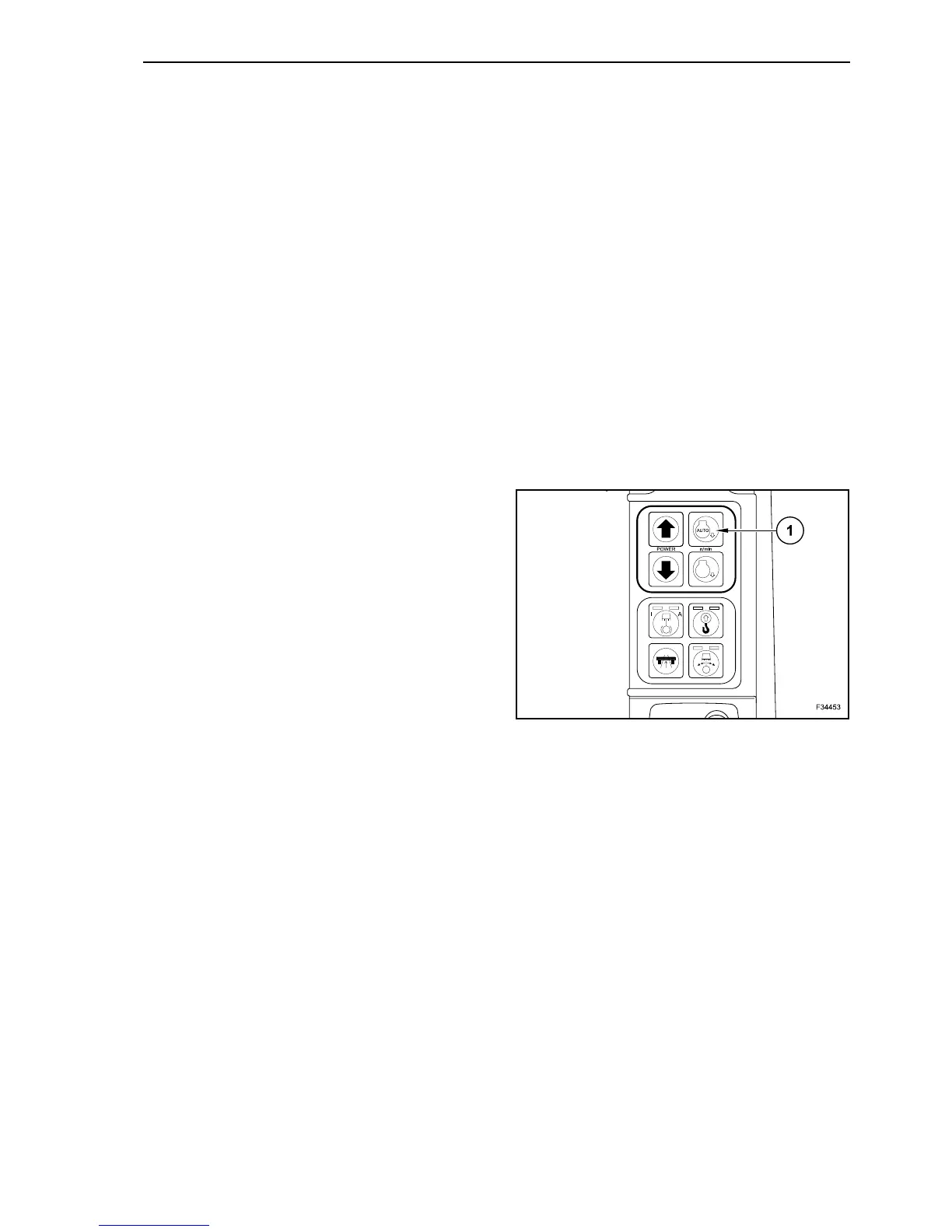
To activate the engine automatic speed reduction
depress push-button (1): the right lamp lights up.
To deactivate the engine automatic speed reduction
depress push-button (1) again: the right lamp lights
off.
The Auto-Idle speeds and the time to activation are
pre-programmed at the factory. These parameters
can be modified depending on the conditions of use
of the machine. Contact the After-sales service if a
modification of the programmed values is required.
38



 To Next Page