SECTION 2
2-18
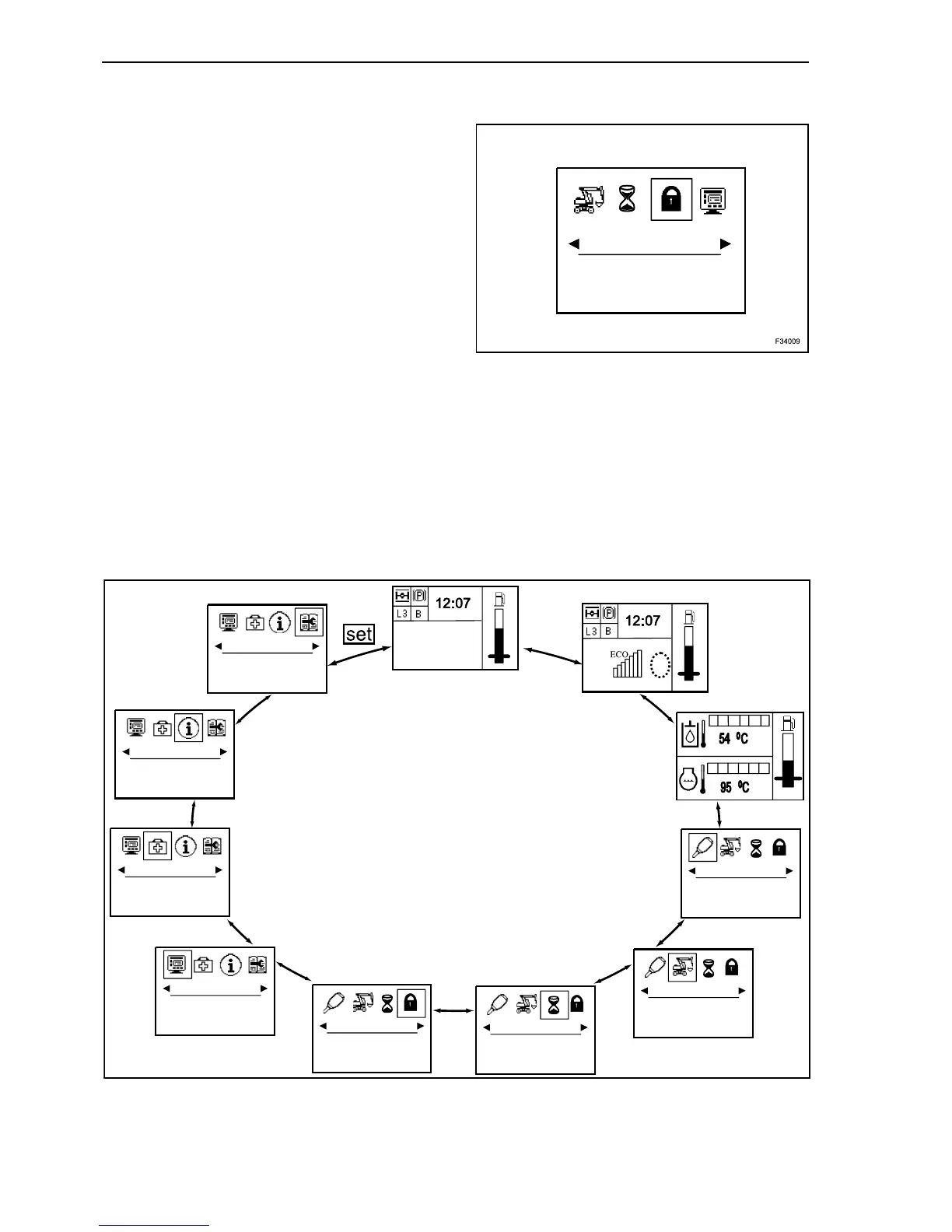
MAIN MENU
Pressing an arrow button in the operating mode
calls up the main menu. The arrow keys equally per-
mit access to the various sub-menus:
- operation hours;
- code;
- display settings;
- faults retrieval;
- informations;
- service.
In this mode, the display is divided into two fields.
The symbols are displayed in the upper field while
the corresponding menu text appears in the lower
one.
The “set” button gives access to the submenus for
recalling information or for changing machine set-
tings.
Wedges under the pictograms indicate that further
menus are available in the respective direction.
The tester and service functions menus are
reserved for our Service Department and disabled in
normal machine operation.
CODE
7
F34010
MAINTENANCE
INFORMATION
FAULTS RETRIEVAL
DISPLAY
CODE
OPERATION HOURS
MACHINE
ATTACHMENT
121 HOURS
8



 To Next Page