CONTROLS AND INSTRUMENTS
2-23
TIME
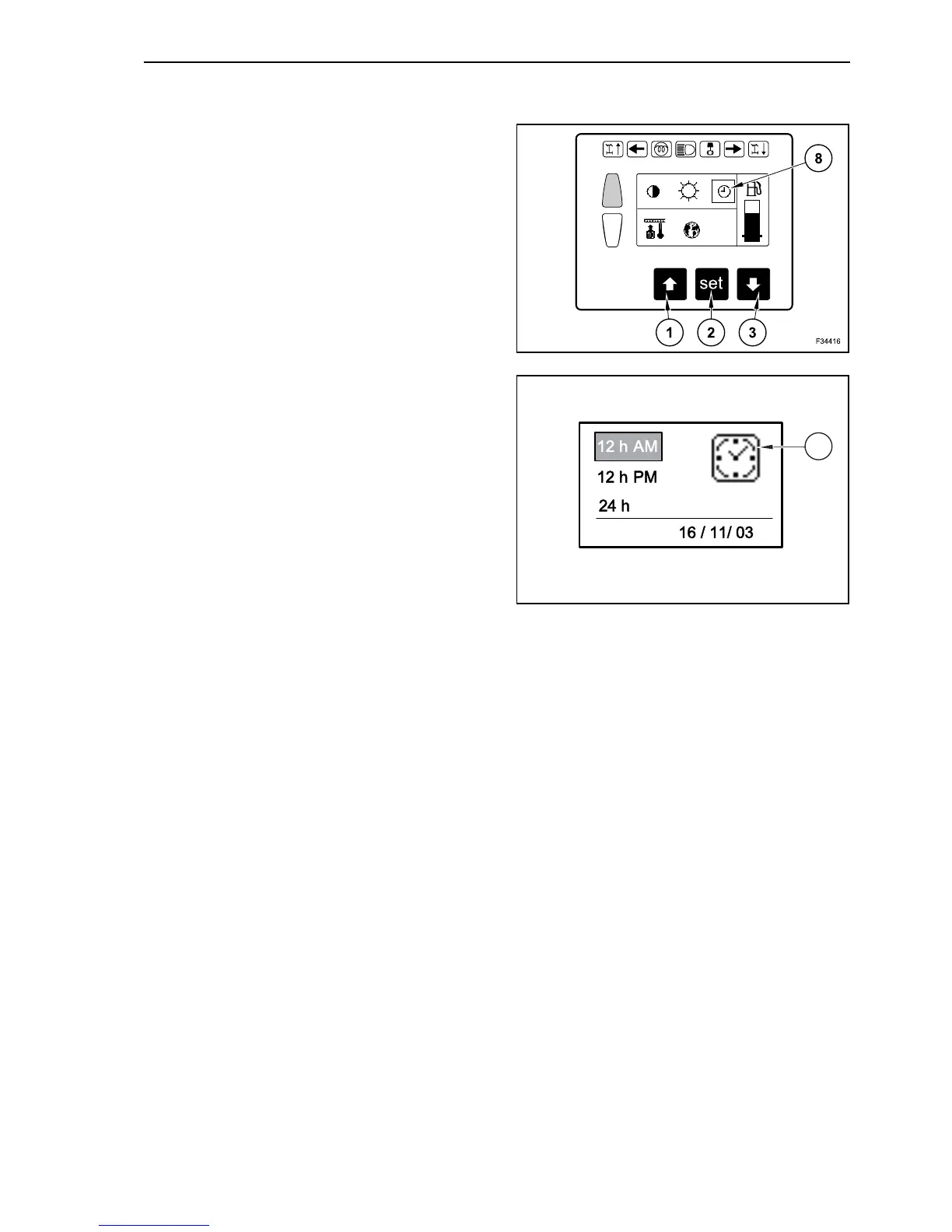
For different reasons time may need to be set in the
electronic control unit and visualized on the display
(for instance in case of legal time change).
In operating mode depress repeatedly the arrow
button, until on main menu appears “display” on
grey background. Confirm with “set” button (2).
Depress repeatedly button with downward arrow
(3), until the time symbol (9) appears on grey back-
ground (8). Confirm the setting with “set” button (2).
On the display left appears now the symbol of a
clock and right the selection of:
- the indication of the 12 hours;
- the indication of the 24 hours;
- the date setting.
By means of the arrow button you can select one of
these options and confirm the selection with “set”
button (2).
15
F34018
9
DATE
16



 To Next Page