SECTION 4
4-68
COOLING SYSTEM LIQUID - CHANGE
Park the machine on a level and firm surface.
Place the working attachment on the ground.
Activate the parking brake.
Place the machine in a safe condition.
Shut off the engine.
Open the cover of the engine compartment and the
door in front of the multi-cooler.
Prepare a collecting container for the coolant.
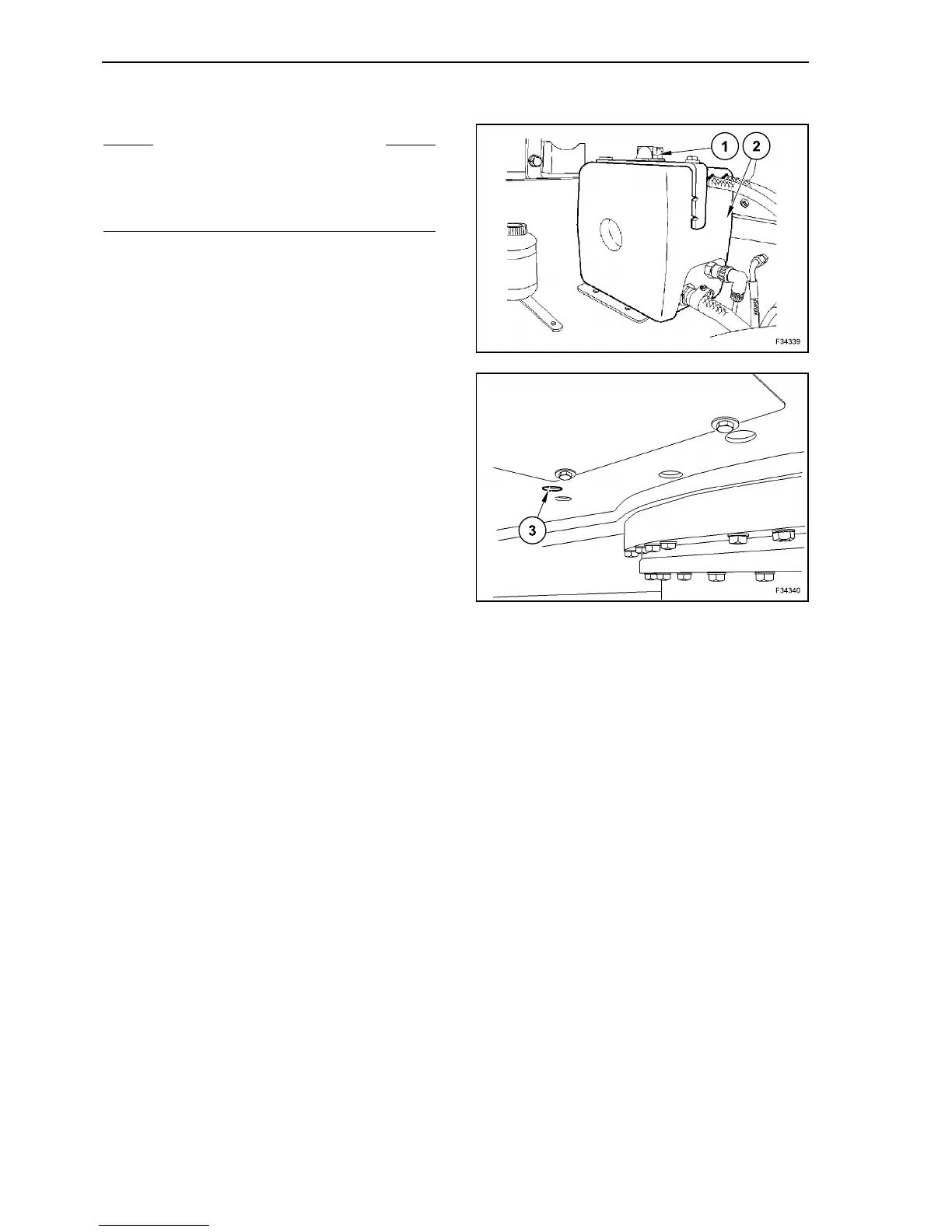
Unscrew plug (1) of expansion tank (2).
Unscrew screw plug (3) carefully just to release the
exceeding pressure from the system. Only after this
operation, unscrew the plug completely. Collect the
coolant in the prepared container.
Once the coolant has been completely released,
tighten the plug (3) again. Fill the new liquid inside
of the expansion tank (2), until the level sets
between references “min” and “max”.
Tighten the plug (1) again.
After a short test, check again the liquid level and, if
necessary, top up.
S WARNING S
Drain the coolant only after it has cooled down suffi-
ciently.
Discard used coolant according to environment leg-
islation.
101
102



 To Next Page