SECTION 5
5-2
ERRORS INDICATION ON THE DISPLAY
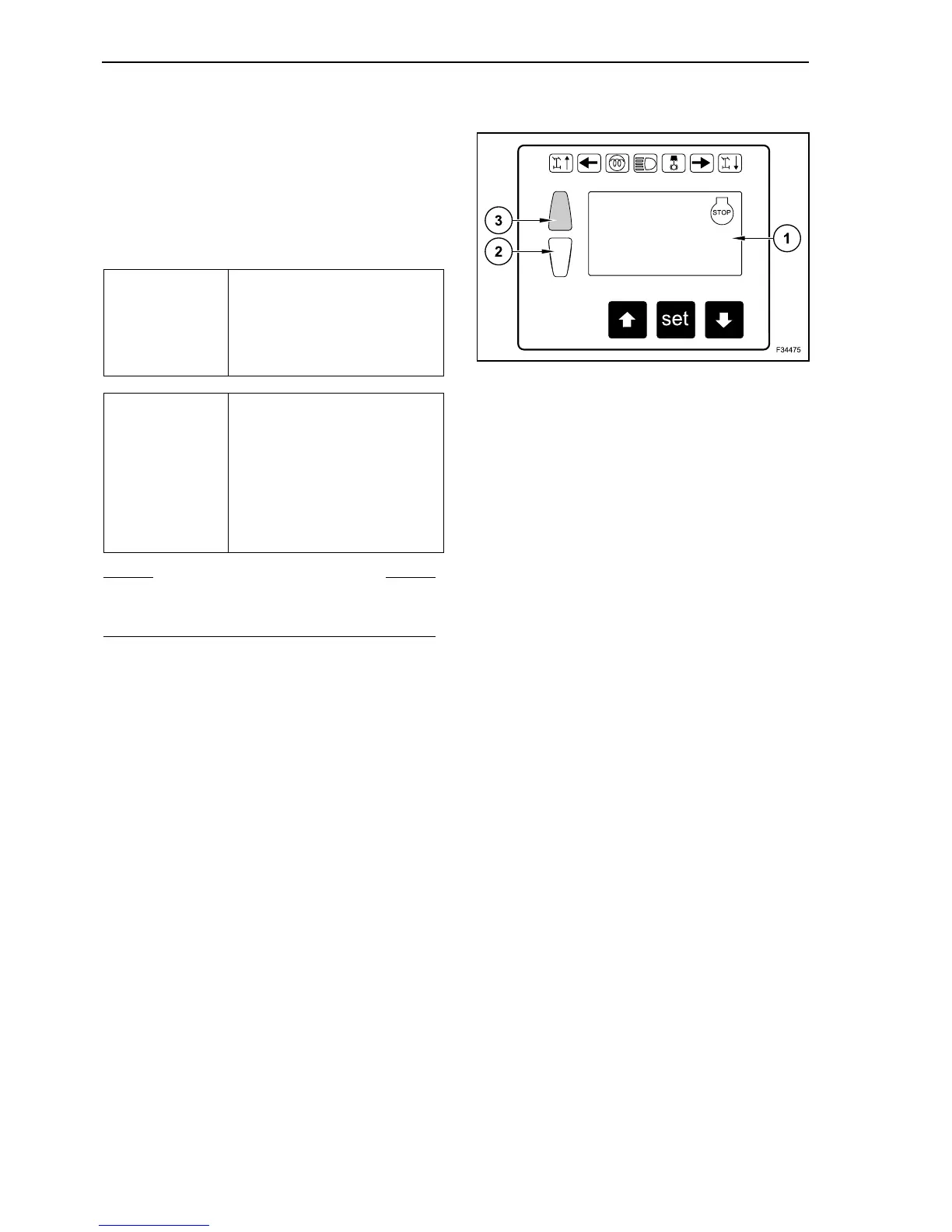
When a fault occurs, the multi-function display
shows on the upper section an error code (for
instance # 7004), at the same time two lamps one
yellow (2) and one red (3) light up; according to the
fault they can light up either singularly or together.
According to the fault seriousness, also an acoustic
warning can be released.
Beyond the error code, in the lower section of the
multi-function display, appears a short explanation
of the error code.
In some particular cases, some faults can occur
concurrently.
In such a case, the relevant error codes are indi-
cated, by alternating one after the other in the usual
visualization.
RED
+
CONTINUOUS
SOUND
Serious fault
The persons safety and/or the
operation of the machine’s
main assemblies are endan-
gered.
YELLOW
+
SINGLE
SOUND
Fault insignificant for the
safety of persons and for
machine operation.
These faults have to be
cleared as soon as possible.
In the majority of cases
though, the full machine func-
tionality remains unchanged.
S WARNING S
The serious faults have to be cleared immediately.
Shut off the machine immediately.
ERROR CODE
Error explanation
(rows of 25 digits)
1



 To Next Page