SECTION 2
2-20
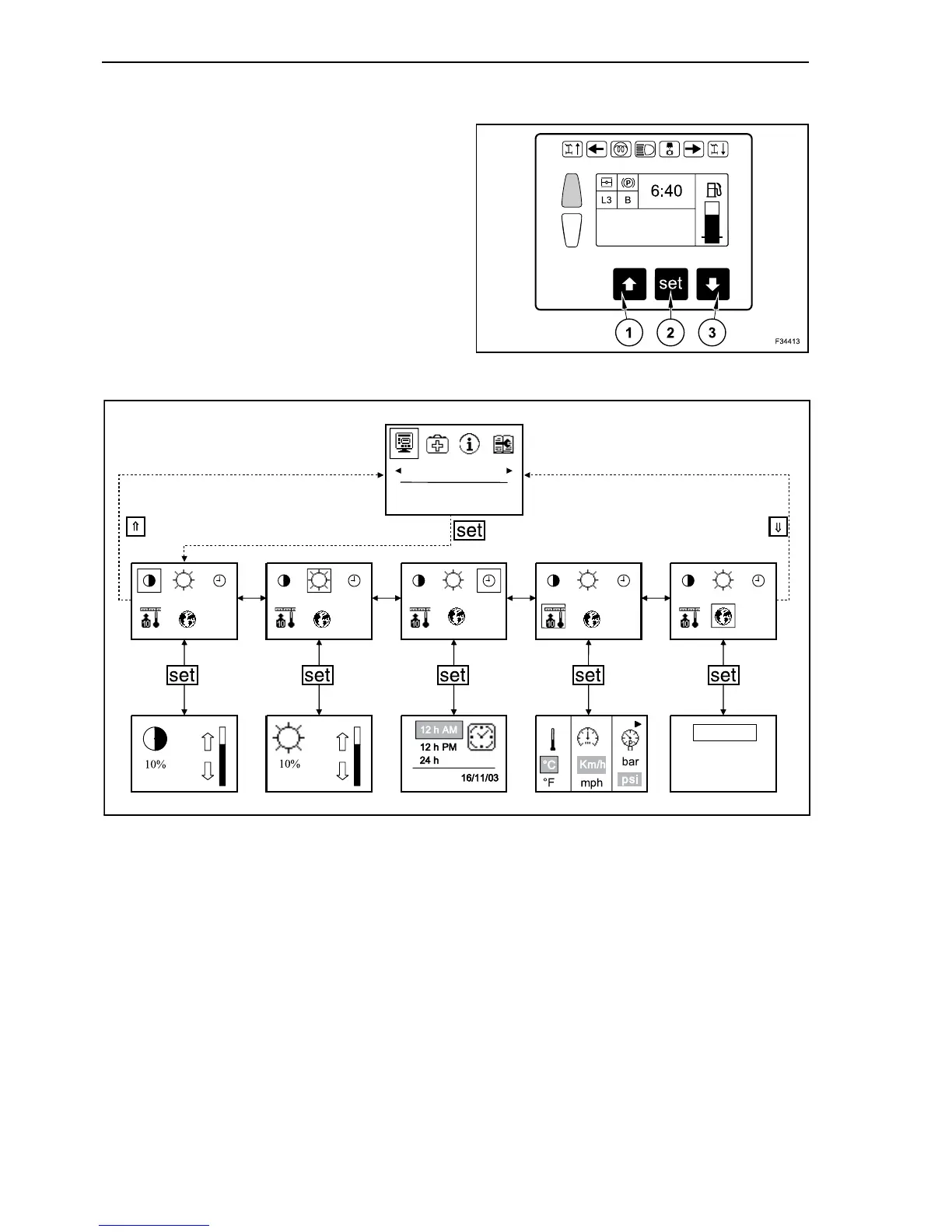
DISPLAY SETTING, MAIN MENU
In operating mode depress repeatedly the arrow
button, until on main menu appears “display” on
grey background. Confirm with “set” button (2).
By depressing the button with the upward arrow (1)
you return to main menu.
With downward arrow button (3) you can recall fol-
lowing sub-menus:
- contrast;
- brightness;
-time;
-units;
- language.
969 HOURS
9
F34012
DISPLAY
English
French
DATE
German
10



 To Next Page