CONTROLS AND INSTRUMENTS
2-21
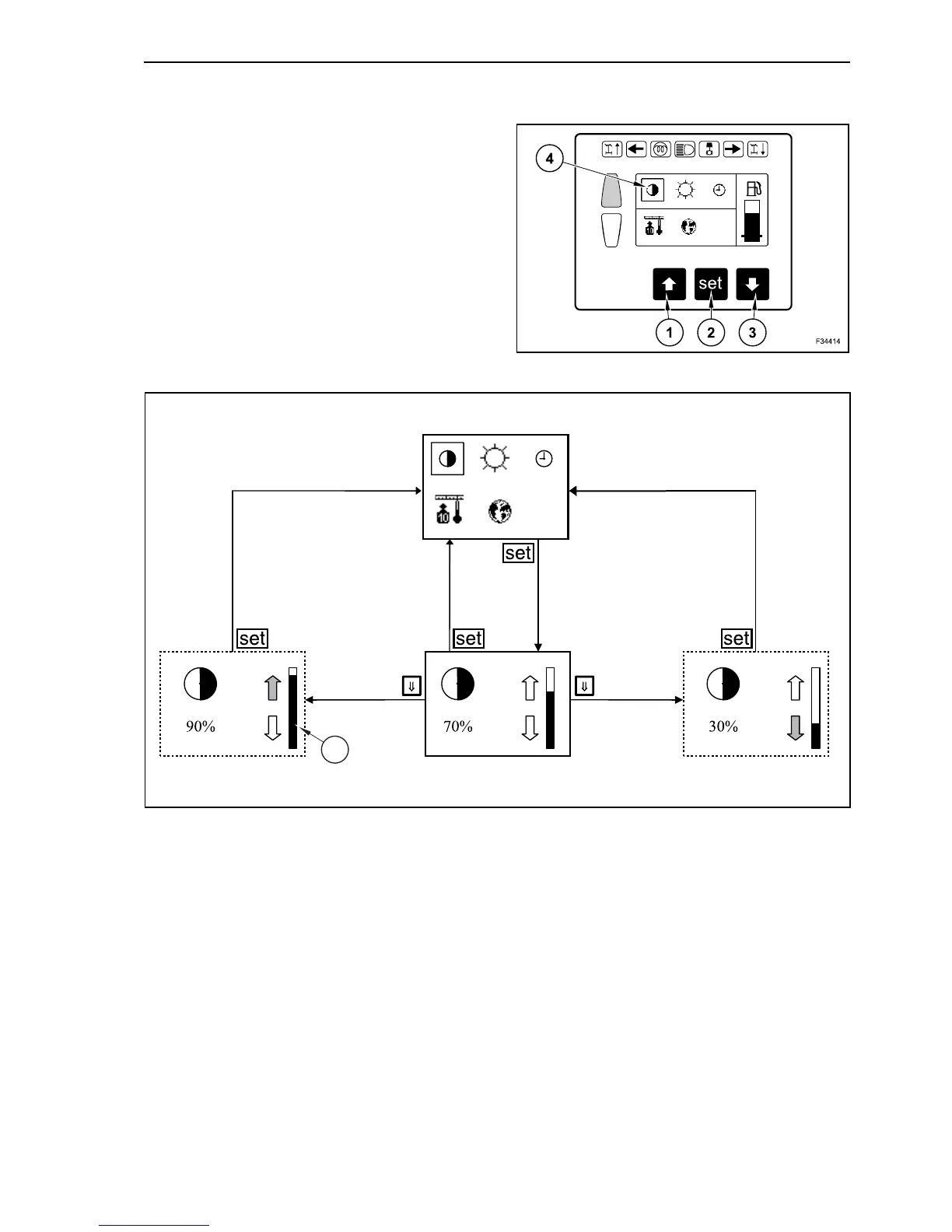
CONTRAST
Under poor light conditions, strong solar light of
extreme cold, the display contrast may need to be
modified. In this way the readability of the informa-
tions displayed is ensured.
In operating mode depress repeatedly the arrow
button, until on main menu appears “display” on
grey background. Confirm with “set” button (2).
Depress repeatedly button with downward arrow
(3), until the contrast symbol appears on grey back-
ground (4). Confirm the selection with “set” button
(2).
By depressing the button with upward arrow (1), the
contrast increases, by depressing the button with
downward arrow (3) the contrast decreases at little
steps. The contrast setting is graphically displayed
like a column (5).
With button “set” (2) you exit the sub-menu “Con-
trast” and return to main menu “Display”. Concur-
rently the contrast settings are memorized.
11
F34014
5
12



 To Next Page