SECTION 3
3-38
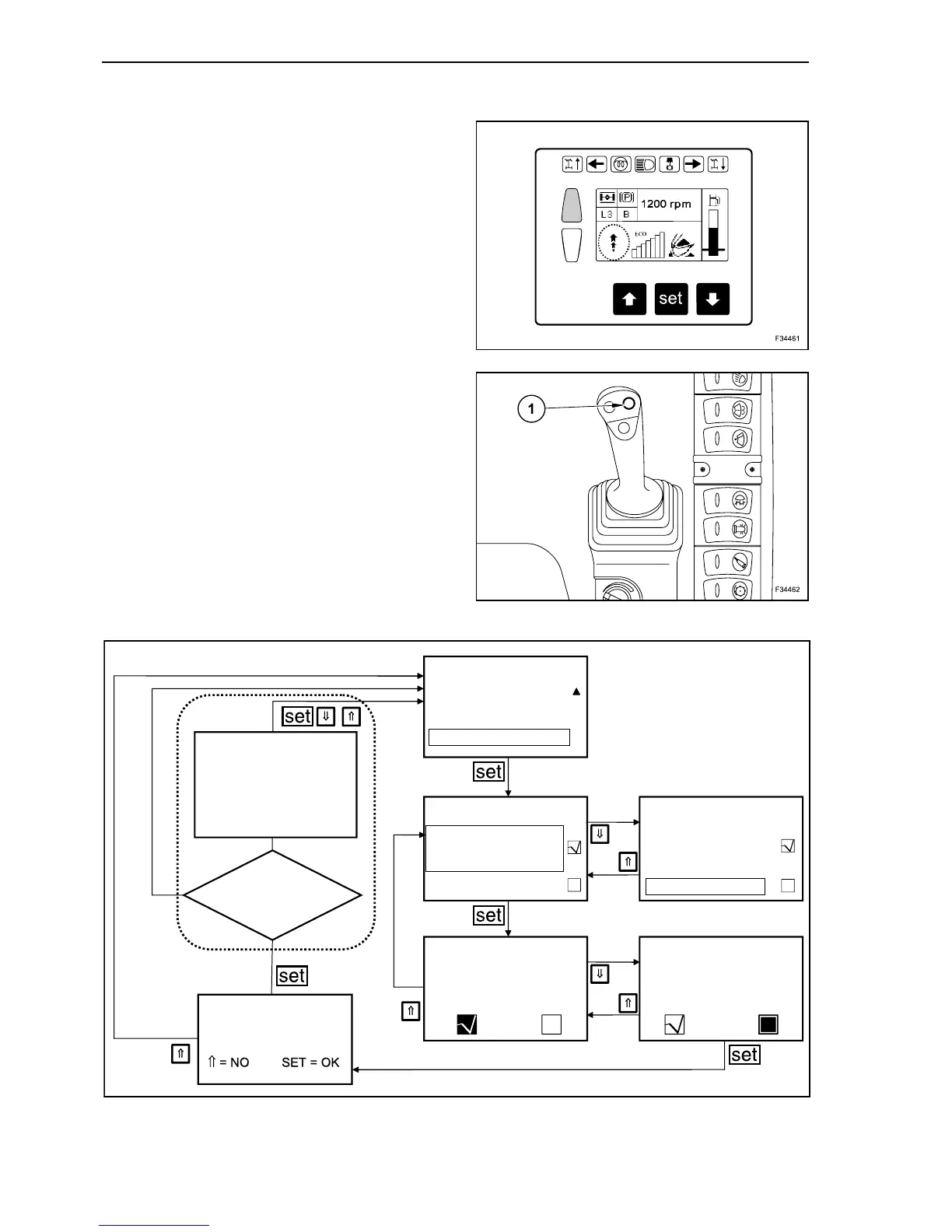
AUTO POWER BOOST ACTIVATION
In operating mode depress repeatedly the arrow
button, until on main menu appears “MACHINE” on
grey background. Depress the “set” button.
Depress the arrow buttons repeatedly until the bar is
on “Auto Power Boost” activates. Depress the “set”
button.
Use the arrow buttons to select the working attach-
ment for which you want to activate or deactivate
the “Auto Power Boost”. Depress the “set” button.
By means of the arrow buttons you can activate or
deactivate this option and confirm the selection with
“set” button.
Confirm the change with the “set” button or keep the
old setting by depressing an arrow button.
Activation of the standard Power Boost function with
button (1) is always possible, even when Auto
Power Boost is on.
55
56
F34127
MACHINE
DAMPING
AUTO POWER BOOST
AUTO POWER BOOST
PARAMETERS NOT
UPDATED. RE-TEST.
PRESS ANY KEY
AUTO POWER BOOST
AUTO POWER BOOST
DIPPER IN
BUCKET FULL
Save changes?
AUTO POWER BOOST
AUTO POWER BOOST
BUCKET FULL
DIPPER IN
DIPPER IN
DIPPER IN
Updating performed
by ESX?
NO
YE
SWING POWER
57



 To Next Page