SUPPLIES AND SERVICE CHART
4-35
CHARGE CHECK
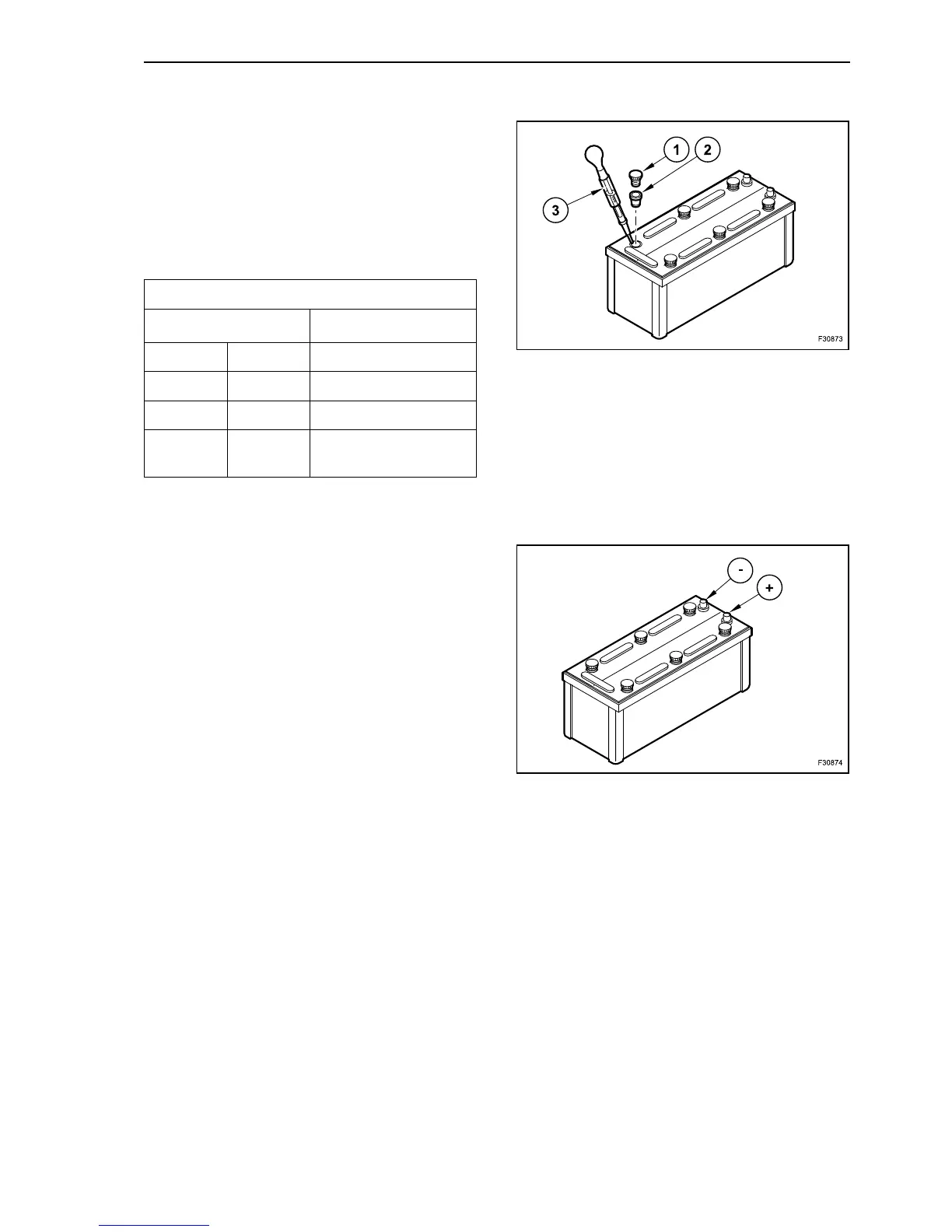
Unscrew caps (1) and undercaps (2) if installed.
Measure electrolyte density of individual cells with
commercial hydrometer (3).
Hydrometer reading (see table on following page)
indicates battery’s state of charge.
During measurement, temperature of electrolyte
should preferably be +20 °C (68 °F).
CLAMPS CHECK
Keep battery clean and dry.
Disconnect dirty clamps.
Clean battery poles (+) and (-) and clamps and
grease with acid-free and acid resistant grease.
When reassembling, ensure that clamps make good
contact. Tighten the wheel nuts by hand.
CHARGE
Top up / recharge
When the charge is performed with low current
intensity (top up charge with small battery charger) it
is not necessary to detach the connection cables of
the on board net. Respect anyway the prescriptions
of the Manufacturer of the battery charger. If the bat-
teries are not installed, use a battery charger with a
charging voltage of 24 V (batteries are serial con-
nected).
To recharge the battery, do not exceed the maxi-
mum charge current of 10% of the battery rated
capacity.
Recharge time maximum 30 hours, in case of bat-
tery completely flat.
Electrolyte density
in kg/dm
3
(lb/foot
3
)
Charge
Normal Tropical
1.28 (80) 1.23 (77) correct
1.20 (75) 1.12 (70) low: charge
1.12 (70) 1.08 (67)
discharged: recharge
immediately
39
40



 To Next Page