SUPPLIES AND SERVICE CHART
4-59
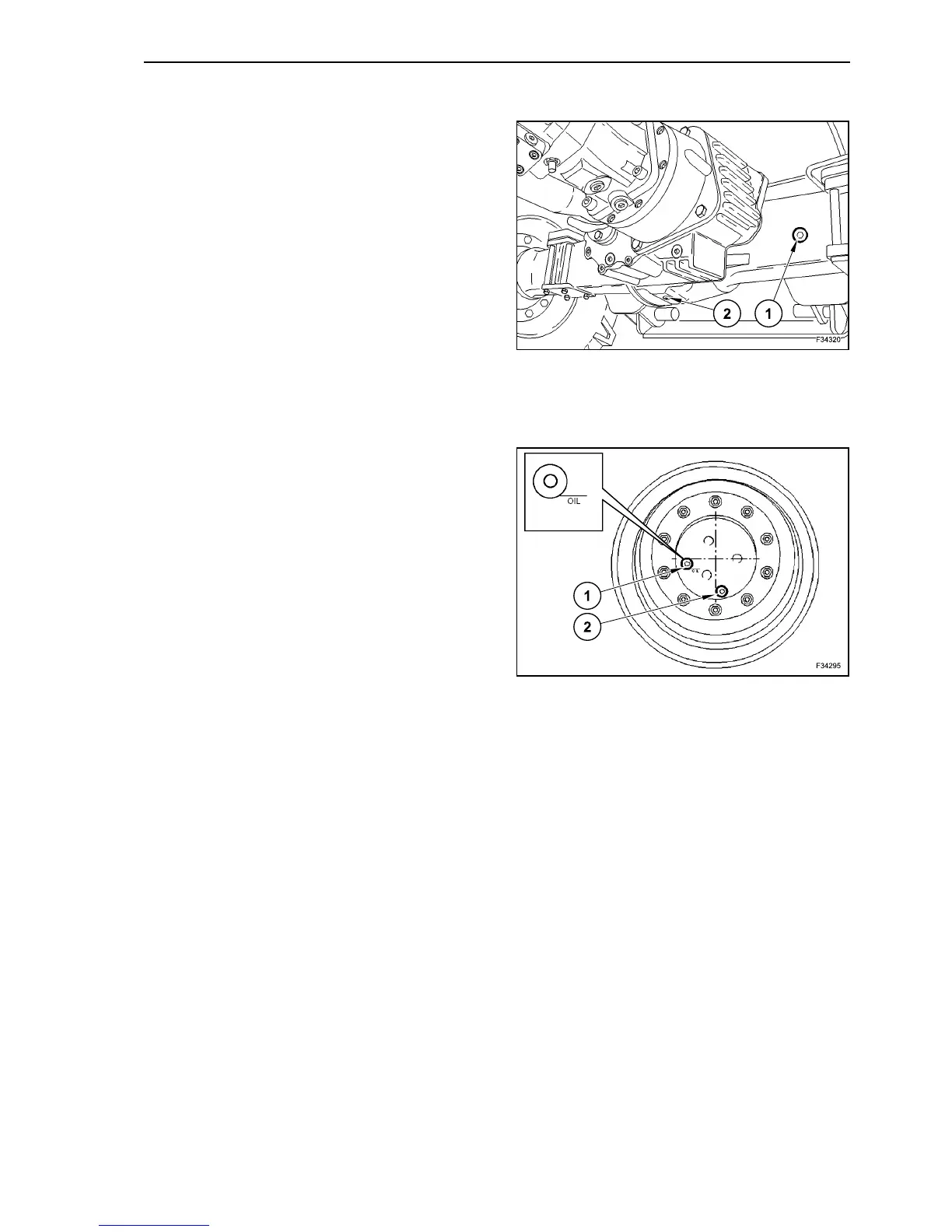
DIFFERENTIAL - OIL CHANGE
Clean the area around the plugs (1) and (2).
Place a container under the screw plug (2) to collect
old oil.
Unscrew the screw plug (1) slowly, until the inner
pressure is completely released. Only after this
operation, unscrew the screw plug (1) completely.
Unscrew the screw plug (2).
Oil flows out of the screw plug (2).
Screw up the screw plug (2).
Fill new oil through the screw plug (1) hole.
The oil level must be flush with the screw plug (1)
lower edge.
Screw up the screw plug (1).
TRAVEL GEARBOXES - OIL CHANGE
Bring the screw plugs (1) and (2) into position
depending on the gearbox installed. The line under
the word “REAR” or “OIL” must be in horizontal posi-
tion.
Clean the area around screw plugs (1) and (2).
Place a container under the screw plug (2) to collect
old oil.
Unscrew the screw plug (1) slowly, until the inner
pressure is completely released. Only after this
operation, unscrew the screw plug (1) completely.
Unscrew the screw plug (2).
Oil flows out of the screw plug (2).
Screw up the screw plug (2).
Fill new oil through the screw plug (1) hole.
The oil level must be flush with the hole lower edge.
Screw up the screw plug (1).
Perform the oil change in the same way also for the
other travel gearbox.
80
81



 To Next Page